

 ubuntu
How to use custom icons?
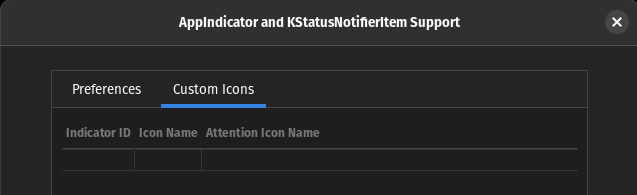

In the Indicator ID column, you need to specify the id associated with that icon. You can find it via gnome shell Looking Glass tool:
- Press Alt + F2
- In the opened popup type
lgthen enter - Click the target icon in the top left corner
- Then select the larger area around the icon you want to get the id from (Like in my screenshot, DO NOT select the smallest area)
- Then in the console input
r(0)._indicator._proxy.Id - This will output the id you need
- Press Esc to close the Looking Glass window

For the Icon Name, I think it can either be the name of an icon available in Gnome Shell (I didn't test it though) or the full path to your icon (worked fine with a PNG when I tested it)
Hopefully this outstanding PR will be merged as it will list recent app indicator id and avoid fiddling with gnome shell debug tools https://github.com/ubuntu/gnome-shell-extension-appindicator/pull/312

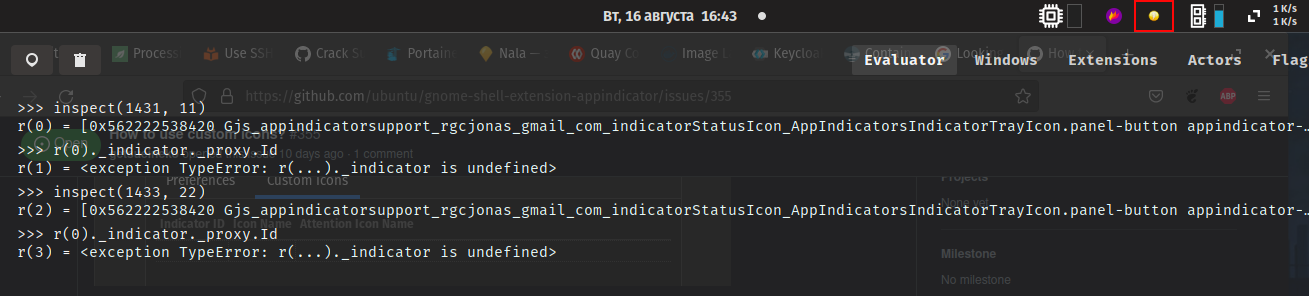
Hum, it seems it doesn't have an _indicator reference. Maybe you need to click on the r(0) ref to look for an id in its properties.
Or you can just reinstall appindicator with the code from the PR I mentioned to get the ID of that icon.
Well, it would be so much more easy with #312, no fiddling around with looking glass etc :grimacing:
