

 uber
uber
[FormControl] Boolean attributes `positive` and `error` considered `non-boolean`
Current Behavior
<FormControl label={label}>...</FormControl>
Gives me
Warning: Received `false` for a non-boolean attribute `positive`.

If you want to write it to the DOM, pass a string instead: positive="false" or positive={value.toString()}.

If you used to conditionally omit it with positive={condition && value}, pass positive={condition ? value : undefined} instead.
Warning: Received `false` for a non-boolean attribute `error`.

If you want to write it to the DOM, pass a string instead: error="false" or error={value.toString()}.

If you used to conditionally omit it with error={condition && value}, pass error={condition ? value : undefined} instead.
in development (react.dom.development)
Expected Behavior
No error
Your Environment
| Tech | Version |
|---|---|
| Base UI | v10.9.2 |
| React | v17 |
| browser | chrome |
- [x] I have searched the issues of this repository and believe that this is not a duplicate.

Can you reproduce this with a codesandbox? I'm not seeing an error when using the code you've provided.

I'll have to investigate how react dom development kicks in. Will look into it
On Mon, Feb 28, 2022, 19:37 Will Ernest @.***> wrote:
Can you reproduce this with a codesandbox? I'm not seeing an error when using the code you've provided.
— Reply to this email directly, view it on GitHub https://github.com/uber/baseweb/issues/4818#issuecomment-1054549687, or unsubscribe https://github.com/notifications/unsubscribe-auth/AACQAJJ5Q5EFO34YO4ZTPETU5O6FVANCNFSM5PQXDFZA . Triage notifications on the go with GitHub Mobile for iOS https://apps.apple.com/app/apple-store/id1477376905?ct=notification-email&mt=8&pt=524675 or Android https://play.google.com/store/apps/details?id=com.github.android&referrer=utm_campaign%3Dnotification-email%26utm_medium%3Demail%26utm_source%3Dgithub.
You are receiving this because you authored the thread.Message ID: @.***>
This seems to happen if you wrap a <FormControl> with a direct child such as a div or <Block>.

Ah, cool! @williamernest https://codesandbox.io/s/base-web-formcontrol-forked-n0ptwf?file=/src/example.js

The FormControl component sets props on direct children. Not using DOM elements as a direct descendant of the form control seems like it resolves this issue.
Is there a use case where you have to put a DOM element as a direct descendant, instead of the base component itself?
My use case is to use FormControl to display a label for the custom ButtonGroup + Button element. Tags section in the form:
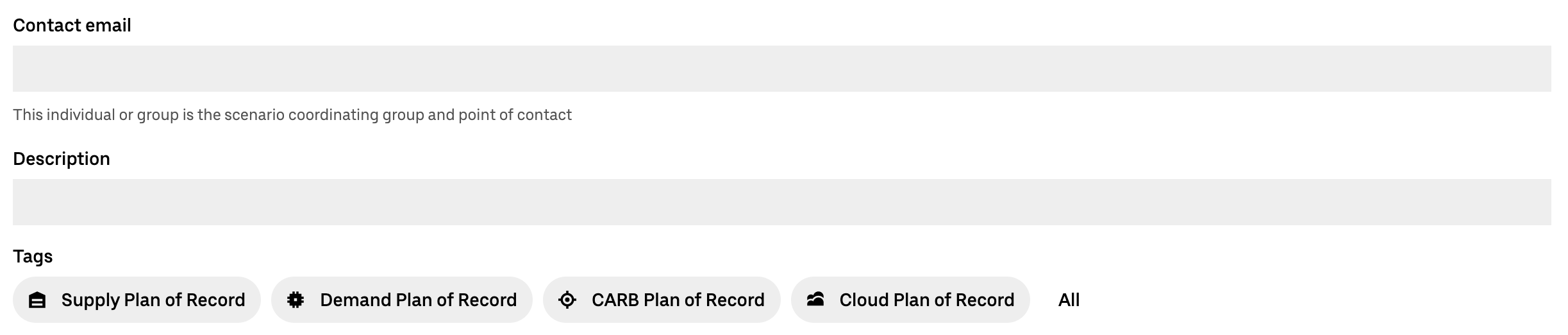
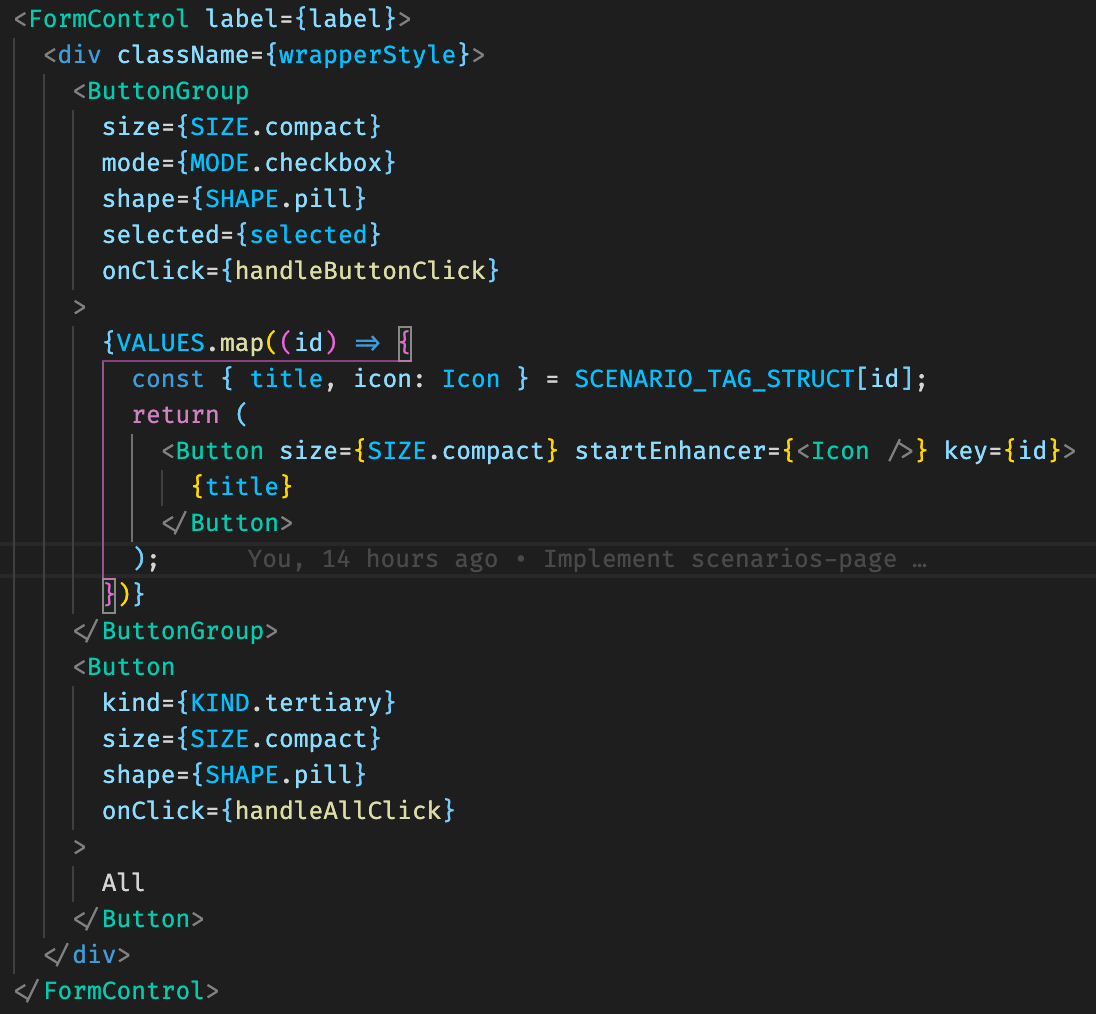
This occurs because of how FormControl calls cloneElement here. One way to avoid the implicit props applied to the immediate child would be to create your own wrapper as shown in this sandbox

Would it make sense to have another component (FormLabel or similar) for such use cases or property to control this behavior? It would look like FormControt, but won't pass down properties and control inputs under it.
As far as I understand we cannot do this:
function CustomFormElement(props) {
  return (
    <ButtonGroup>
      <Button {...props}>Hi.</Button>
    </ButtonGroup>
  );
}

export default () => {
  return (
    <FormControl label="label" error="error message">
      <CustomFormElement />
    </FormControl>
  );
};
since those props cannot be passed to ButtonProps.
The type of props seems to be
  interface PassedProps {
    'aria-describedby': string | null,
    'aria-errormessage': string | null,
    disabled: boolean,
    error: boolean,
    key: React.Key,
    positive: boolean
  }
so the correct way with ButtonGroup is
const CustomFormElement: React.FC<PassedProps> = (props) => {
  return (
    <ButtonGroup>
      <Button>Hi.</Button>
    </ButtonGroup>
  );
}

export default () => {
  return (
    <FormControl label="label" error="error message">
      <CustomFormElement />
    </FormControl>
  );
};
amirite?