

 typora
Image export acts weird
Describe the bug When the content is long enough, the image exported looks very weird.
To Reproduce Steps to reproduce the behavior:
- Create a new file.
- Paste the "Lorem ipsum" paragraph a couple of times.
- exporte an image and you'll know what I mean
Expected behavior An image with consistent formatting is expected.
Screenshots / Screencasts An example md file:
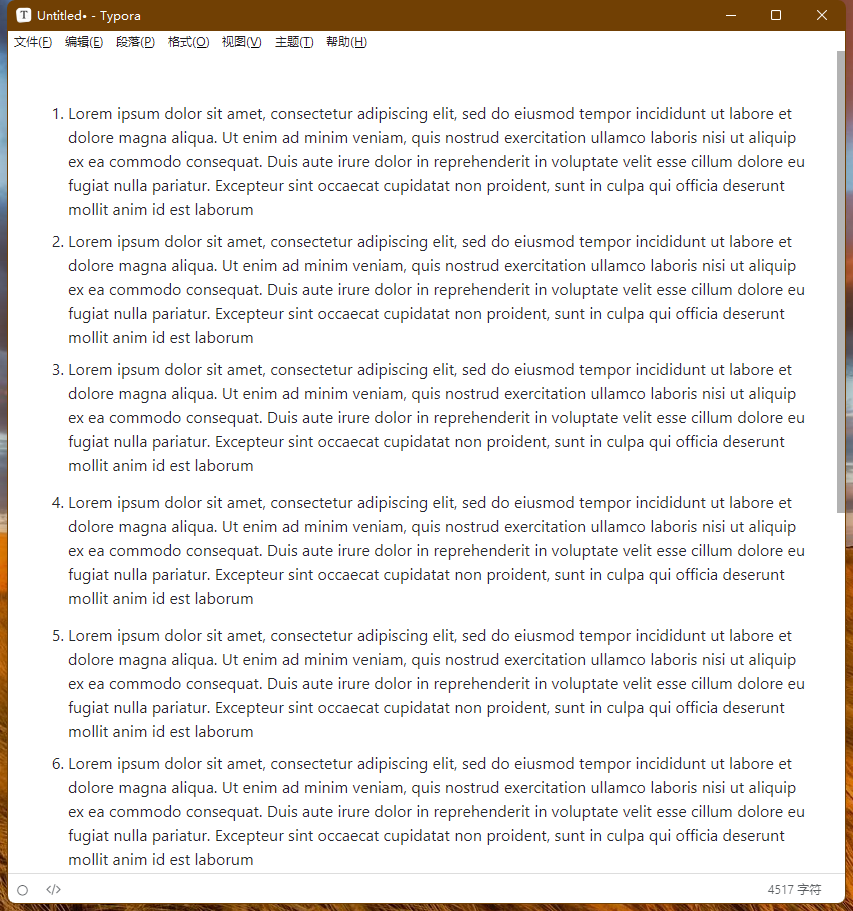
It's image export:
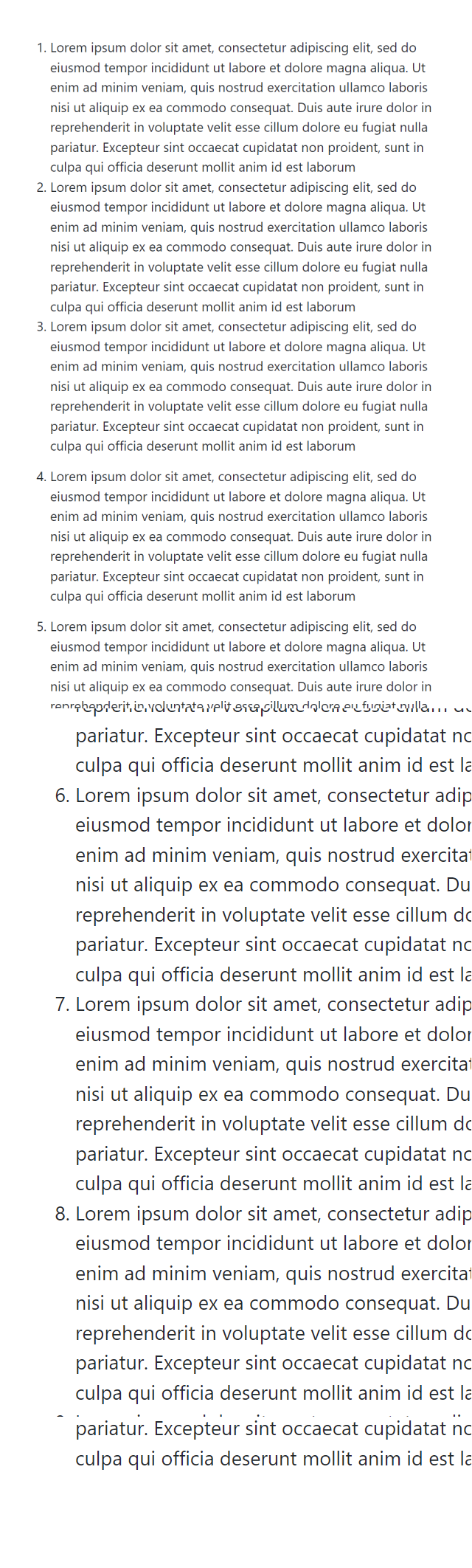
Sample Markdown File Lorem ipsum.md
Desktop (please complete the following information):
- OS: Win 11
Typora Version 1.3.8

It works fine in my test.
so can it be reproduces? If so, did you zoom your typora view? And what's your screen DPI?

It works fine in my test.
so can it be reproduces? If so, did you zoom your typora view? And what's your screen DPI?
It acts like this everytime on my computer, no matter if Typora is on either display or if Typora is windowed or fullscreen. I use a laptop (2560x1600, 150% UI) and an external monitor (1920x1080).
I use a laptop (2560x1600, 150% UI) and an external monitor (1920x1080).
Are those displays be arranged vertically? Looks like the first part of the image is normal, while the last part is 150% zoomed...
I use a laptop (2560x1600, 150% UI) and an external monitor (1920x1080).
Are those displays be arranged vertically? Looks like the first part of the image is normal, while the last part is 150% zoomed...
Both displays are horizontal.
Maybe the problem is the 150% zoom for sure. I temporarily set the laptop UI to 100% and got a normal export image. This can be a workaround for me.
should be improved in 1.4.4
Please comment or reopen if it happens in 1.4 again