

 typora
When a code block is added to a element of a list, and additional line is added between the elements of the list
Title say it all more or less.
If you add a fended codeblock to one of the elements of a list, when you switch between normal and source mode an additional lines are added to the elements of the list.

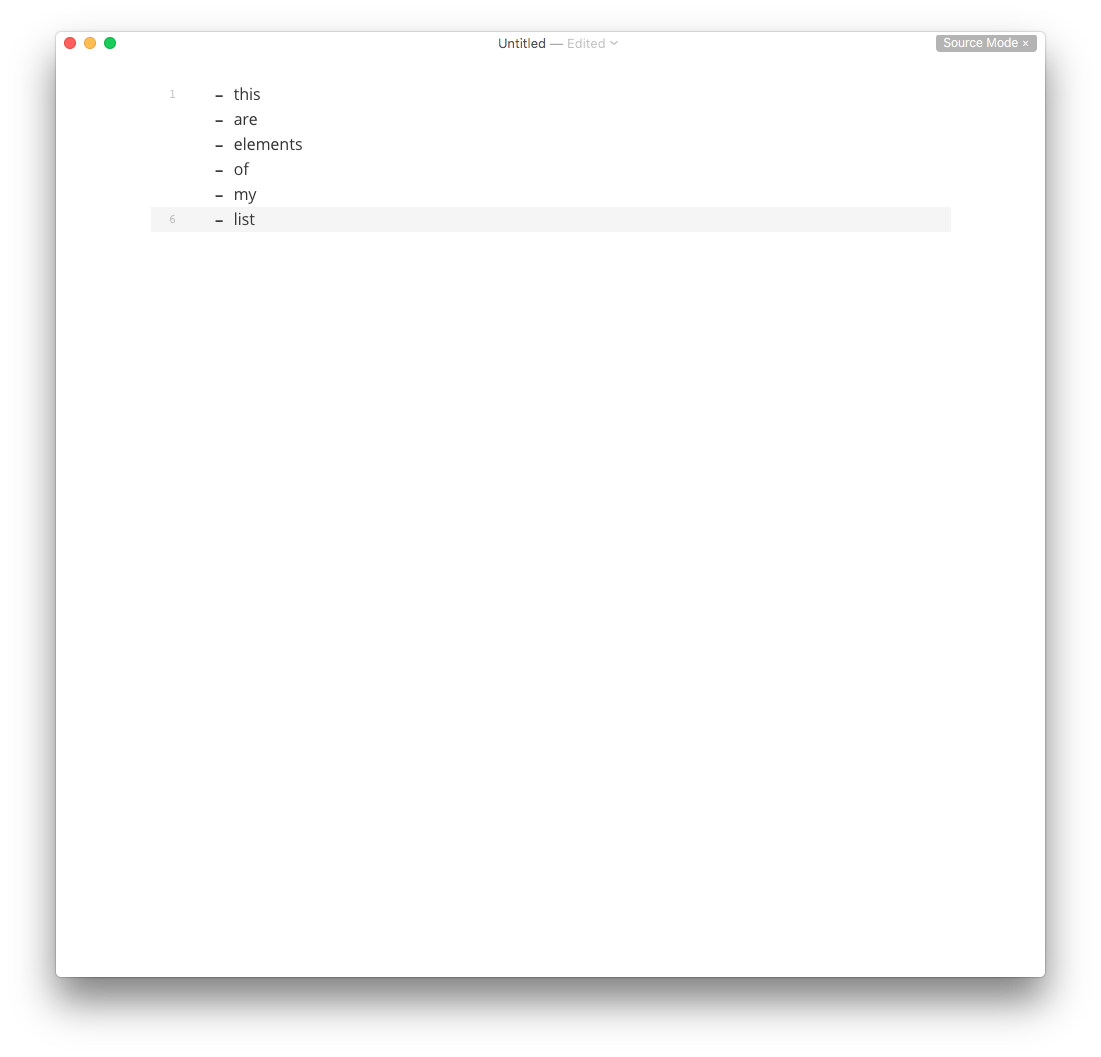
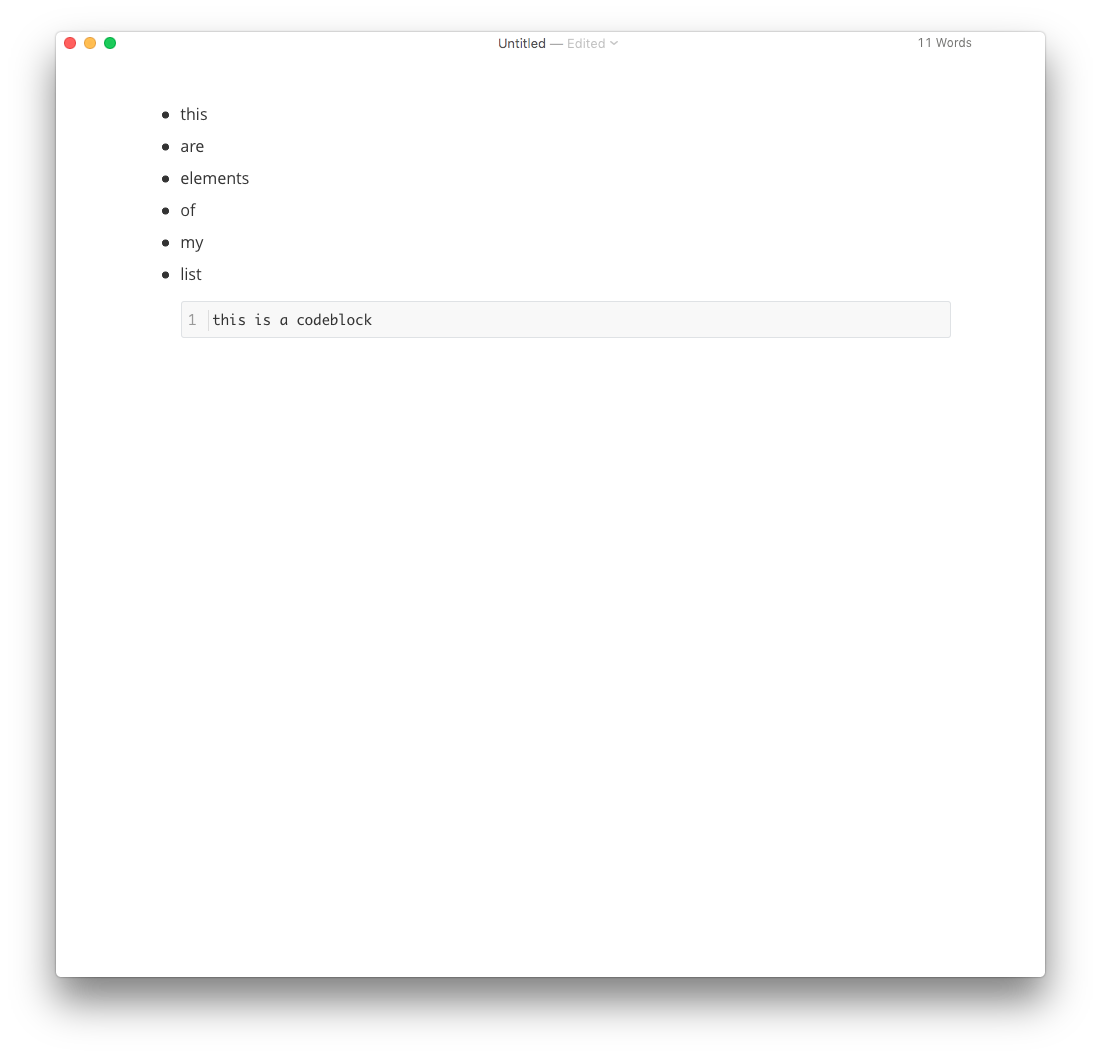
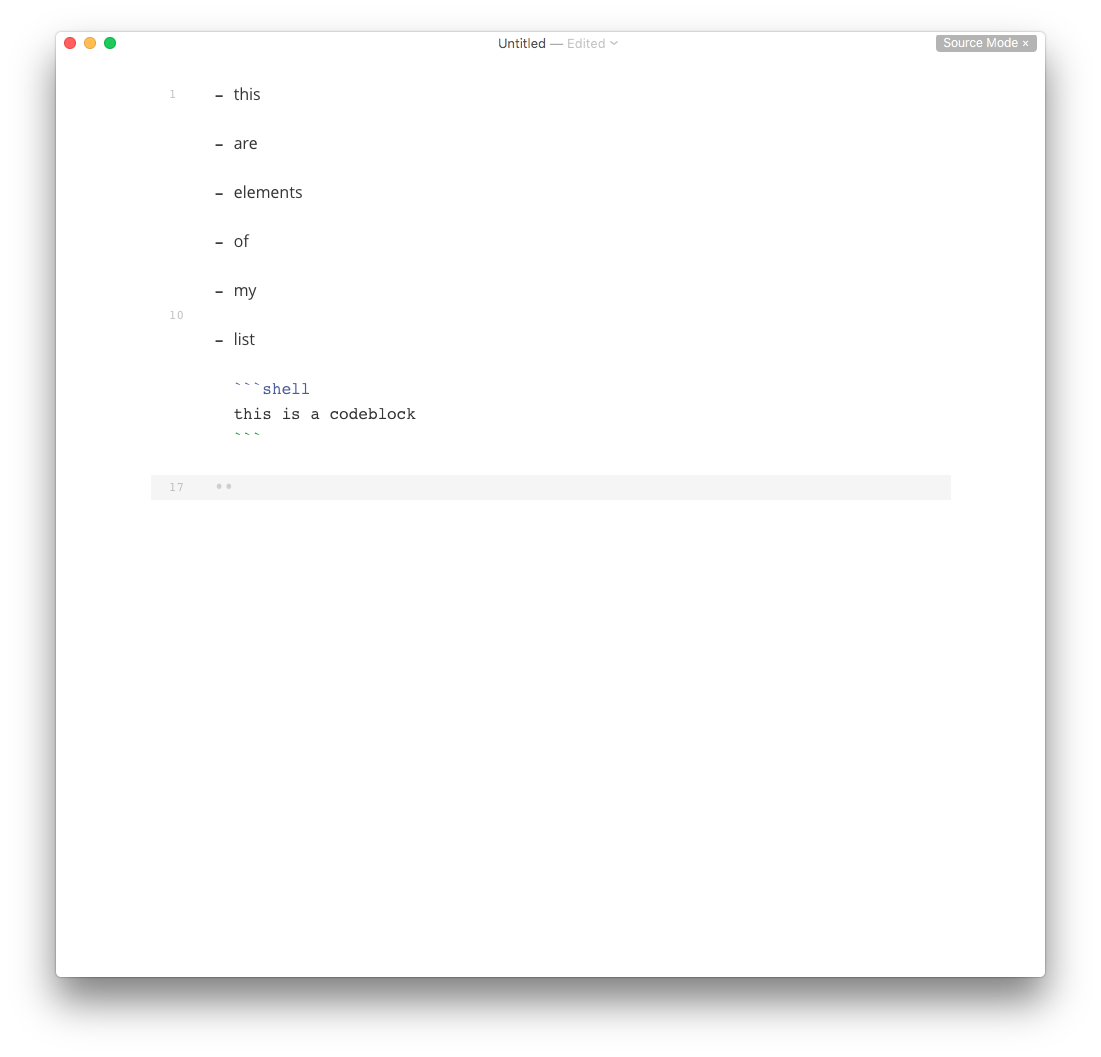
I guess this is bug, not a feature 😬. It's been present for long... and it happens if you add other elements like an image.
I don't like this because although it doesn't affects the final rendering, in most cases I guess, it affects how the file is read when it's not rendered. Being weird those spaces in the middle of lists.

list without line break is <li>text</li> when export, list with line break is <li><p>text</p></li>. when there are code fences in list, <li><p>text</p><pre>code</pre></li> seems more sense than <li>text<pre>code</pre></li>.

🤔
I don't think so and it should be up to the markdown converter into html. I think kramdown isn't doing it like that.
As you can see here

Or here
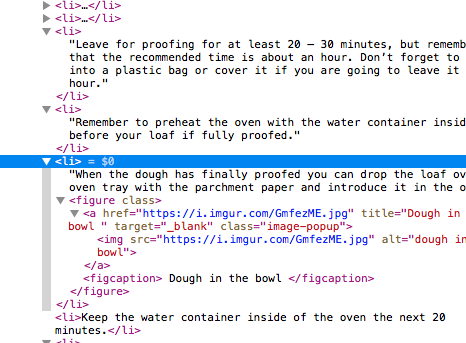
Those <li><p>text</p><pre>code</pre></li> this doesn't have sense to me... that <p></p> is doing nothing there since I think the text is already defined by the list tag.
I'm not an expert though.
So ... seems that you aren't going to open this as an issue, which I think it's it, since it changes the source code of the markdown file. I really think this shouldn't be the way that the file should be handle.
@abnerlee, I think there are two bugs here.
1. incorrectly treating a list as loose
You wrote:
list without line break is
<li>text</li>when export, list with line break is<li><p>text</p></li>. when there are code fences in list,<li><p>text</p><pre>code</pre></li>seems more sense than<li>text<pre>code</pre></li>.
The doesn't follow CommonMark spec, which is very specific about when a list is loose or tight. See examples 275 to 287, which include examples with code blocks.
2. unnecessarily modifying source
I agree with @luispuerto:
an issue, which I think it's it, since it changes the source code of the markdown file. I really think this shouldn't be the way that the file should be handle.
Typora is changing the source for the entire list block because of a change to one list item. Even if a blank line in one list item is triggering loose list behavior, there is no need to insert additional blank lines in that item or any others. By doing so you are unnecessarily mucking with the source (See also #1188 and #1189). Also, you are making editing harder and confusing: if you change your mind and delete the blank line you intentionally entered, you now have to go back and manually delete the blank lines Typora entered. To the user it will feel like Typora randomly renders a list as tight or loose.
This should be re-opened, and maybe forked into two bugs.

@abnerlee, aren't you then considering this as an issue then? Since you aren't reopening it.
@abnerlee thanks a lot for showing us how much you care for the users and testers of your app, so you take the time to discuss the issues with them in depth. I guess we all are going to fully appreciate this in the future.
I tried with
- 1
- 2
  ```
  3
  ```
Typora will not modify the source on save.
When you input a code block, you will first press return -- which insert a <p>
Then the list become <li><p>2</p><p></p></li> -- which is loose
Then input ``` and press return to make a code block -- we will not change loose list into tight to avoid "unnecessarily modifying source"
Also, We don't know whether user wants a loose or tight list, since user cannot see the difference in hybrid mode.
First of all, thanks a lot for the extra info you are providing @abnerlee.
About the issue itself...
Typora will not modify the source on save.
It's nice to hear that typora won't modify the source of save... however, this only seems to happen if you don't edit any part of the list on hybrid more. If you edit anything, typora always transform the list to a loose list if there is a codeblock or image or something like that. I just realize that this behavior doesn't arise when you just use text as a subparagraph of that item of the list. In that case the list is kept tight and the subparagraphs have an indentation of 4 spaces.
Other issue is that when you insert a codeblock in a list it's always indented with two blank spaces regarles of the configuration —indent size on save = 4. Which I think isn't fine either since codeblocks and images need to be indented 4 spaces to be part of that list item and the list could continue normally after them. Like text subparagraphs.
Again... I really think that this is a big issue, since typora is modifying the source code even after the user set it in a particular way (loose or tight) and transforming it always to loose list.
In my opinion, lists have to be set always as tight, unless the user in the source code establish it as loose. In other words... if I start a list in hybrid mode should be a tight list and continue like that regarles of what is added to it in the items, subparagraphs of the items or in the subitems. If I create a list and make it loose through the source code, it should be kept loose and the following items should be loose. Which I think follows the CommonMark.
Regarding how you should handle issues... in my opinion. Some of us, love your app and your work, and take the deference of reporting what we think are bugs or posible enhancements for your app. In other words, we are investing our time in explain what we think it's wrong, broken or need to be improved in exchange of using your app for free while in beta... And I think most of us are thinking to buy your app if the price is right when it will be out beta because your work it's really good.
However, I think you're a little bit harsh and rough when you are handling issues at least in some cases and this one seems to me like one of those.
- You dismissed the issue / closed it, without the possibility from my side to open it. I just felt that you slammed the door, which isn't ok.
- You haven't address my concerns and the issues raised by @vassudanagunta (which I think were far better than mine).
When you changed the title to something with [Discuss] and reopened the issue I thought it was a great idea... since I really believed that it could be something to be discussed by the rest of the community. I don't believe I'm on the absolute right or that I know everything. I just raised something I noticed and I don't think it's the correct behavior. But then you closed the issue again after renaming it back. 😞
I guess this is some kind of cultural difference, approach to communication and how to handle a community, but in my opinion isn't ok. Nevertheless, it's your project. Up to you.
PS/ I don't think it's comparable to coding an app... but creating issues, with all the needed information and so, takes time... We just could no rise these issues and stop using your app when we feel it isn't working for us without telling you why it's working. That is much less energy and time consuming approach, but I guess it will accomplish nothing.
If you edit anything, typora always transform the list to a loose list if there is a codeblock or image or something like that.
It would be improved that if user add a list item, the list won't turn loose.
But, about the title "When a code block is added to a element of a list, and additional line is added between the elements of the list", it is as I explained:
First a paragraph will be inserted, so the list must go loose, because there's no tight list that contains <li><p>a</p><p>2</p></li>. Then user convert p to code block, we will not change list back.
In my opinion, lists have to be set always as tight, unless the user in the source code establish it as loose.
I don't think so, it should be a user preference. But we properly will not provide options for it since it is too detailed.
PS, Thinks for the remind.
You should have the privilege to reopen the issue you posted, if you think it is not OK, feel free to reopen it!
If you edit anything, typora always transform the list to a loose list if there is a codeblock or image or something like that.
It would be improved that if user add a list item, the list won't turn loose.
Great! let's see how that turn out 🙂
But, about the title "When a code block is added to a element of a list, and additional line is added between the elements of the list", it is as I explained:
First a paragraph will be inserted, so the list must go loose, because there's no tight list that contains
<li><p>a</p><p>2</p></li>. Then user convert p to code block, we will not change list back.
🤔 I really don't know what is going on here, but I think we have some kind of misunderstanding. Lost in translation? To be clear... I understand your point about the paragraph and so, but I don't share it. You can change the tittle of the issue if you think it need clarification... that's indeed great. If you want to add a tag or a hash or something in the tittle indicating that the issue needs further discussion is even better. The weird thing was changing it a couple of times to finally leave it as the original one —more or less— and then close the issue 😕.
In my opinion, lists have to be set always as tight, unless the user in the source code establish it as loose.
I don't think so, it should be a user preference. But we properly will not provide options for it since it is too detailed.
Since it's too detailed I really think the best way to go is the source code and try to not modify it. But I don't know if that is difficult to implement or what... It's an idea from the user standpoint.
PS, Thinks for the remind.
You should have the privilege to reopen the issue you posted, if you think it is not OK, feel free to reopen it!
If you close the issue as an owner / collaborator, OP can't reopen the issue.
https://stackoverflow.com/questions/21333654/how-to-re-open-an-issue-in-github https://github.com/isaacs/github/issues/583
I think that for that reason usually developers in GitHub kindly ask issue OPs to close the issues if they feel that the issue is resolved, or they install a stale bot or something like that.
In other words... don't close an issue unless you are pretty sure that the issue is closed or the OP is going to feel that you don't want to further discuss about it —you are dismissing their point of view.
Still an issue 6 years later. Obsidian and VSCode do not suffer from this caveat. They seem to default to keeping the list tight.
