
blogTemplate

blogTemplate copied to clipboard
Published
2 years ago
•
 txp1035
txp1035
写一个命令行工具
背景
由于经常使用git diff来对比代码做质量分析,但是每次还要输入很长的命令才能导出分析文件。期望可以有一个命令行工具输入命令后有list功能选择,选择功能执行自动化操作。
to do list
- [x] 制作交互面板
- [x] 封装一个diff命令到包里
小技巧
使用yarn link或者npm link可以把当前包的命令链接到全局,使用命令测试效果。
交互面板
核心是使用Inquirer库来做交互面板
import gitDiff from './gitDiff';

const inquirer = require('inquirer');

inquirer
  .prompt([
    {
      type: 'list',
      message: '请选择需要执行的任务',
      name: 'auto',
      default: '分支自动对比',
      prefix: '****',
      suffix: ' ****',
      choices: ['分支自动对比', '待开发', '待开发'],
    },
  ])
  .then(answer => {
    if (answer.auto === '分支自动对比') {
      gitDiff();
    }
  });
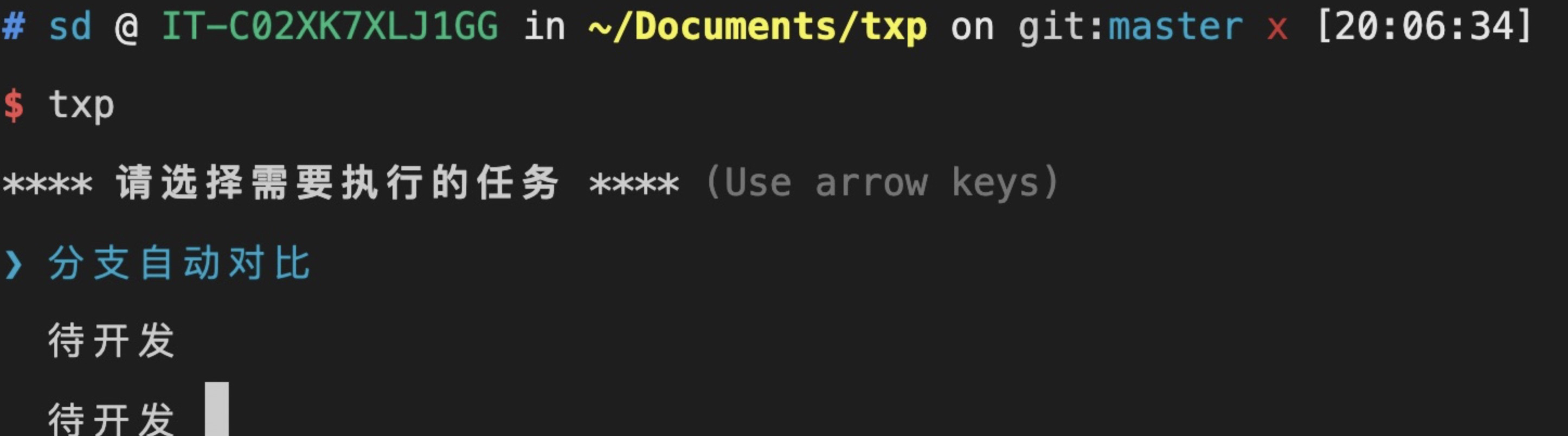
分支自动对比
- 运行shell命令,把当前分支和master对比
- 生成文件
获取当前分支
const child = require('child_process');

export default () => {
  child.exec('git symbolic-ref --short -q HEAD', (err, sto) => {
    console.log('当前分支',sto)
  });
};
master对比并生成文件
通过child_process运行命令得到想要的字符串,然后通过outputFileSync输出到对应目录文件
import { outputFileSync } from 'fs-extra';
import { join } from 'path';

const child = require('child_process');

export default () => {
  const str = 'git diff master --stat-width=2000 --stat-graph-width=1';
  child.exec(str, (err, sto) => {
    const paths = join(process.cwd(), '/autoFile/diffLog.txt');
    outputFileSync(paths, sto, 'utf-8');
  });
};
