trevoreyre
handle keybord composition event,make it worked in non-english enviroment
test passed in chrome 78.0.3904.108 firefox 68.2.0esr (64 位) chrome for mobile 76.0.3809.132
Fixes #27

@xcchcaptain Thanks so much for this! Before I merge this PR, I'd like to move this change to the core packages/autocomplete/AutocompleteCore.js component, so it can be utilized in both the JavaScript and Vue components. If that's something you feel comfortable with, go ahead and try it out. Otherwise, I can make those changes in the next week or so and add it to your PR.

oh, it's really a good component ,good job my codes is not as elegant as yours ,it's a risk if it will not make you offended i will find some time move the change ,but it's not guaranteed.
@trevoreyre
have moved changes to the AutocompleteCore.js and make Autocomplete.js worked
just test in advance search mode
So far this is looking really great, @xcchcaptain! I'm going to try to do a little more testing and get this merged and released this week as v2.1. I'll keep you posted.
@xcchcaptain - I'm trying to test out your changes, but I'm not exactly sure if I'm doing it correctly. I followed along the article below, to try inputting some Japanese characters.
https://developer.squareup.com/blog/understanding-composition-browser-events/
However, it looks to me like the handleSubmit function is being fired when pressing Return to select a character from the IME, which I would assume would be unwanted functionality.
Can you provide some more detailed testing steps for me? I'm just not very familiar with composition events and want to make sure these changes all work as expected.
@trevoreyre I'm trying the test in windows 10, I have triggered the event handler handleInput at compositionend event, so in the stories for the advanced mode, it will trigger search handler, make a request when you press a Return to select a character from the IME.
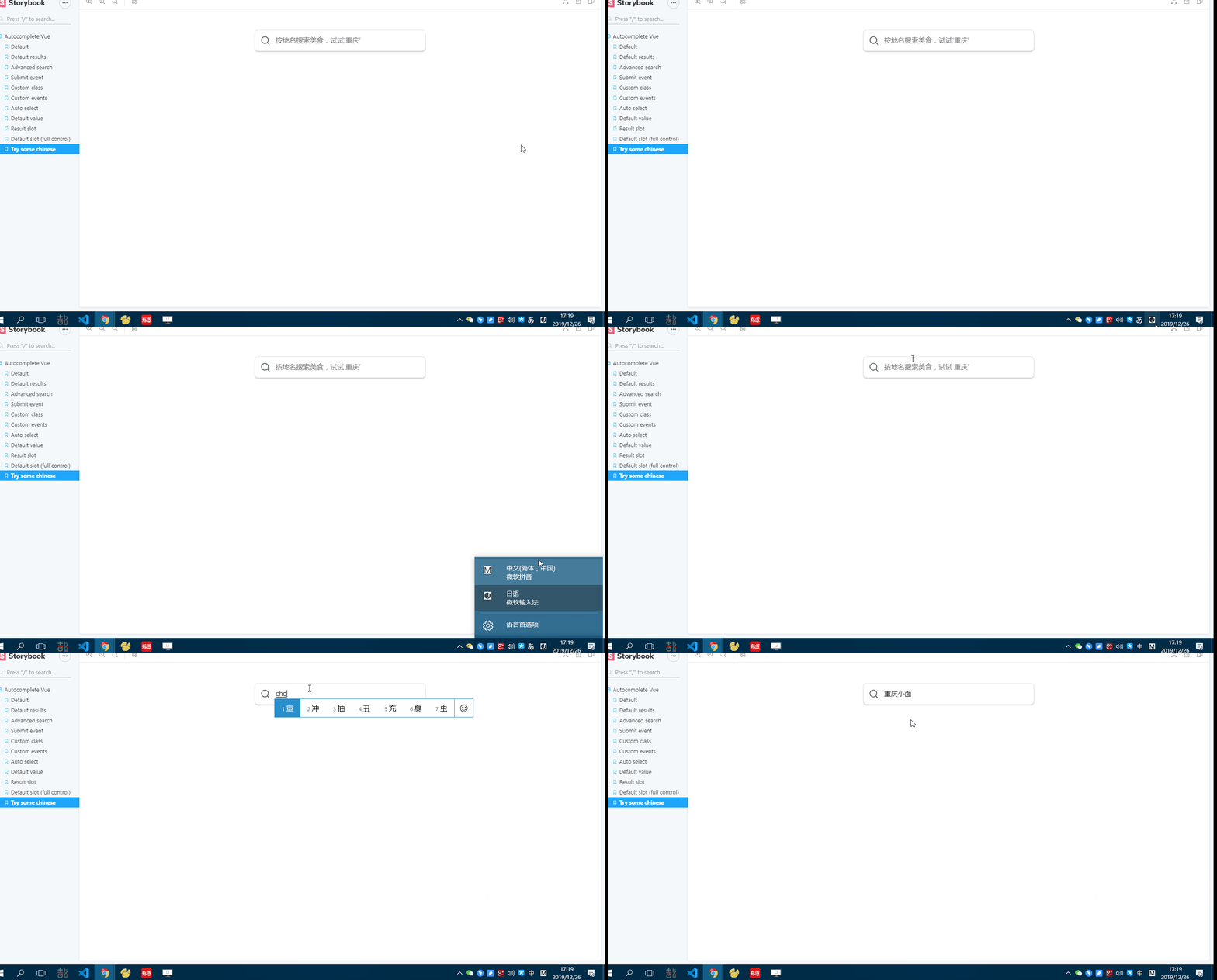
In the Chinese language case, it uses the key Space to confirm the selected character
I have added a story for Simplified-Chinese in simple mode, it worked as I expected. you could also try it in advanced mode
@trevoreyre several months passed , wish you are OK at this bad situation.
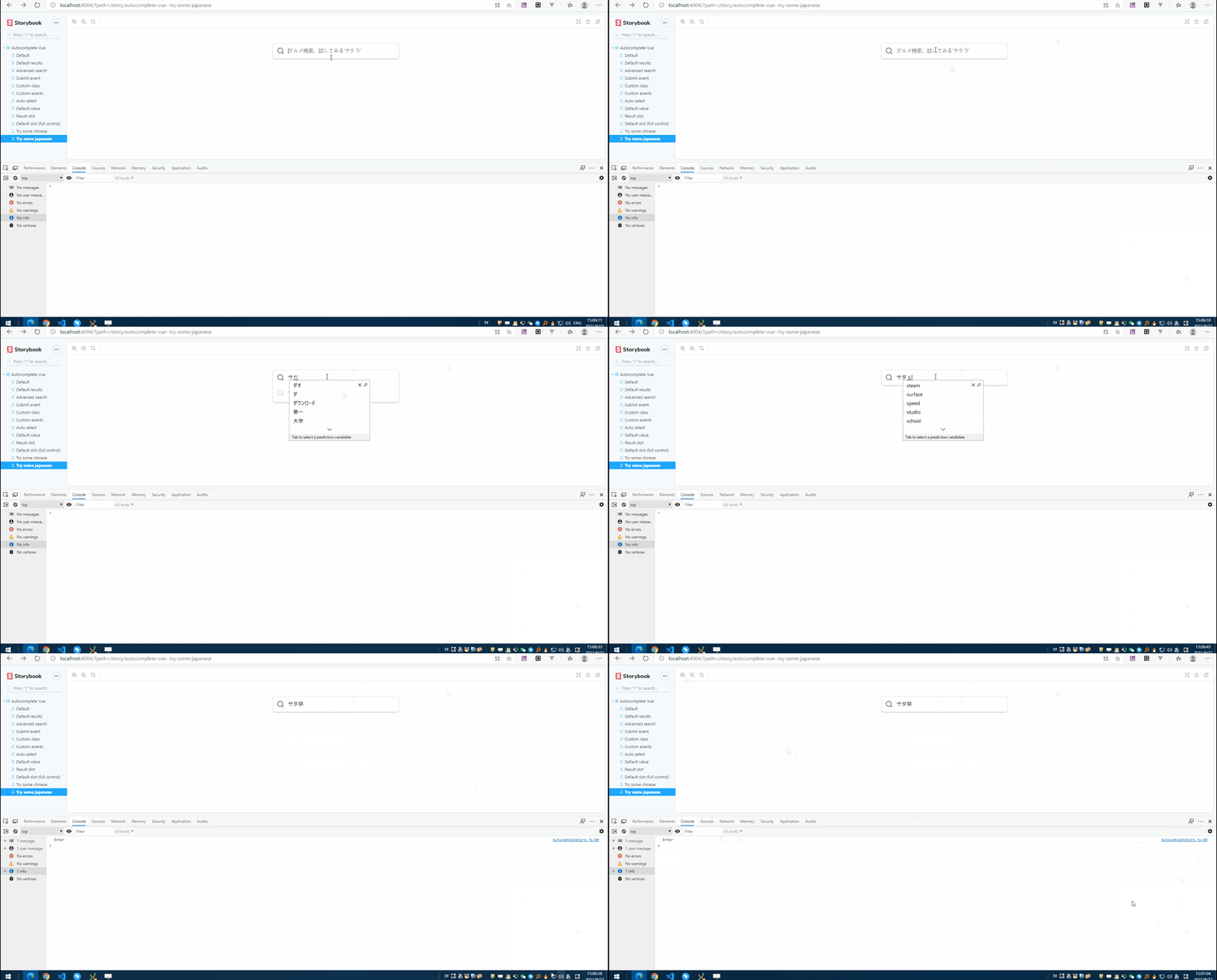
Has added a story for Japanese language, it seems that the "Enter" key is used to confirm a word in Japanese,
but i thought the confirm action will not trigger the handleSubmit function, select the word ,type 'Enter' it will trigger handleSubmit function, i thought it's ok .
but. i'm not Japanese user ,can not tell whether that conform to the japanese.
that is how i test:
Add an "console.log" in AutocompleteCore.js
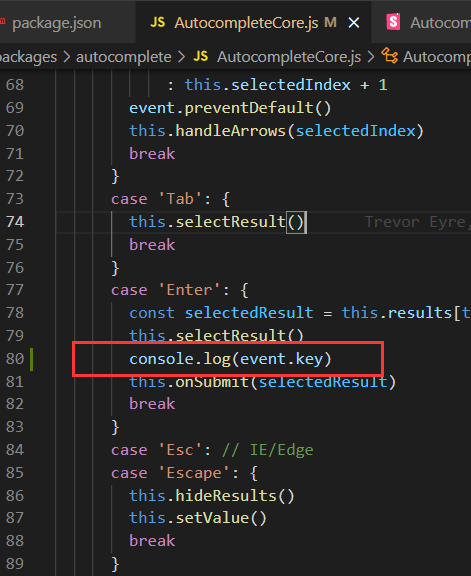 as the example show: