

 traviscross
Log instances of "(no route to host)"
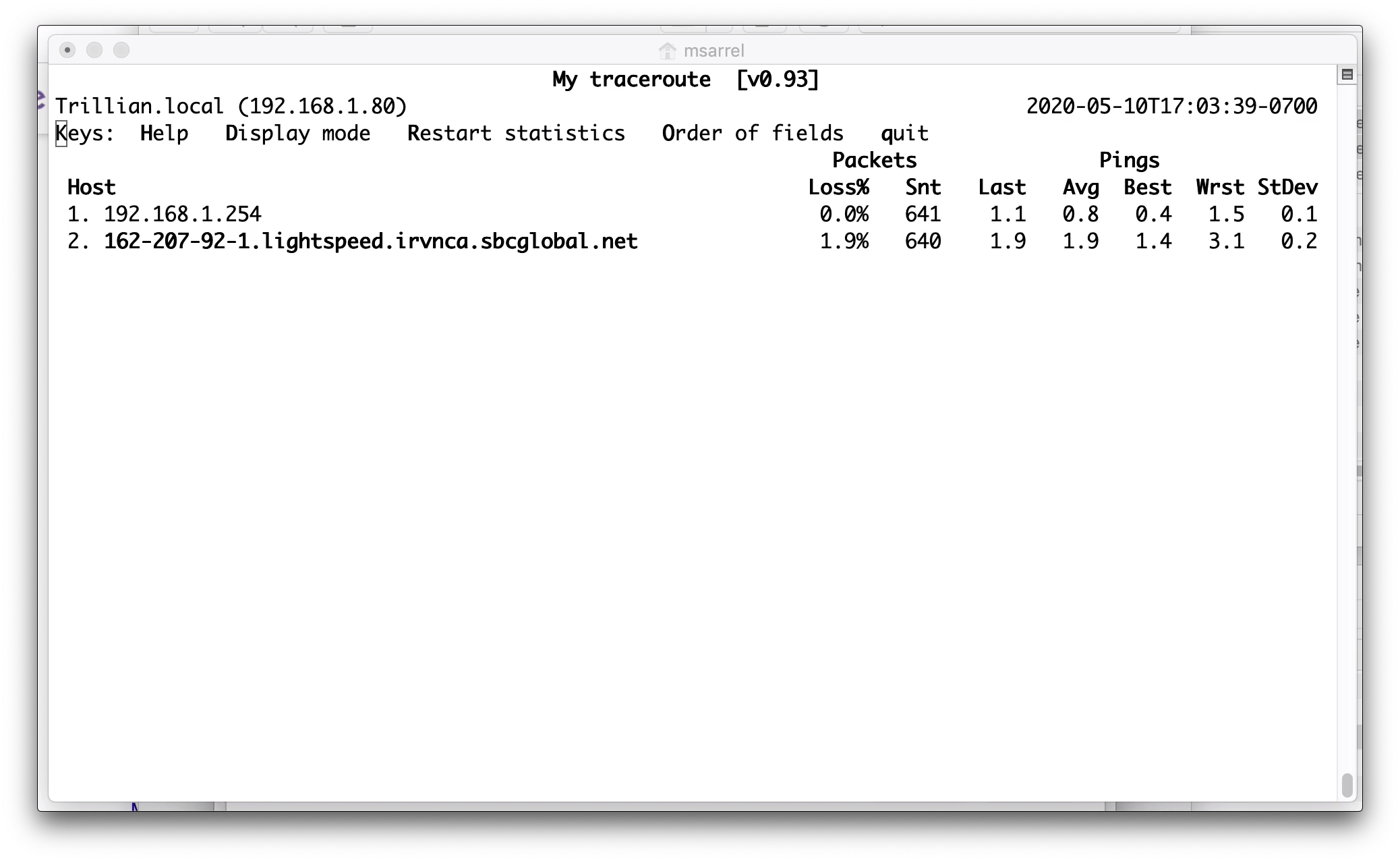
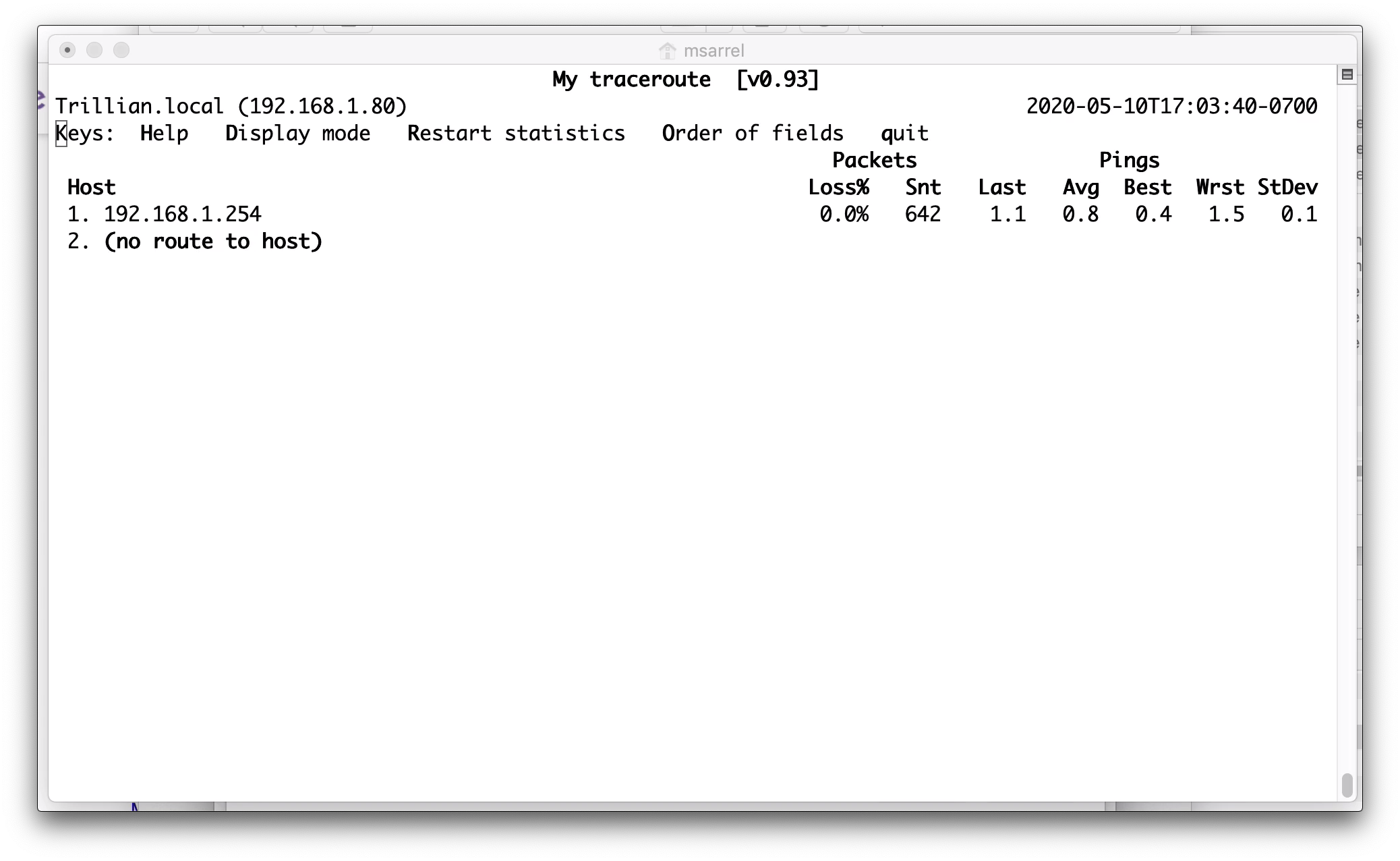
Is it possible for MTR to write to a log file every time it sees a (no route to host) message? I'm trying to track how often that happens to better debug my Internet connection. I've included three screenshots below: Before, During and After.
I'd like to know the date, time and duration of each occurrence of the (no route to host) message. These messages are correlated with network problems that the users notice. Some of the (no route to host) messages have persisted for close to a minute. My ISP recently made some repairs that have reduced the frequency of the messages, but the messages are not gone completely.
Also, why does the text 70.142.212.242 appear in the After image? I presume it is the DNS server, but why is it shown?
Thanks,
Marc
-
Before
-
During
-
After
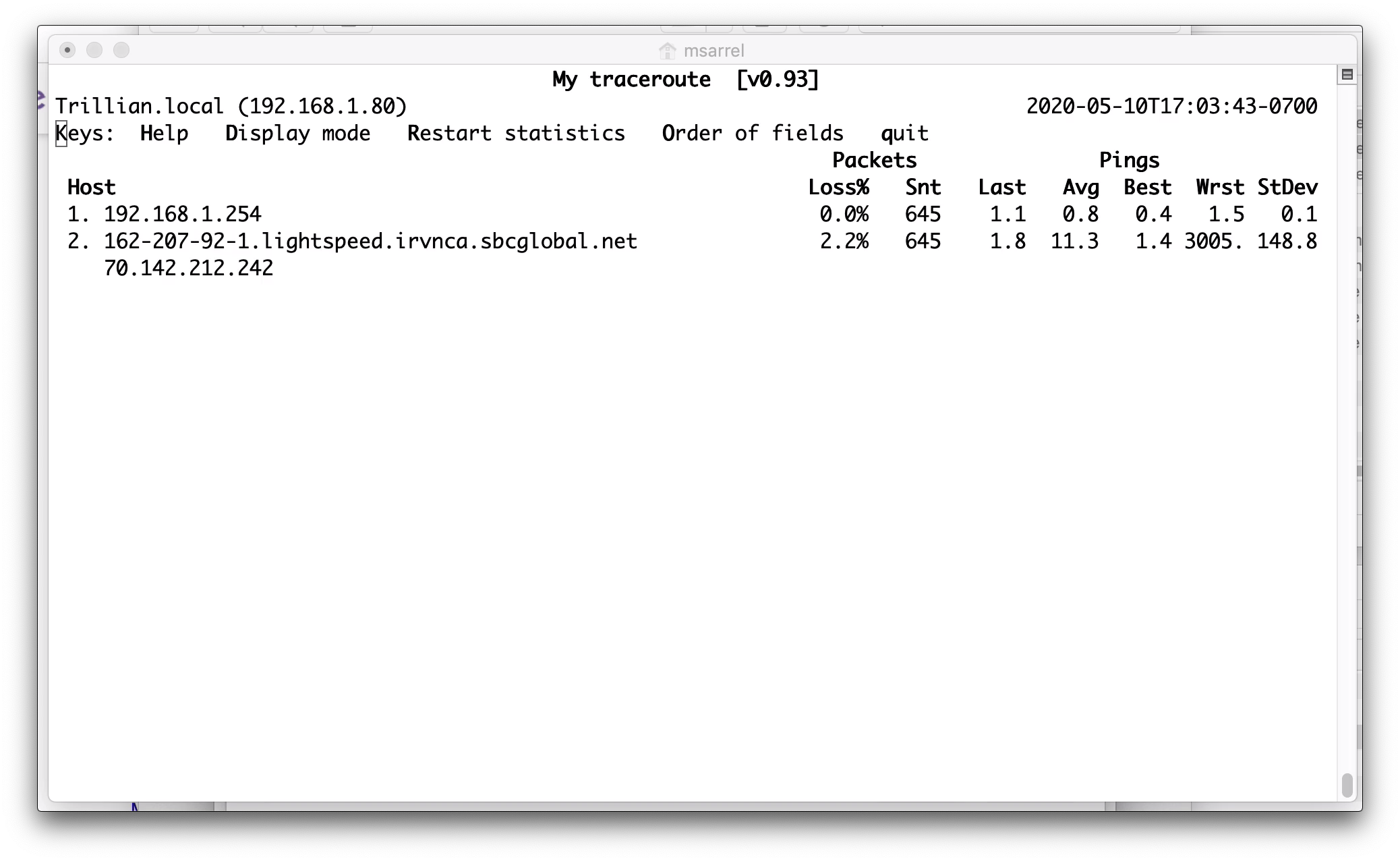

At the "2" position in the path, two hosts responded with "i'm at hop 2".
This normally happens if the route from A to B can pass through either C or D, so the paths are ACB and ADB. tehn you'd see B at hop three and both C and D at hop 2.
The software was designed without this option in mind. So there is currently no place to separtely store the statistics for C and D in my example or 162... and 70... in your case.
In my case it makes a bit more sense. In yourcase, it seems as if you were tracing to 162... and somehow the 70... host responded with: "I'm at hop 2 along the path to 162.... ", while normally the packet would already have reached the 162... host.

Very interesting. Thank you for the information. This is a screen capture from another test that I ran. The 70... host appears at hops 2 through 15!!!
Could this indicate that 70... is a backup router to 162...? When I loose the route to 162..., 70... tries to respond. Are there other possible explanations for this behavior?

One of the things the designers of "the internet" (early 1980ies!) did NOT want to happen is that say three hosts (routers) A, B and thought that to reach host D, A would forward it to B, B would forward it to C and C would forward it to A.... That packet would remain going around in loops forever. If that ever happened the only way to get rid of them would be to just turn off the whole internet for a few moments... Unthinkable nowadays. So back then they designed the system: Every packet goes on its way with 32 cookies. Each router that forwards the packet gets a cookie. Each full second in a line the packet eats a cookie itself. This way a packet stuck in a loop like that would run out of cookies after 10 loops.... At least it ends somewhere. Each router is supposed to send an error message to the originator: "Got one from you with too few cookies!". So in my example, when a host Z wants to communicate with host D, a packet getting stuck in the ABC loop would end up generating an error so that host Z can report to the user: Can't reach host D at this moment in time. Now to trace the route to a remote host, what mtr and similar programs do is they send packets on their way not with a full load of 32 (or nowadays 64) cookies, but with just 1, 2, 3 and so on. So now after one hop on the normal route to host D, the first hop should send back: Found one without any cookies (after paying the fee of one cookie). mtr gets the error and puts the host reporting this after the "1. ...." Next a packet is sent with just two cookies. etc etc.
In your trace, I think the normal route is 162-207... then 70-232.... then 75.20... etc. But when things go wrong, your router seems to be sending stuff to 70-142... and there it gets into a single hop loop!
Now the 192... is YOUR router, and it should be connected to 162-207.... So whatever goes wrong, it is not in "the internet" but somehow your router seems to be getting connected to the wrong next-hop.
Hypothesis: They have a system "unauthenticated users connect to 70-142... which has no internet connection". On that host you can then implement: All DNS requests get 70-142.... And you run a webserver that responds with: "you need to login first!" on all page requests.....
This is the way those "agree to our terms first" free wifi things work. Could also be used for ADSL or cable or whatever you have.
Thank you again. I think my ISP has finally fixed the problem. It seems that the short fiber cable that enters my house had been damaged. They replaced it, and everything seems fine now.
I became curious also on further clarification possibilities for similar issues. 💭 Would you like to share any more experiences with “surprising” data processing results in affected networks?
