

 transistorsoft
When app is in background (iOS only) does not register all positions and it "jumps"
Your Environment
- Plugin version: 4.7.0
- Platform: iOS
- OS version: 15.5
- Device manufacturer / model: iPhone 13 pro max
- Flutter info (
flutter doctor): - Plugin config: Doctor summary (to see all details, run flutter doctor -v): [✓] Flutter (Channel stable, 3.0.5, on macOS 12.3.1 21E258 darwin-x64, locale en-US) [✓] Android toolchain - develop for Android devices (Android SDK version 29.0.2) [✓] Xcode - develop for iOS and macOS (Xcode 13.4.1) [✓] Chrome - develop for the web [✓] Android Studio (version 2021.2) [✓] Android Studio (version 2021.2) [✓] Connected device (2 available) [✓] HTTP Host Availability
• No issues found!
import 'package:irte_engine_core/irte_engine_core.dart';

/// Background Geolocation Config
class BgGeolocationConfig {
  /// Current config
  static Config? currentConfig;

  /// Desired accuracy
  static const desiredOdometerAccuracy = 70.0;

  /// Speed jump filter
  static final speedJumpfilter = 35.kmhToMps().toInt();

  /// Distance filter
  static const distanceFilter = 10.0;

  /// Default config
  static Config get defaultConfig => getConfig();

  /// Warmup config
  static Config get warmup => getConfig(isWarmup: false);

  /// Returns a config.
  ///
  /// Modifies the config with [extras] provided based on if it [isWarmup]
  /// and if it should produce [debug] logs
  static Config getConfig({
    bool isWarmup = false,
    bool debug = false,
    Json? extras,
  }) {
    extras ??= {};
    if (isWarmup) {
      extras['warmup'] = true;
    }

    return Config(
      /// Disable this otherwise will continuously call "pause" and
      /// "resume" events on Android
      ///
      /// See link below for a related issue
      /// https://github.com/transistorsoft/cordova-background-geolocation-lt/issues/1073
      disableLocationAuthorizationAlert: Platform.isAndroid,

      // we need the highest possible accuracy
      desiredAccuracy: Config.DESIRED_ACCURACY_NAVIGATION,

      // make odometer only use locations with accuracy above desired for its calculations / updates
      desiredOdometerAccuracy: desiredOdometerAccuracy,

      // Ignore locations that have moved greater than or equal to this speed
      // from the previous location (in m/s).
      speedJumpFilter: speedJumpfilter,

      /// deliver a location each ...
      /// from remote config it is 10 (meters) for both ios and android
      distanceFilter: distanceFilter,

      /// Disable the stop detection completely - we handle the stop / start state by our self.
      disableStopDetection: true,

      /// As long as the Background Geolocation is started we don't need any automatic stops
      pausesLocationUpdatesAutomatically: false,

      /// Debug when debugging is enabled
      /// (Way more logs and some sounds)
      debug: debug,

      /// Loglevel
      logLevel: debug ? Config.LOG_LEVEL_VERBOSE : Config.LOG_LEVEL_ERROR,

      /// Our desired GPS authorisation
      locationAuthorizationRequest: 'Always',

      backgroundPermissionRationale: PermissionRationale(
        title: 'Allow {applicationName} to access this device\'s location '
            'even when the app is closed.',
        message:
            'In order to track your activity in the background while in a run '
            'and the app is closed, please enable "Allow all the time" '
            'location permission.',
        positiveAction: 'Change to "{backgroundPermissionOptionLabel}"',
        negativeAction: 'Cancel',
      ),

      /// Activity settings
      stopTimeout: 1,
      activityType: Config.ACTIVITY_TYPE_FITNESS,
      preventSuspend: false,
      heartbeatInterval: 10,

      stationaryRadius: 5,
      disableElasticity: true,

      activityRecognitionInterval: 5000,
      minimumActivityRecognitionConfidence: 75,

      /// Don't go into background
      stopOnTerminate: isWarmup ? true : false,
      startOnBoot: false,
      foregroundService: false,

      // Persistence
      persistMode:
          isWarmup ? Config.PERSIST_MODE_NONE : Config.PERSIST_MODE_ALL,
      maxDaysToPersist: isWarmup ? 0 : 5,
      maxRecordsToPersist: isWarmup ? 0 : -1,

      // Mark locations as extras
      extras: extras,
    );
  }

  /// Returns the [defaultConfig] with the provided [extras]
  static Config withExtras(Json extras) {
    final config = getConfig();
    config.extras = extras;
    return config;
  }
}
Expected Behavior
It should fire/register all gps positions and do not stop.
Actual Behavior
During the ride, when app is in background we do not take all positions. This happens only on iOS. Android works properly.
Steps to Reproduce
- Start a ride
- Put app in background
Context
We are having this issue when we get the default config before starting the ride. So, on the above config isWarmup is set to false.
We have tried to change some properties (list below), but getting the same results:
reset: true
stopOnTerminate: false
preventSuspend: true

I test every day for years. I do not have this problem of “stopping”.
see wiki Debugging and learn to fetch logs from the plugin using .emailLog method.

reset: true
this is the default value. Just delete that from your Config.
preventSuspend: true
this is only for very specialized use cases and has nothing at all to do with your issue. This option is not required by 99% of use-cases. Delete that from your Config.
The answer is in the plugin logs.
when something unexpected occurs, the first thing to do is enable debug: true and configure for verbose logging. Then fetch your logs.
We are finding the same with exact 4 min and 2 seconds gaps in the location logs whilst driving on iPhone 13 on software versions 15.6. Not sure if it could be battery related but the battery was 70-95% and it seems to be very intermittend some days it does it and other days it does not. I can confirm that the gaps does not hit our server so its not like its getting to us and not entering the data correcty.
Plugin version: 4.7.0 Platform: iOS OS version: 15.6 Device manufacturer / model: iPhone 13 pro max Flutter info (flutter doctor): Doctor summary (to see all details, run flutter doctor -v): [✓] Flutter (Channel stable, 3.0.2, on macOS 12.5 21G72 darwin-x64, locale af-ZA) Checking Android licenses is taking an unexpectedly long time...[✓] Android toolchain - develop for Android devices (Android SDK version 32.0.0) [✓] Xcode - develop for iOS and macOS (Xcode 13.1) [✓] Chrome - develop for the web [✓] Android Studio (version 2021.2) [✓] VS Code (version 1.69.2) [✓] VS Code (version 1.65.2) [✓] Connected device (3 available) ! Error: iPhone is not connected. Xcode will continue when iPhone is connected. (code -13) [✓] HTTP Host Availability
• No issues found!
Config: bg.BackgroundGeolocation.ready(bg.Config( desiredAccuracy: logAccuracyLevel, allowIdenticalLocations: false, distanceFilter: 10.0, stopOnTerminate: false, enableHeadless: true, startOnBoot: true, stationaryRadius: 50, speedJumpFilter: 100, maxDaysToPersist: 30, debug: false, reset: true, disableLocationAuthorizationAlert: true, autoSync: true, foregroundService: true, url: constants.baseServiceUrlH + '/locatrack/user/location/transistorsoft/insert/', params: { "myParams": {"deviceId": deviceId, "user":sequence} }, logLevel: bg.Config.LOG_LEVEL_ERROR, locationAuthorizationRequest: 'Always', backgroundPermissionRationale: bg.PermissionRationale( title: "Allow LocaTrack to access to this device's location in the background?", message: "In order to track your activity in the background, please enable {backgroundPermissionOptionLabel} location permission", positiveAction: "Change to always allow.", negativeAction: "Cancel" ), )).then((bg.State state) { if (!state.enabled) { //// // 3. Start the plugin. // bg.BackgroundGeolocation.start(); print('Started bg.BackgroundGeolocation'); } });
Steps to reproduce: Set up in background and drive
Expected: To log all positions
Actual: Seems to log every 4 mins
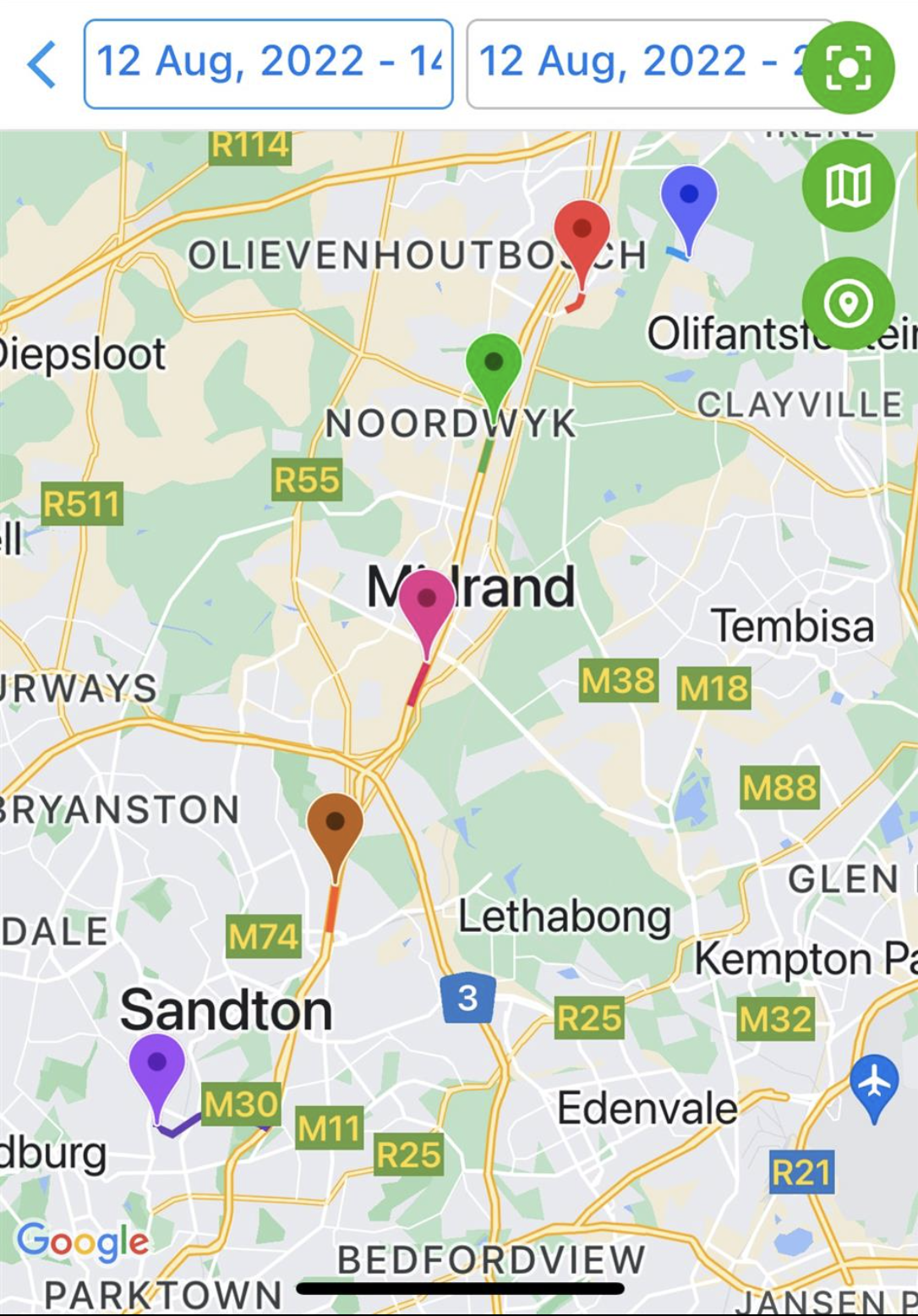
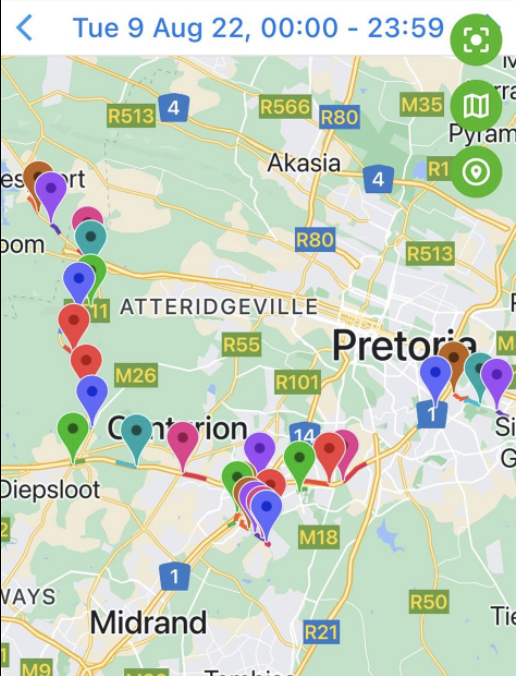
here is the route plotted...
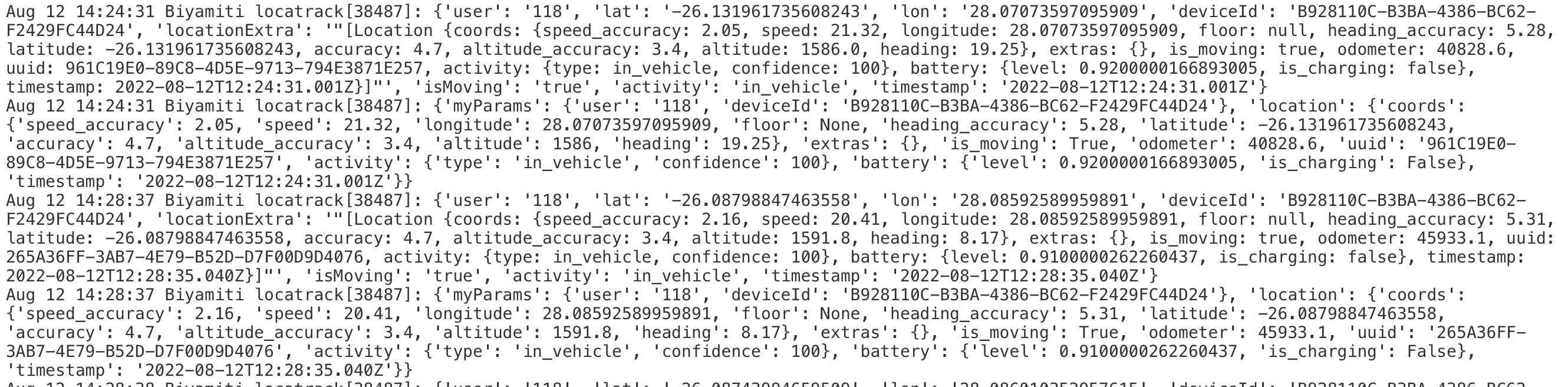
 here is the server logs...

@LocaTrackGitHub
Your Environment
- Plugin version:
- Platform: iOS or Android
- OS version:
- Device manufacturer / model:
- Flutter info (
flutter doctor): - Plugin config:
PASTE_YOUR_CODE_HERE
@christocracy still same all this is above here too: Your Environment
Plugin version:4.7.0 Platform: iOS OS version:15.6 Device manufacturer / model: iPhone 13 pro max Flutter info (flutter doctor): Doctor summary (to see all details, run flutter doctor -v): [✓] Flutter (Channel stable, 3.0.2, on macOS 12.5 21G72 darwin-x64, locale af-ZA) Checking Android licenses is taking an unexpectedly long time...[✓] Android toolchain - develop for Android devices (Android SDK version 32.0.0) [✓] Xcode - develop for iOS and macOS (Xcode 13.1) [✓] Chrome - develop for the web [✓] Android Studio (version 2021.2) [✓] VS Code (version 1.69.2) [✓] VS Code (version 1.65.2) [✓] Connected device (3 available) ! Error: iPhone is not connected. Xcode will continue when iPhone is connected. (code -13) [✓] HTTP Host Availability
• No issues found! Plugin config: bg.BackgroundGeolocation.ready(bg.Config( desiredAccuracy: logAccuracyLevel, allowIdenticalLocations: false, distanceFilter: 10.0, stopOnTerminate: false, enableHeadless: true, startOnBoot: true, stationaryRadius: 50, speedJumpFilter: 100, maxDaysToPersist: 30, debug: false, reset: true, disableLocationAuthorizationAlert: true, autoSync: true, foregroundService: true, url: constants.baseServiceUrlH + '/locatrack/user/location/transistorsoft/insert/', params: { "myParams": {"deviceId": deviceId, "user":sequence} }, logLevel: bg.Config.LOG_LEVEL_ERROR, locationAuthorizationRequest: 'Always', backgroundPermissionRationale: bg.PermissionRationale( title: "Allow LocaTrack to access to this device's location in the background?", message: "In order to track your activity in the background, please enable {backgroundPermissionOptionLabel} location permission", positiveAction: "Change to always allow.", negativeAction: "Cancel" ), )).then((bg.State state) { if (!state.enabled) { //// // 3. Start the plugin. // bg.BackgroundGeolocation.start(); print('Started bg.BackgroundGeolocation'); } });
Now set debug: true, go out for a field-test and use .emailLog method to fetch your logs.
See wiki Debugging.
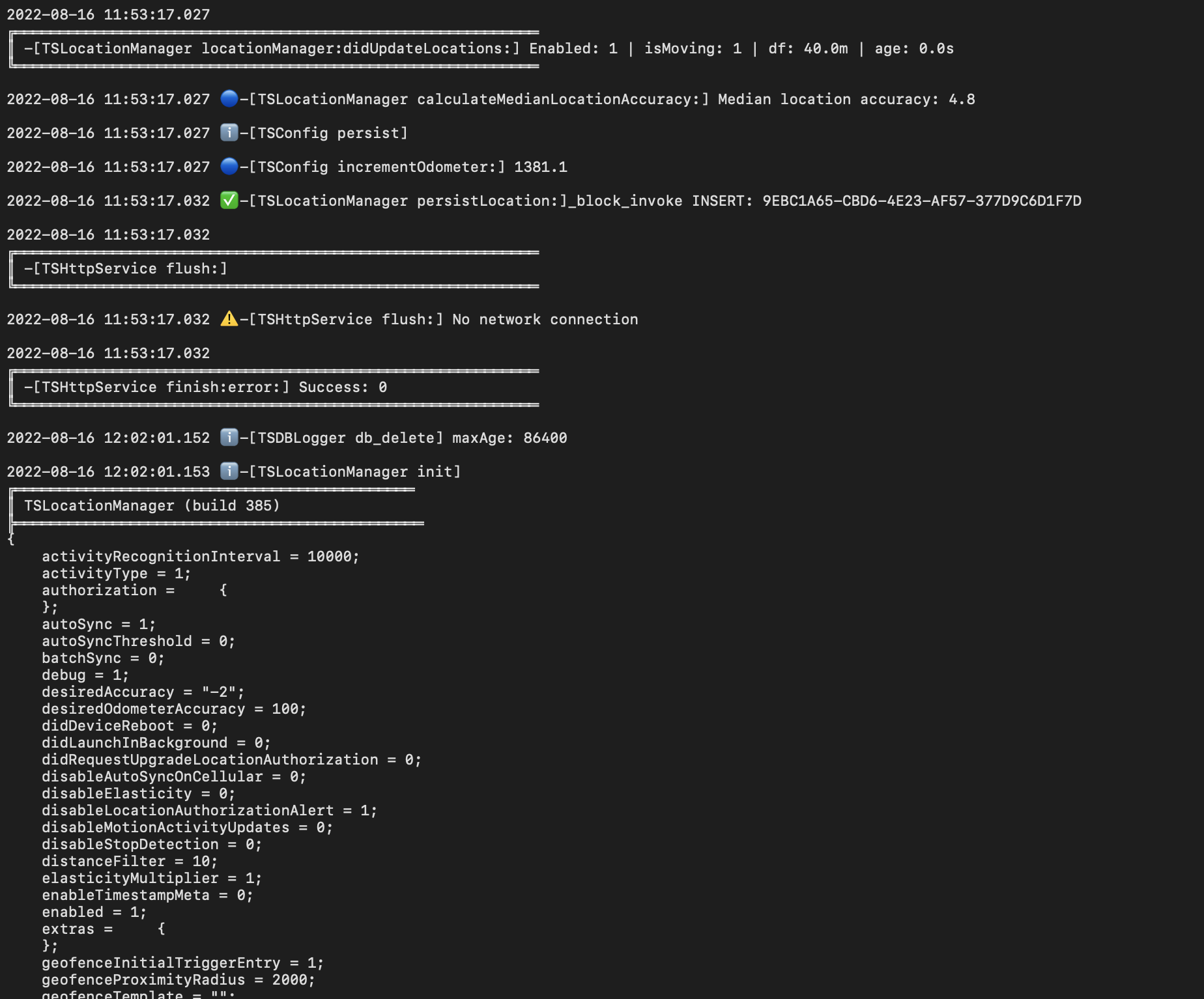
so here looks like nothing got captured 11:53 - 12:02 16 August we switched data on and off as the phone should store it locally too right?
the route on map where this gap is evident....
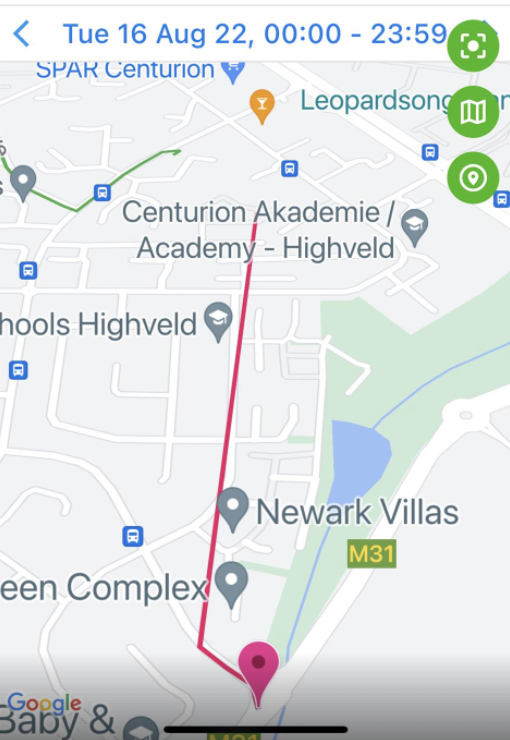
Please help us its been a while and we have no idea why it sometimes does this could it be gps, data or what else?
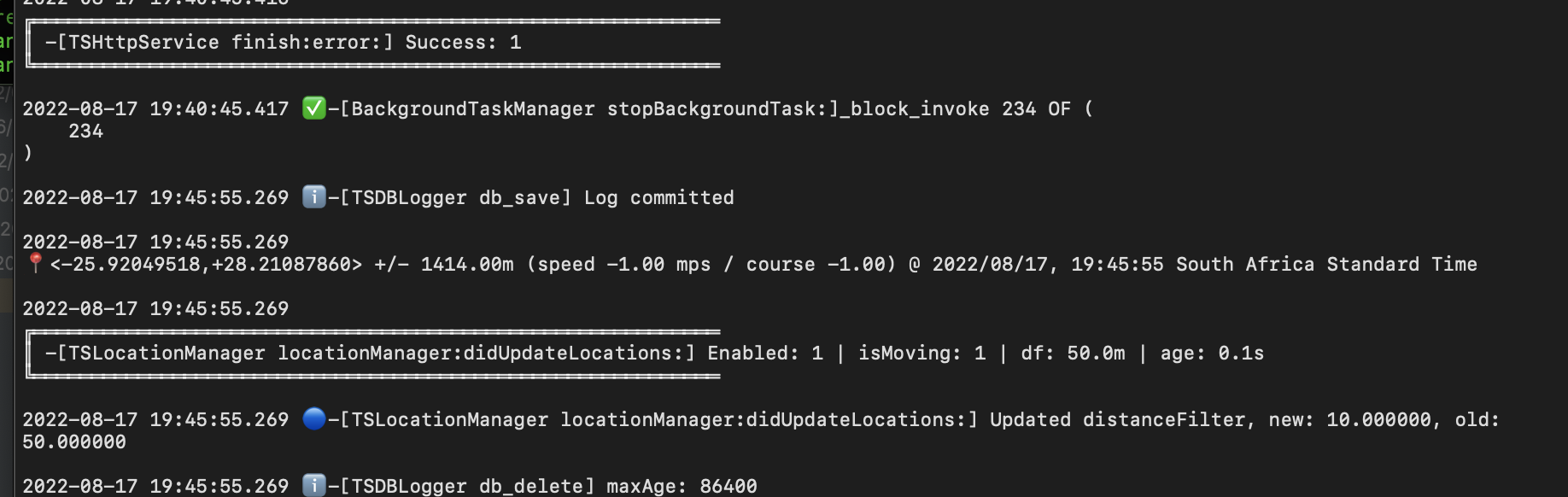
When you see this in the logs, it means your app has been re-launched.
2022-08-16 12:02:01.153 ℹ️-[TSLocationManager init]
╔═════════════════════════════════════════════
║ TSLocationManager (build 385)
╠══════════════════════════════════════════════
{
  ...
}
Between 11:53:17 and 12:02:01, your app was either terminated or it crashed.
What is that maxage 86400 is it not the culprit as we do not experience app crashes as such?
Here is another log for today I dont see the TSLocationManager init by them although the log is full of them
Today it logged worse than ever?
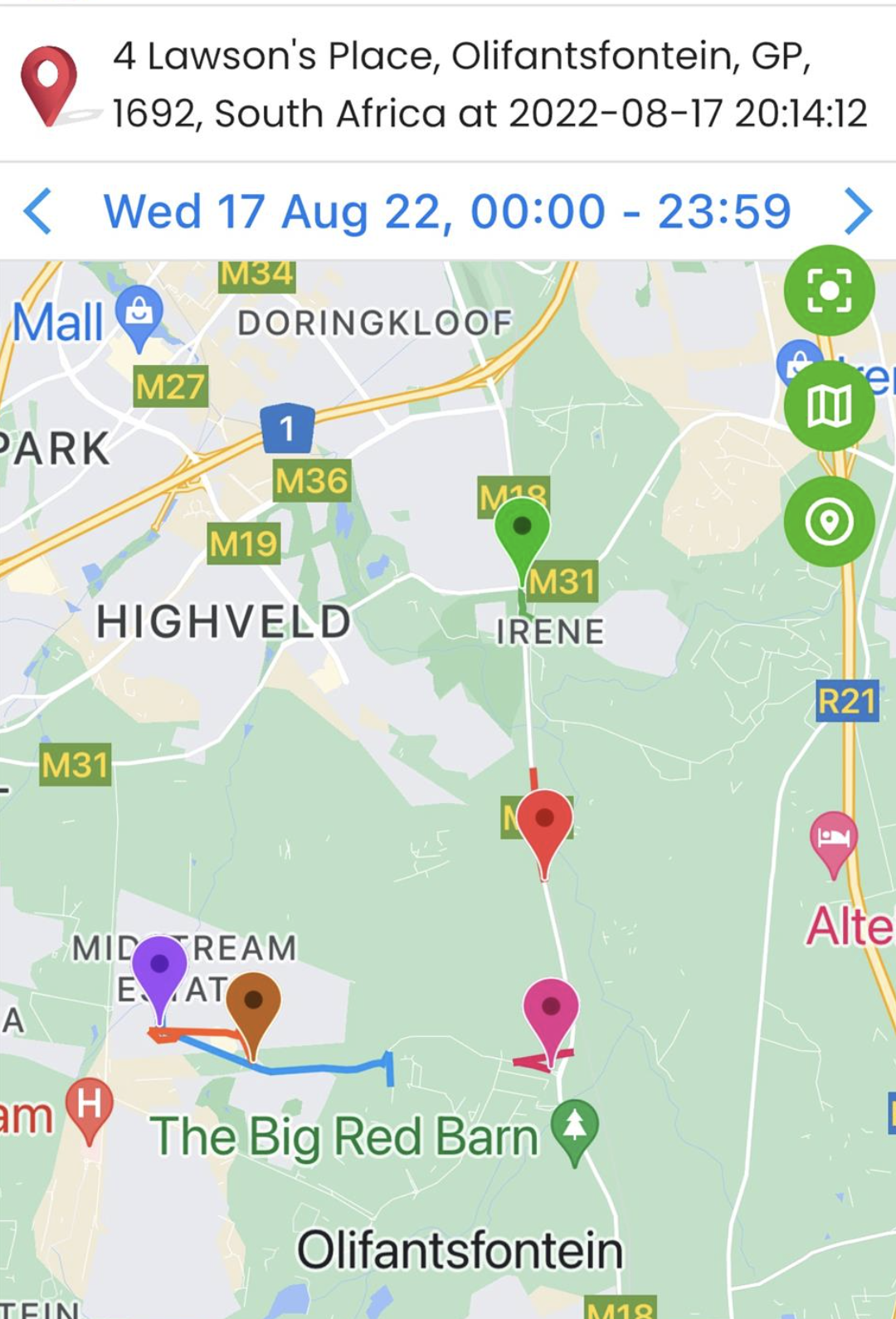
Here is the log:
Todays gaps:
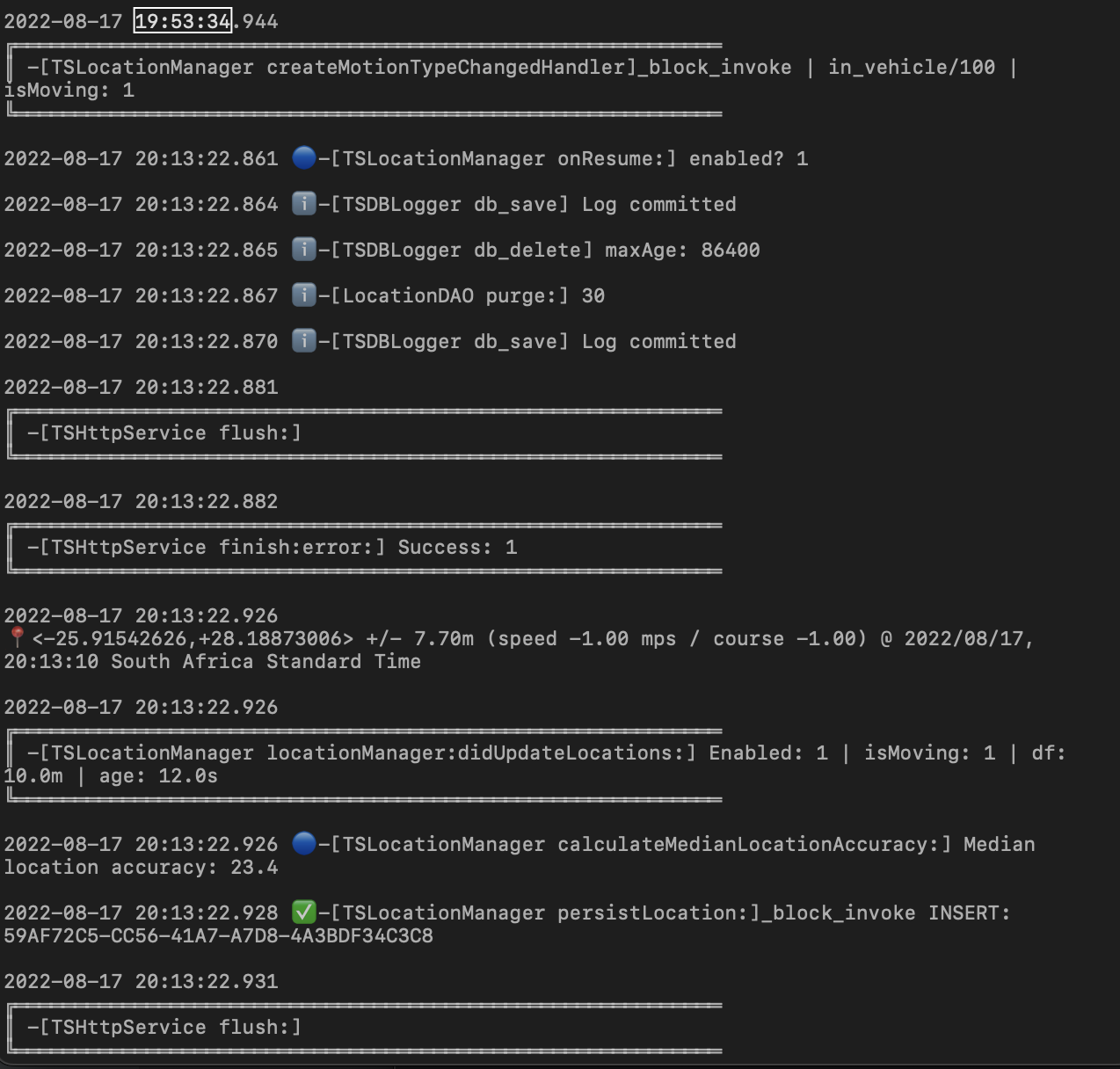
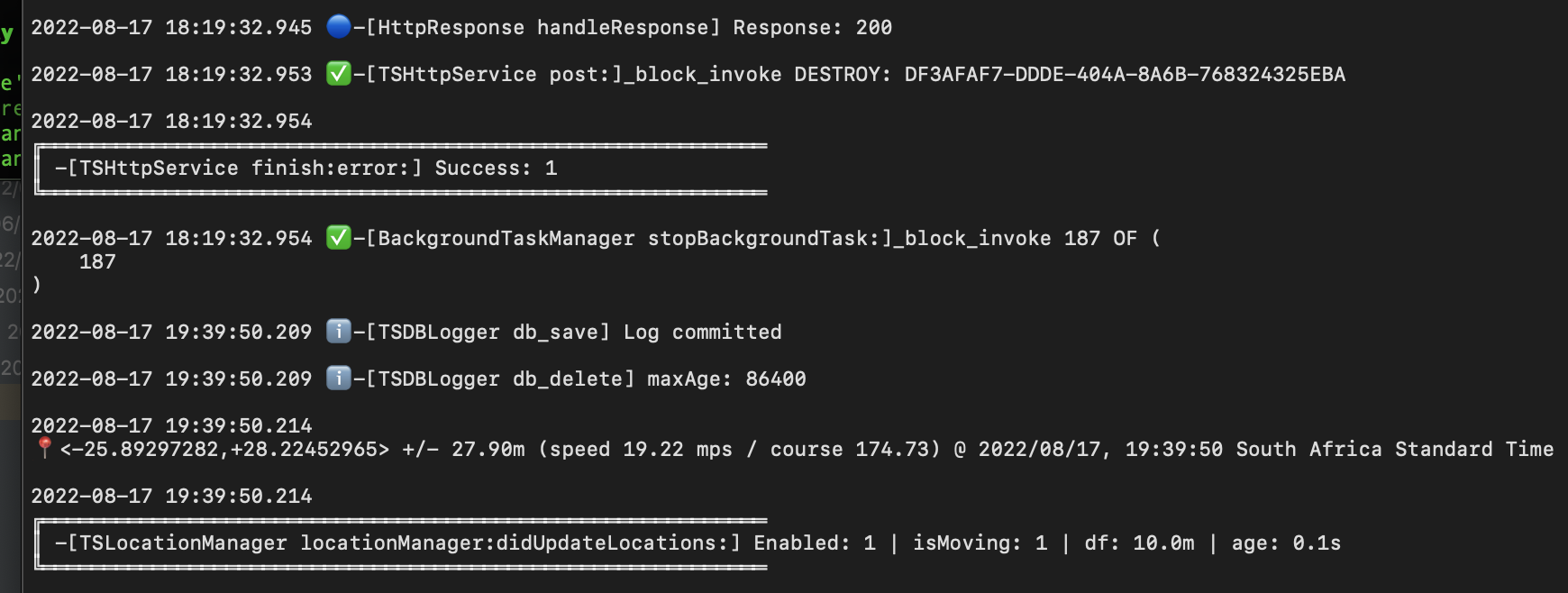
and the phone settings:
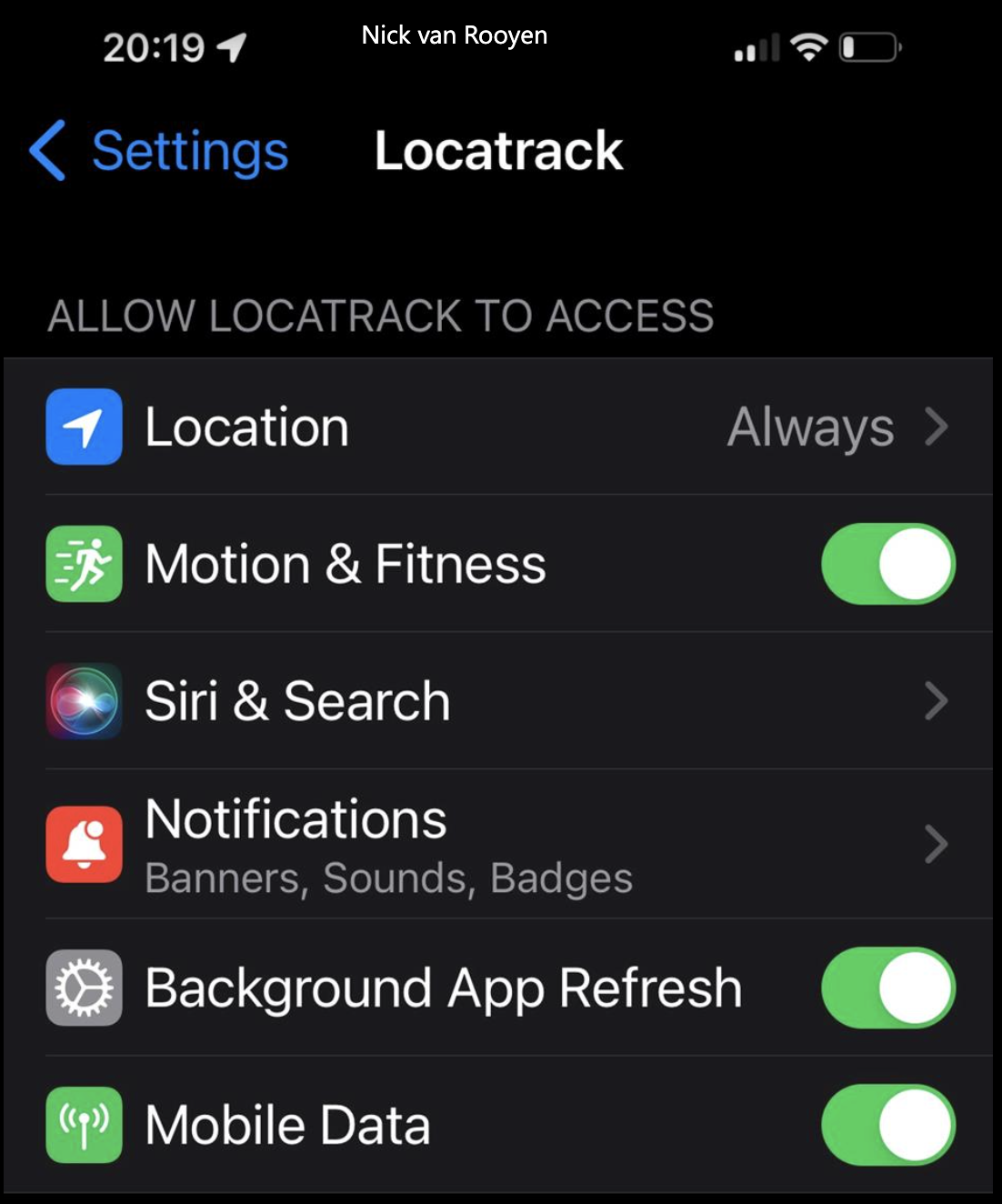
I suggest you install the /example app in this repo in order to test using the same app that I use.
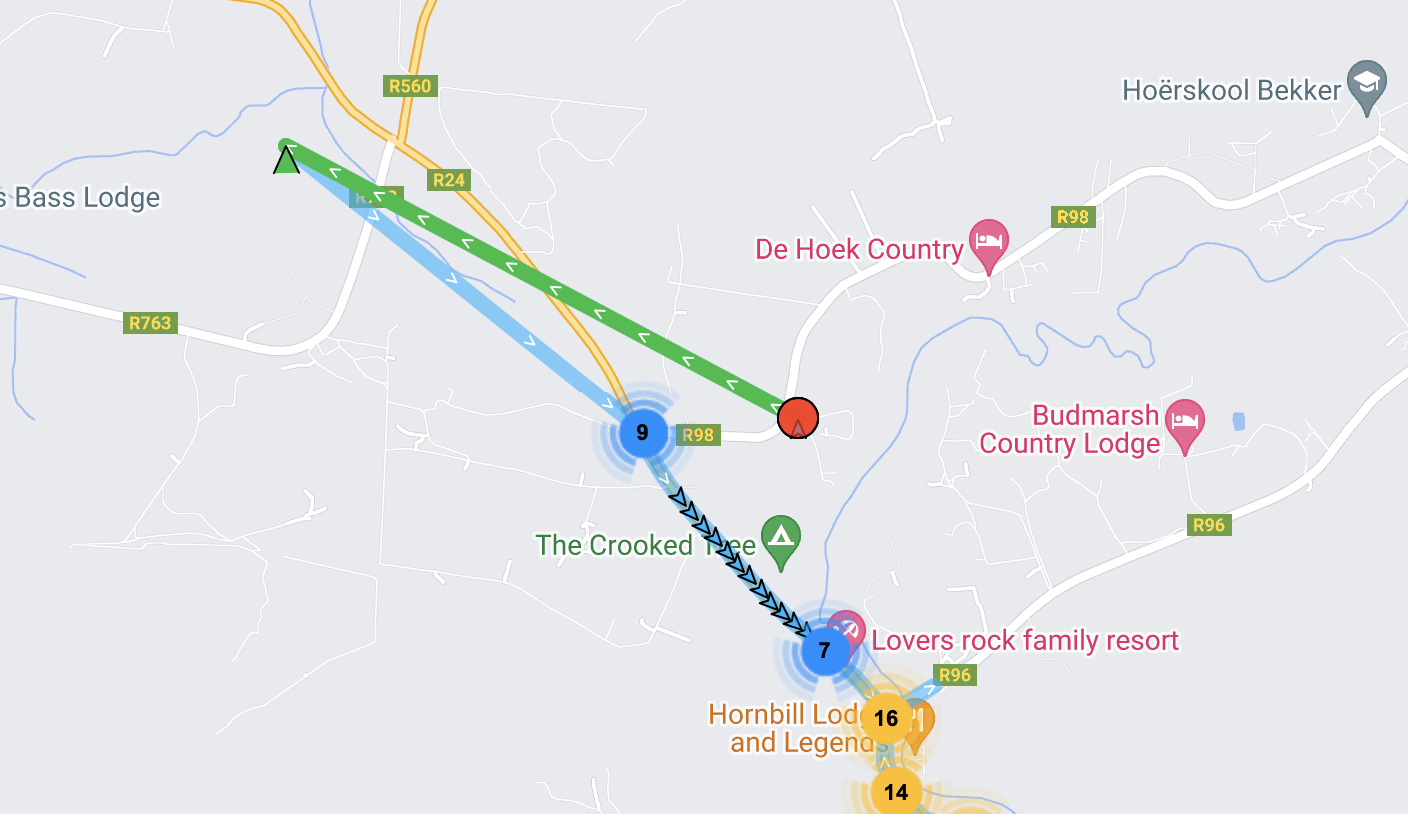
Hi we did and you were right the app fails silently and then carries on we do seem to see gaps every so often like the one in green below...
We have installed sentry but not getting the exact error we expected what else can you suggest to find memory or silent crash errors. I suspect the app uses too much memory and then iOS kills it and then it restarts but not sure...?
Also the lines you colour green in the image above how can I not have them on the map as they are incorrect values and I am also not sure what causes them? Point 9 is correct the line back from the green is also not right.
The green line represents a change in state from stationary to moving, where the device moved at least 200 meters from last known position.
see api docs Config.stationaryRadius for more information.
We have stationaryRadius: 25 and what I thought may also help speedJumpFilter: 100 Nobody went to that position is what I am saying its a wrong GPS position captured looks like its the 200m radius on iOS and then it got a wrong point and then corrected itself at 9.
Any good software you can recommed to find the other errors which looks like memory or app restart?
There can be poor locations initially when the plugin changes state while the gps “warms up” and connects to satellites. The plugin attempts to alleviate this during state changes by capturing several “samples” before settling but it’s not always perfect.
It’s up to you to filter your data as desired (possibly using location.coords.accuracy)
Well everytime you make a line green its seems to be the case was hoping there is another way but thanks will look into that then. So on the app crashing dont you know any software we can try to find the issue other than sentry which does not pick up the problem?
Todays log seems different we are getting gaps but no restarts and it still seem to just be happening on high end iOS devices e.g. iPhone 13 and up. This particular test was done without data on so the inserts was suppose to fail.
Plugin version:4.7.0 Platform: iOS OS version:15.6 Device manufacturer / model: iPhone 13 pro max Flutter info (flutter doctor): Doctor summary (to see all details, run flutter doctor -v): [✓] Flutter (Channel stable, 3.0.2, on macOS 12.5 21G72 darwin-x64, locale af-ZA) Checking Android licenses is taking an unexpectedly long time...[✓] Android toolchain - develop for Android devices (Android SDK version 32.0.0) [✓] Xcode - develop for iOS and macOS (Xcode 13.1) [✓] Chrome - develop for the web [✓] Android Studio (version 2021.2) [✓] VS Code (version 1.69.2) [✓] VS Code (version 1.65.2) [✓] Connected device (3 available) ! Error: iPhone is not connected. Xcode will continue when iPhone is connected. (code -13) [✓] HTTP Host Availability
• No issues found!
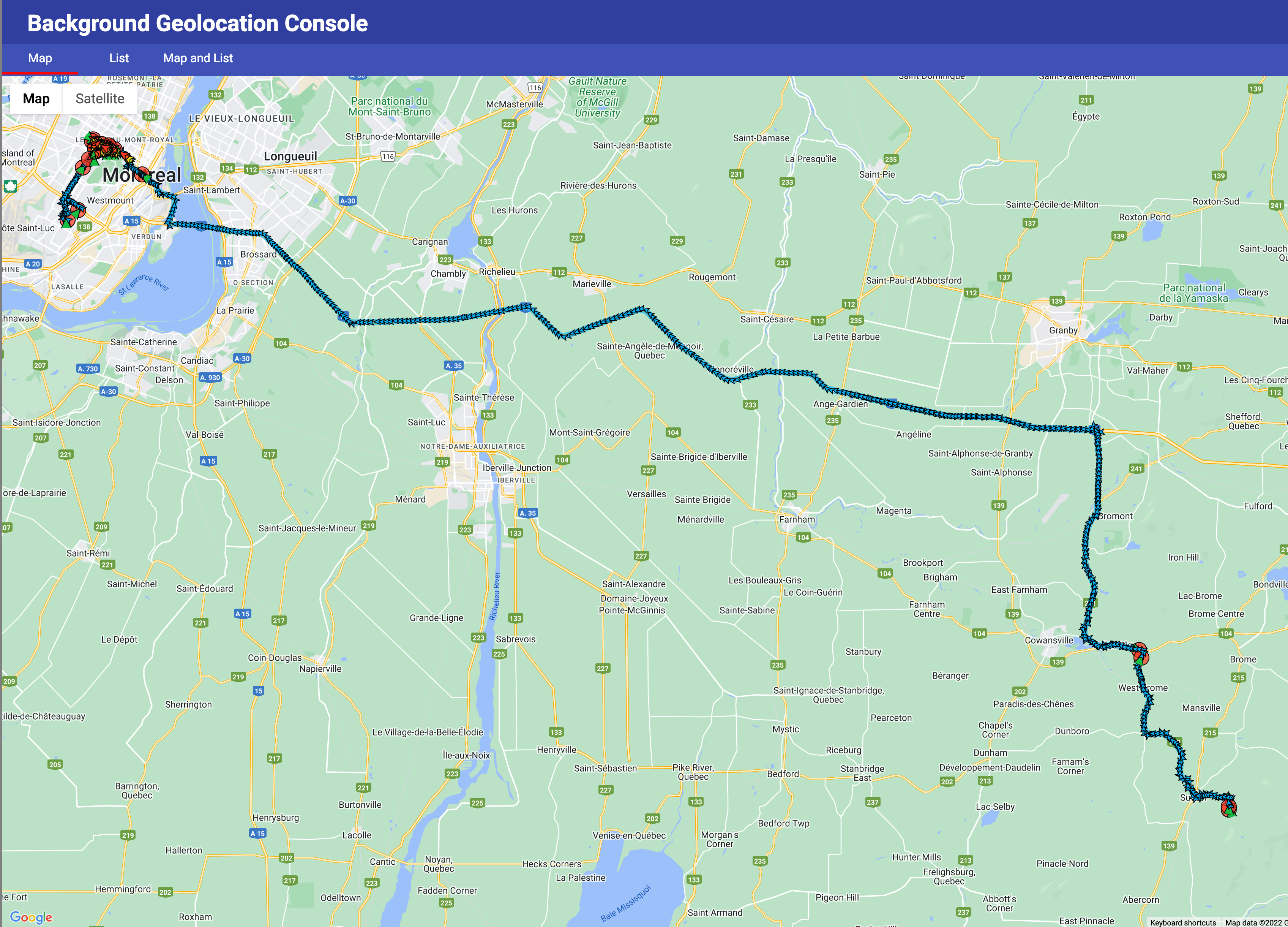
Here is the route with the gaps:
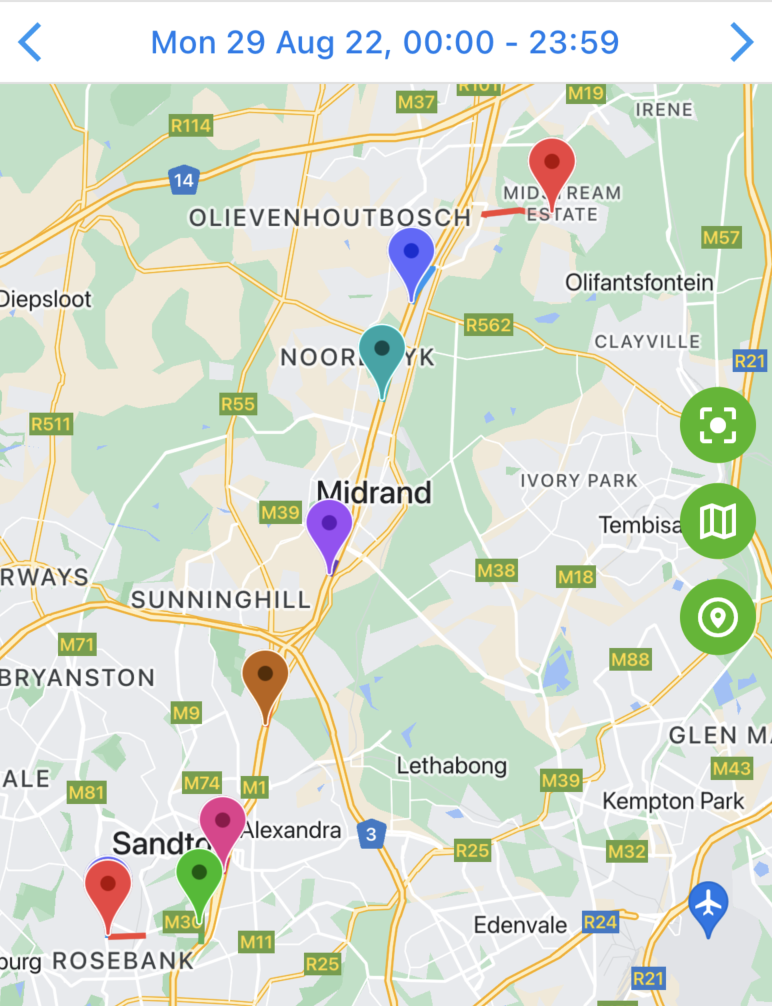
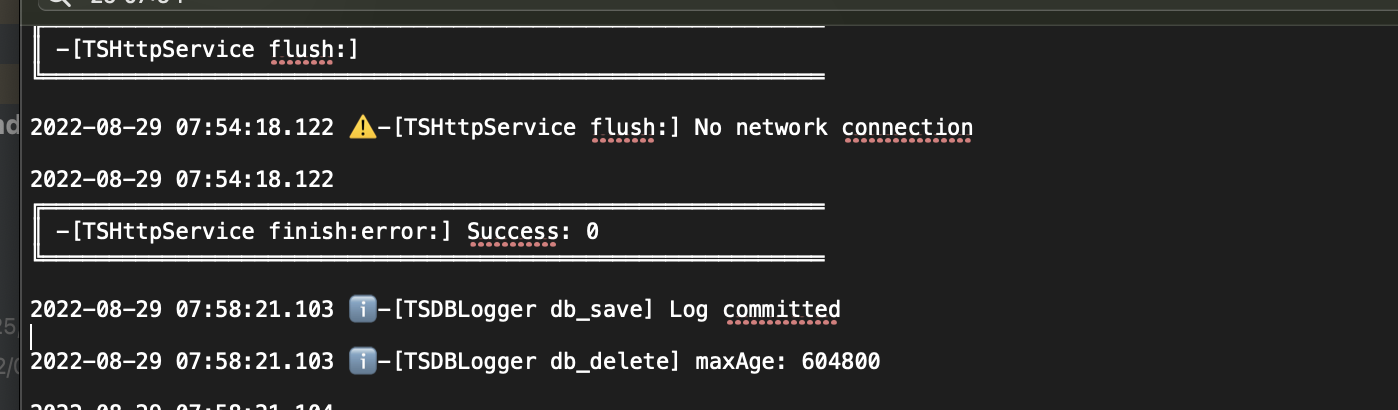
Here is the log pont where there is a gap from 07:54:18 to 07:58:21.
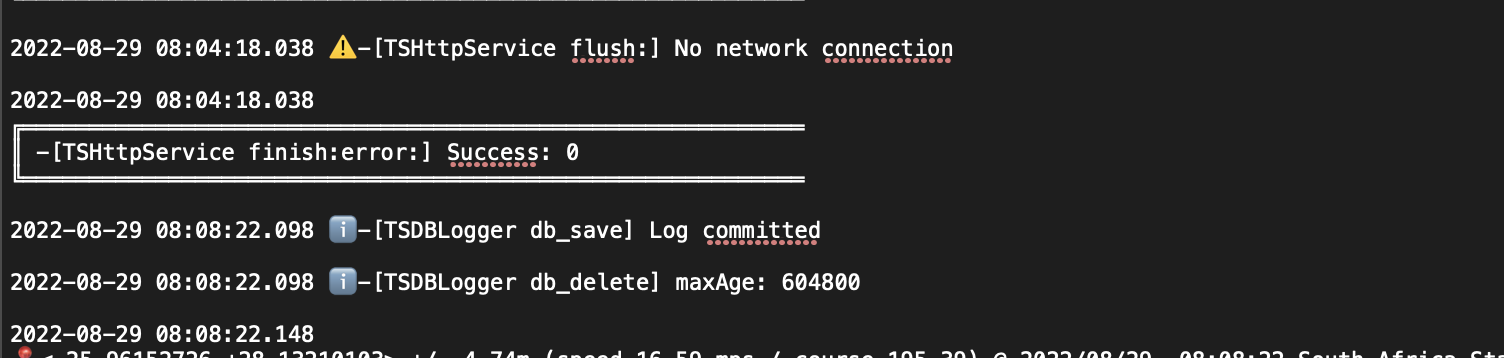
Here is the log pont where there is a gap from 08:04:18 to 08:08:22
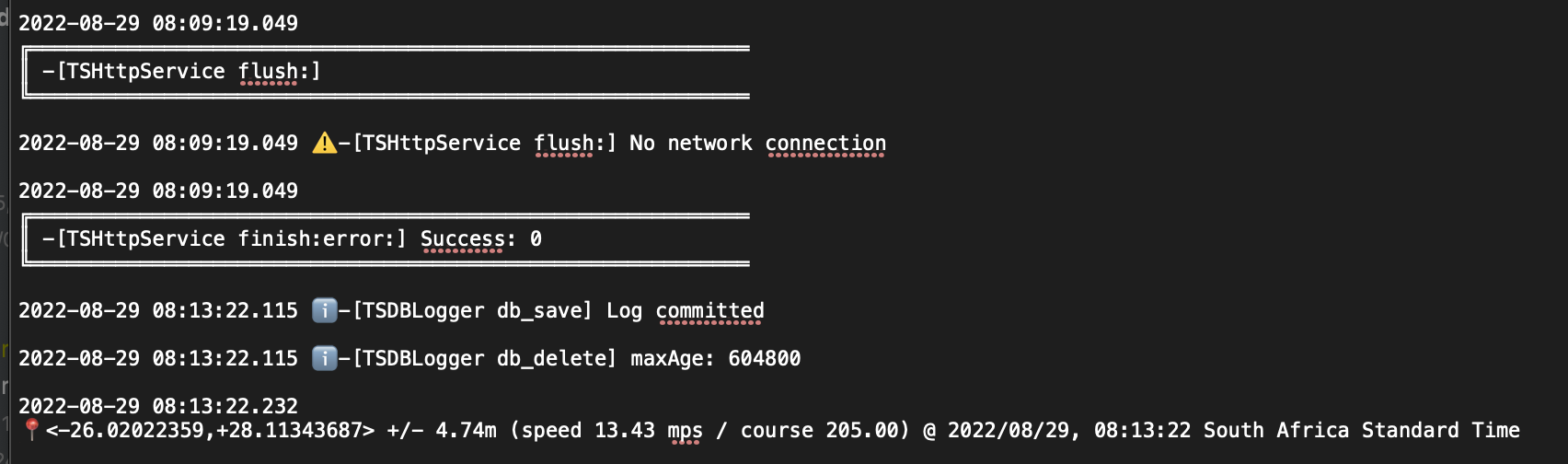
Here is the log pont where there is a gap from 08:09:19 to 08:13:22
Here is the log point where there is a gap from 08:14:20 to 08:18:23

I took a long road-trip last week. I do not experience any issue with the /example app.
I suggest you simplify your config. Disable the following:
speedJumpFilter: speedJumpfilter, persistMode: isWarmup ? Config.PERSIST_MODE_NONE : Config.PERSIST_MODE_ALL, maxDaysToPersist: isWarmup ? 0 : 5, maxRecordsToPersist: isWarmup ? 0 : -1,
stopTimeout: 1,
You should never use stopTimeout: 1 in production. Use a minimum of 5 minutes.
Thats the other guys config on this thread...here is ours again we made stopTimeout less as it missed some short stops...do you see anyting wrong here? It definately works on Android and up to iOS 11....
bg.BackgroundGeolocation.ready(bg.Config( desiredAccuracy: logAccuracyLevel, allowIdenticalLocations: false, distanceFilter: 10.0, elasticityMultiplier: 1, disableElasticity: false, stopOnTerminate: false, heartbeatInterval: 60, enableHeadless: true, startOnBoot: true, stationaryRadius: 25, activityType: bg.Config.ACTIVITY_TYPE_OTHER, speedJumpFilter: 100, stopTimeout: 3, stopAfterElapsedMinutes: -1, desiredOdometerAccuracy: 100, maxDaysToPersist: 30, persistMode: bg.Config.PERSIST_MODE_ALL, debug: true, reset: true, disableLocationAuthorizationAlert: true, autoSync: true, foregroundService: true, url: constants.baseServiceUrlH + '/locatrack/user/location/transistorsoft/insert/', params: { "myParams": {"deviceId": deviceId, "user": sequence} }, logLevel: bg.Config.LOG_LEVEL_VERBOSE, //logMaxDays: 1, locationAuthorizationRequest: 'Always', backgroundPermissionRationale: bg.PermissionRationale( title: "Allow LocaTrack to access to this device's location in the background?", message: "In order to track your activity in the background, please enable {backgroundPermissionOptionLabel} location permission", positiveAction: "Change to always allow.", negativeAction: "Cancel" ), )).then((bg.State state) { if (!state.enabled) { //// // 3. Start the plugin. // bg.BackgroundGeolocation.start(); print('Started bg.BackgroundGeolocation'); } });
My current device is iPhone 12 Pro @ 15.6.1. I’m not experiencing any issues. I field-test every day using the /example app.
This is on iPhone 13 pro max let me confirm 100% with the other user what he is using...but its 12 or up and I do believe you its just we need to solve this and this morning there was not even errors in the log...like before you helped us to find the restarts....
iOS device doesn’t matter. iOS had bugs with earlier versions of iOS 15 that they later fixed (around spring time).
You should be testing with the /example app and comparing performance with your own app.
Ok will do that for iOS, but it sometimes looks bad also even in android like this green line......looks its only spring here now haha in the southern tip of Africa, but also can it be gps sattelites?
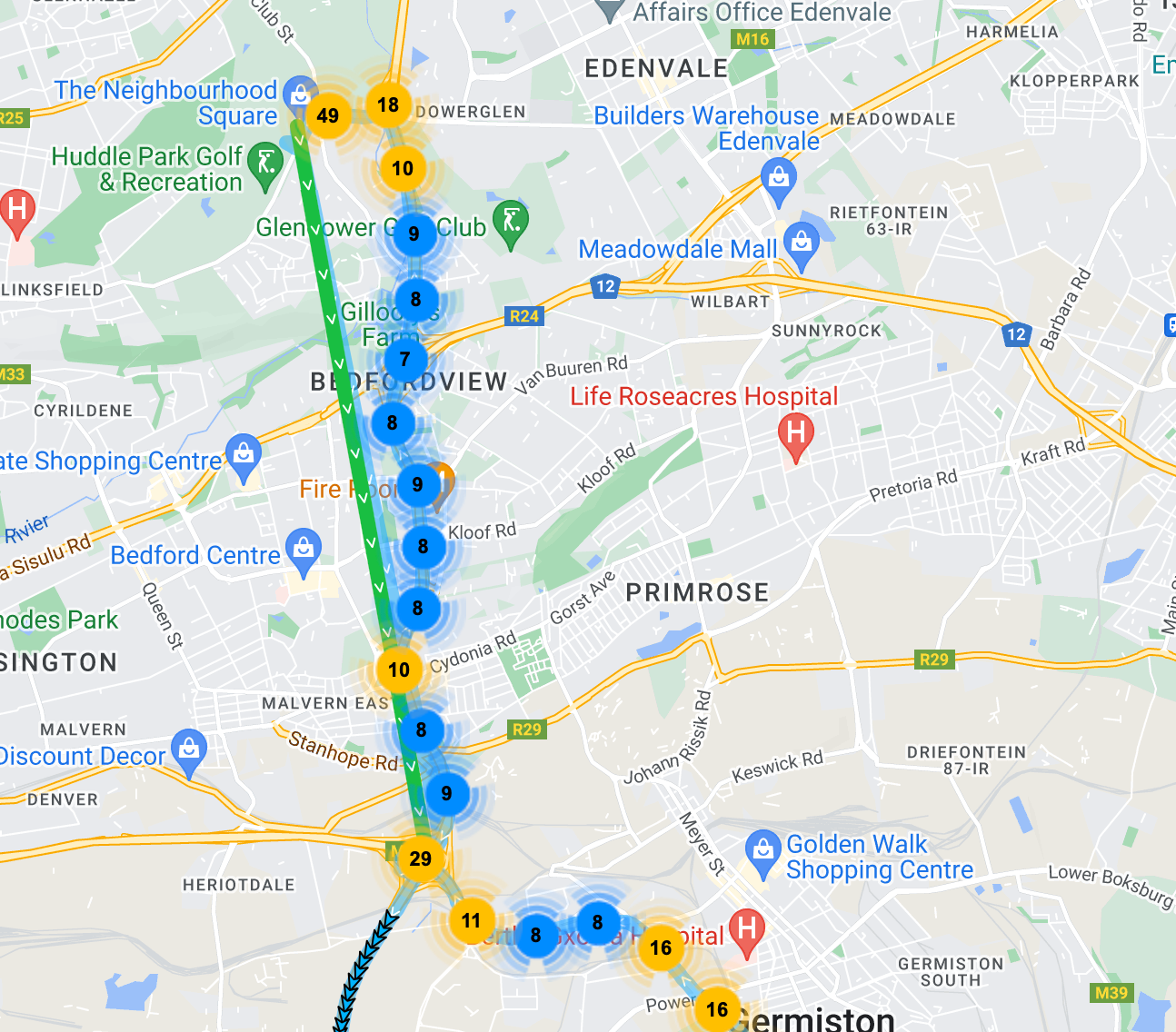
You will never achieve perfection. There is a wide range of performance with Android devices.
On Android, the plugin uses both the Motion API (accelerometer + gyroscope + magnetometer) and a geofence around the last known position to determine when the device is moving. It's purely up to the OS to fire events out of these apis.
If you wish to manually engage location-tracking, you're free to do so by executing .changePace(true).
On a large scale, your iOS device tracking was excellent.
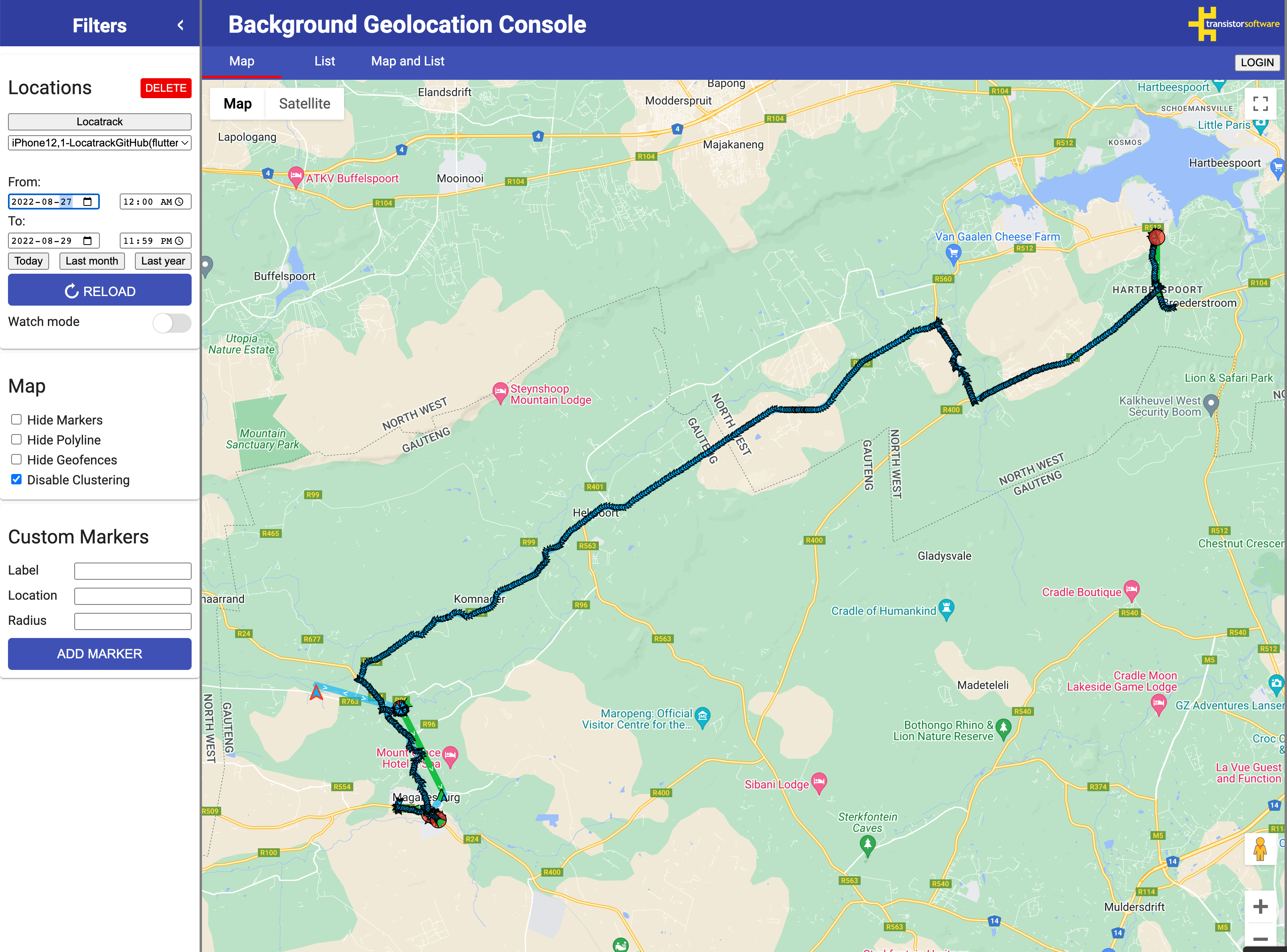
Both iOS and Android primarily use Wifi location to trigger geofences. In a rural area (as the screenshot above appears to be), there might be no Wifi signals in proximity. In that case, the only thing that can trigger a geofence exit event are cell-tower change events, which typically take 1000 meters (or more) to trigger.
Both iOS and Android do not use GPS to trigger geofences.