
pythonocc-core
 pythonocc-core copied to clipboard
 tpaviot
Any example on Shape Fix?
Hi, everyone, I am wondering if there are any examples of shape fix or shape repair, or shape healing? Thanks in advance.

There is not any related example in the pythonocc-demos collection. We would need an input geometry known to be wrong, and apply the ShapeFix* algorithms to check the output.

Do you @yingzhang1109 have some material to contribute?
not yet, I will let you know when I have some.
Dear @tpaviot,
I attached a zipped step as a possible candidate for shape fix / healing. Please let me know if the format is OK. My current workflow is: OCC -> STP export -> SpaceClaim -> Ansys. SpaceClaim works well with the step files I can export, but SpaceClaim regularly finds edges split up which may cause problems when trying to mesh the geometry which slows down work and I'd appreciate any automation on this issue.

Dear @tpaviot,
thank you in advance for any help on these issues.
I attached some pictures. All these are found by SpaceClaim's black-box problem finder tools (like finding small areas, edges cut in pieces, overlapping edges / areas etc.) - one clicks, the program shows the problem points. In some cases these tools require a tolerance from the user but that's it.
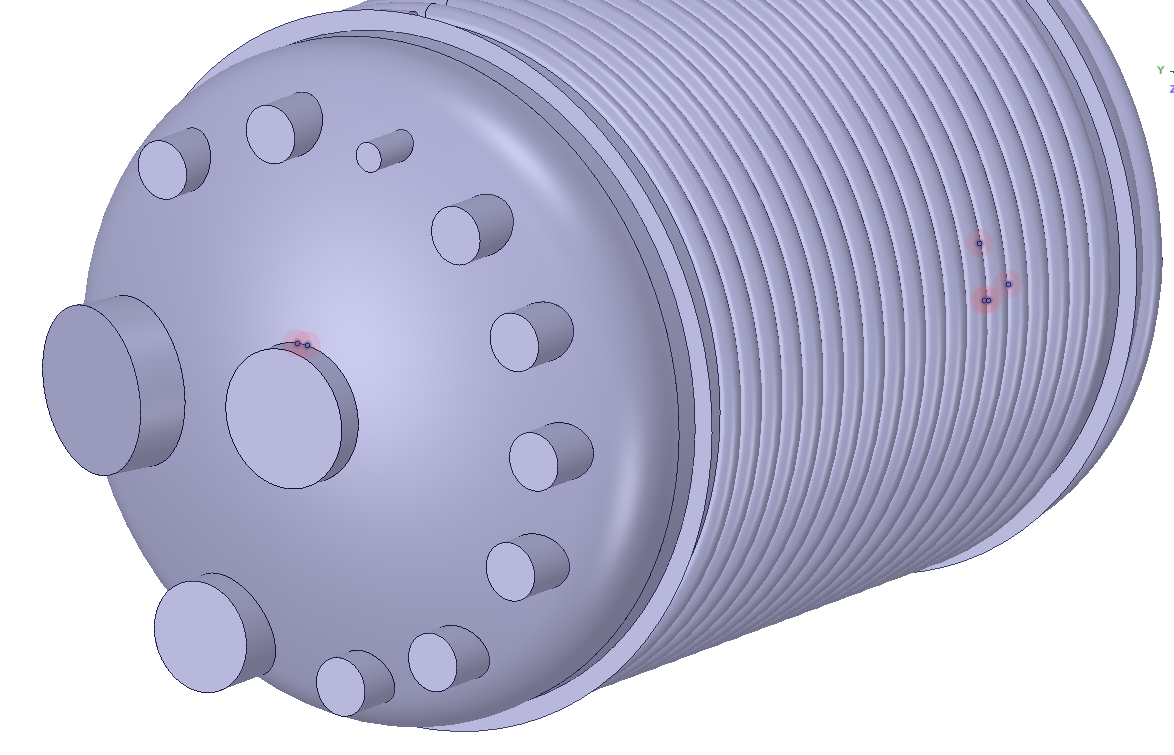
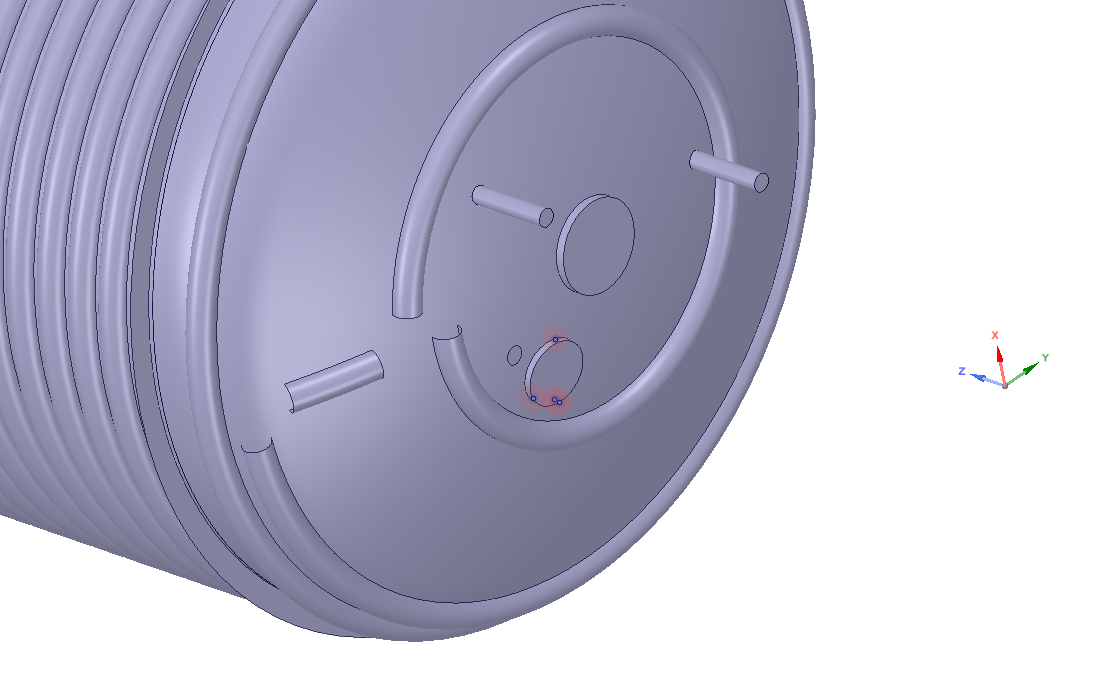 001 - 002: Multiple problem edges at cutouts. Cutouts are created using BRepAlgoAPI_Cut, te TopoDS_Shell is cut by a TopoDS_Solid to make the hole.
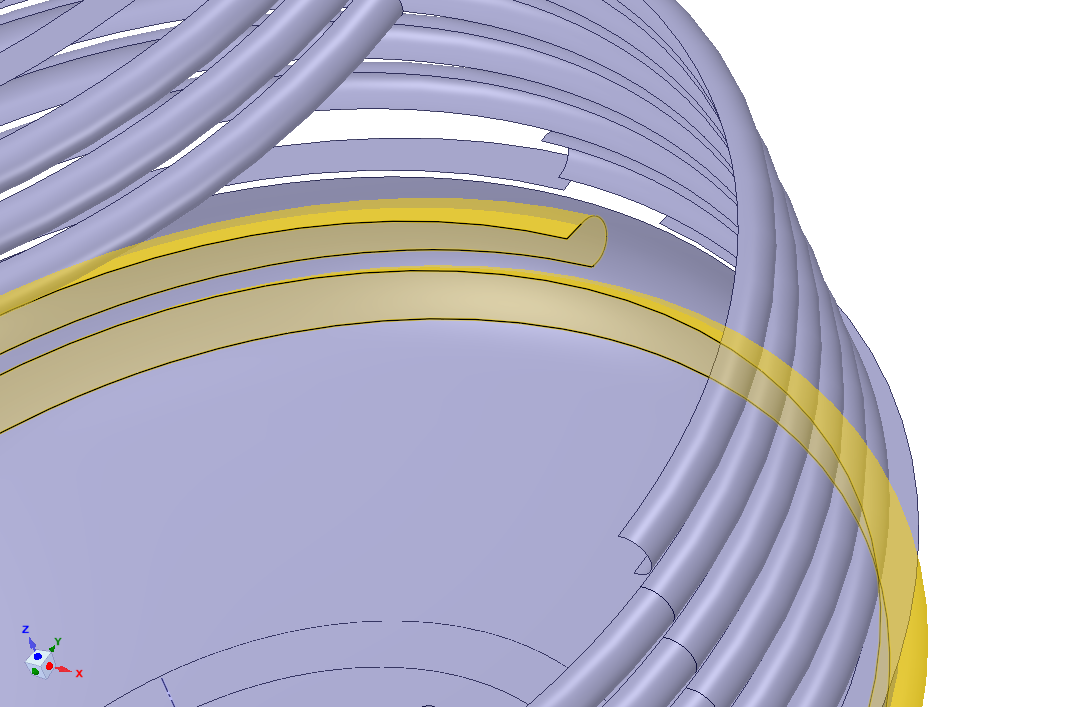 A spiraling shell created by sweeping a U-shape along a spine using BRepOffsetAPI_MakePipe (both are edges, created from an interpolated spline) is cut by a shell (also interpolated spline turned to an edge). Both elements in the cut operation are TopoDS_Shell. When cutting the spiral, only one "leg" is cut. The same method, with the same "cutter shell" works fine.
 To make sure conforming mesh is generated at intersection lines, SpaceClaim provides a tool to find overlapping edges, areas within a given tolerance (0,2 mm by default). The edges are color-coded for review, as shown. Lines at a nozzle-shell intersection should be all blue, meaning there are two surfaces that have a common line at their boundary; magenta means the line has connection to three surfaces.
An issue connected to this would be to find and align lines that are very close to each-other, and should overlap theoretically, bt they do not; I'll include an example in a next comment.
To make sure conforming mesh is generated at intersection lines, SpaceClaim provides a tool to find overlapping edges, areas within a given tolerance (0,2 mm by default). The edges are color-coded for review, as shown. Lines at a nozzle-shell intersection should be all blue, meaning there are two surfaces that have a common line at their boundary; magenta means the line has connection to three surfaces.
An issue connected to this would be to find and align lines that are very close to each-other, and should overlap theoretically, bt they do not; I'll include an example in a next comment.
Thank you for the STEP file, I'll have a look. However, I'm not sure that occt can fix topological issues on a file it created itself. When I need a review on some of my work, I usually ask someone else, because I can't find errors by myself, even if they are quite obvious.
Another possible cause of error comes from the SpaceClaim STEP importer itself.
I just compared two exports of the same model: IGES and STEP. There was a flipped element in the IGES version and the tools of SpaceClaim found issues in both models, although at different locations. But the models looked just fine. I also took the STEP export and split it in SpaceClaim by 3 planes the idea being this makes things easier for the mesher. I also used the built-in tools to fix issues with the geometry - and almost all problem zones were eliminated. I guess SpaceClaim also does some kind of healing.
However, I'd be curious for any examples on the usage of shape healing, maybe with a focus on edge issues.
I could resolve some of my similar problems by simply settting tighter tolerances when exporting to STEP:
step_writer = STEPControl_Writer()
step_writer.SetTolerance(1e-4)
I dont't know what the tolerance number means, but with this setting I get nice and clean geometry for the downstream stuff.