react-native-draggable
 react-native-draggable copied to clipboard
 tongyy
Draggable drop not working as expected

When i drag these texts on tshirt. It should be the place where i release the dragging. So my code looks like this
const designArea = (
      <View
        style={[
          {borderWidth: this.props.anyItemSelected ? 1 : 0},
          styles.designArea,
        ]}>
        {this.props.texts.map((text, id) => (
          <Draggable
            x={text.left}
            y={text.top}
            key={id}
            onPressIn={e => this.props.onSelectText(text)}
            touchableOpacityProps={{activeOpactiy: 1}}
            onDragRelease={this.props.onDragRelease}>
            <Text
              style={{
                fontSize: 25,
                color: 'black',
                includeFontPadding: false,
                borderWidth: text.isSelected ? 1 : 0,
              }}>
              {text.title}
            </Text>
          </Draggable>
        ))}
      </View>
    );
So onDragRelease i make the component re-render so that every text renders on its current position. But it doesn't work, it is like it adds more on x and y. But when i go to the another component and then go back , it works correctly, i mean dropped element location is the where i put the element before.

You want to make sure the border is included in the size of the element the whole time. You're seeing it move slightly because the size of the element is changing. To fix this I'd suggest changing the color of the border instead of the width

You want to make sure the border is included in the size of the element the whole time. You're seeing it move slightly because the size of the element is changing. To fix this I'd suggest changing the color of the border instead of the width
But size of the element does not change. It is stable, as you see in the gif, when i go another component and go back, because it mounts, it re-renders texts correctly.But in drag and drop it doesn't render correctly.
I have the exact same problem:
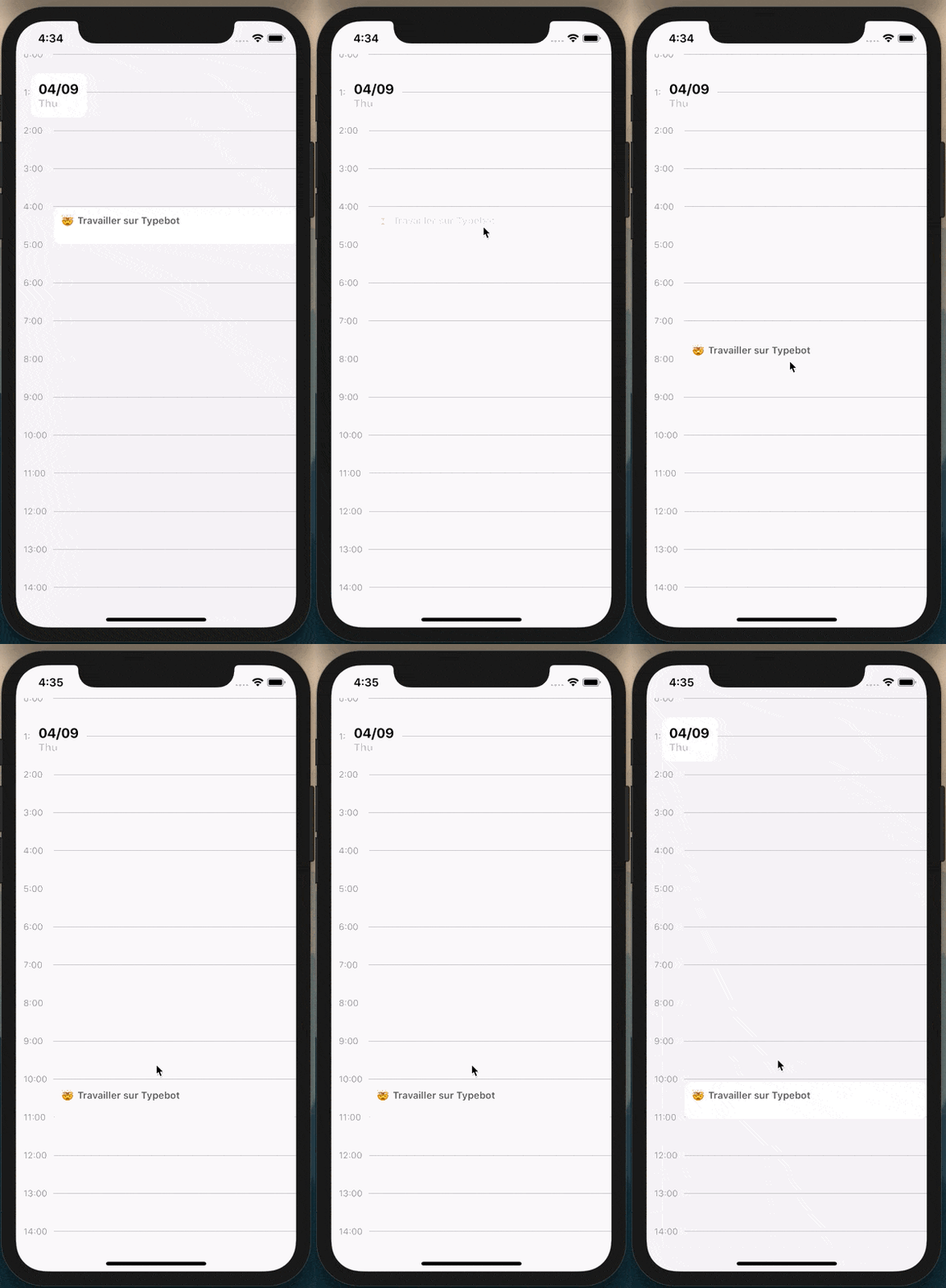
Did you find a solution @nesibeyyubov?
<Draggable
  onLongPress={() => {
    setCanDrag(true);
  }}
  onPressIn={() => {
    setIsDragging(true);
  }}
  onPressOut={() => {
    setIsDragging(false);
    setCanDrag(false);
  }}
  onDragRelease={(event) => {
    const pageY = event.nativeEvent.pageY;
    setY(offsetList[5]);
    let newY = y;
    console.log(pageY);
    offsetList.forEach((offset) => {
      if (pageY - 60 >= offset) {
        newY = offset;
      }
    });
    // setY(newY);
  }}
  y={y}
  minX={0}
  maxX={0}
  debug={true}
  // shouldReverse={true}
>
  <View
    style={{
      flex: 1,
      backgroundColor: "white",
      borderRadius: 10,
      padding: 10,
      height: 50,
      width: Dimensions.get("window").width - 50,
      marginLeft: 50,
      position: "absolute",
    }}
  >
    <Text
      style={{
        fontSize: 13,
        fontWeight: "600",
        color: "#5B5B5B",
      }}
    >
      🤯 Travailler sur Typebot
    </Text>
  </View>
</Draggable>;