
figma-plugin
 figma-plugin copied to clipboard
 tokens-studio
Cannot set a number fontWeight in typography
Describe the bug I can't set a fontWeight with a number between 100 to 900 which is the most common way to set it.
Why is this an issue you will say?
How to make the synchronisation with front if we cannot set proper number as fontWeight? In fact we cannot as Regular or RegularBold isn't a valid CSS property.
To Reproduce Steps to reproduce the behavior:
- Go to tokens edition
- Click on typography
- Set a number between 100 to 900 and it doesn't work
Expected behavior We should be able to set a value as font weight but instead it is forcing us to use a string like "Regular", "Bold", etc.
Screenshots or Screencasts
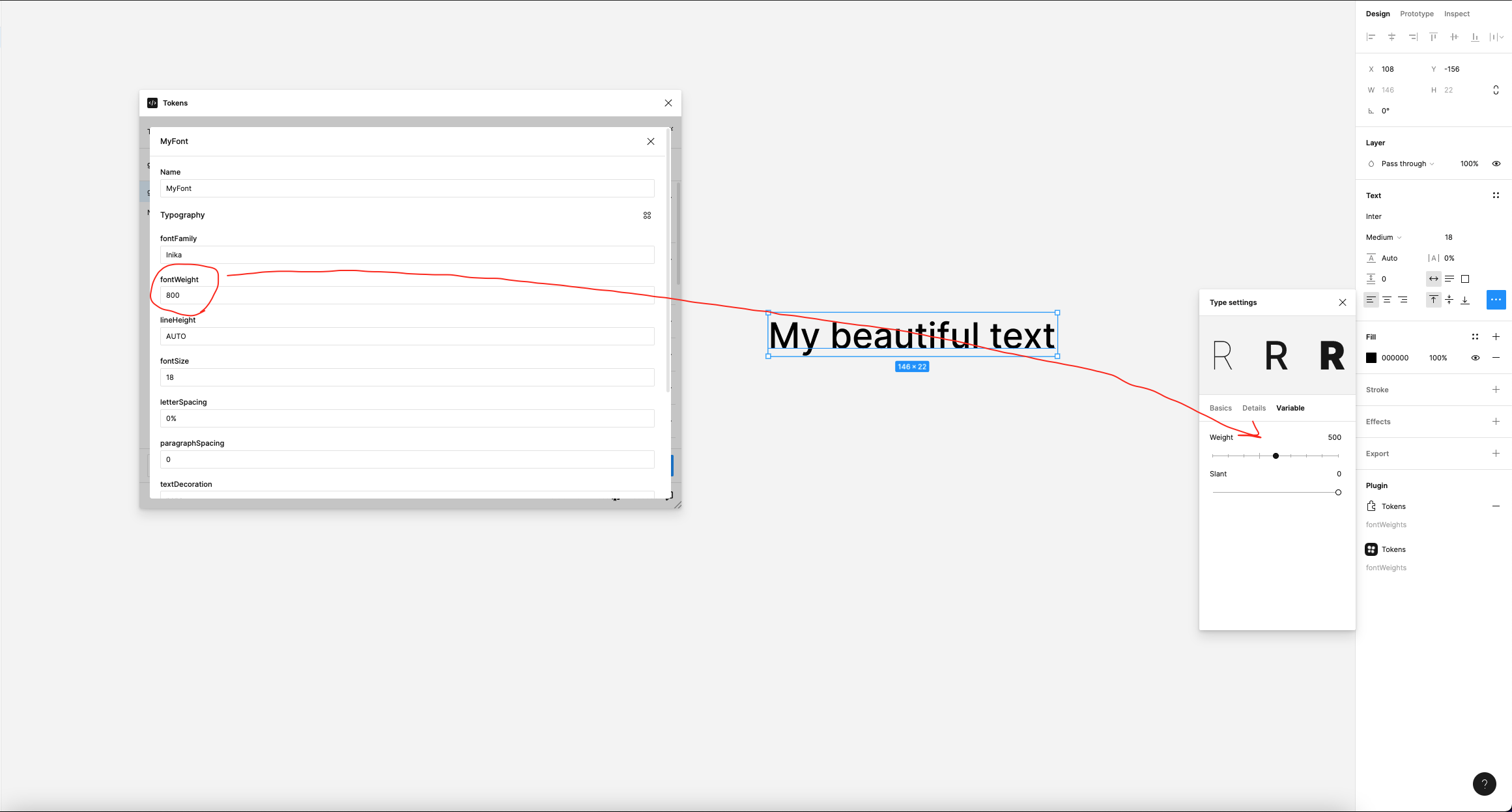
Figma file (optional) Send us the link to a Figma file containing a reproducible example
JSON (optional)
{
  "MyFont": {
    "value": {
      "fontFamily": "Inika",
      "fontWeight": "800",
      "lineHeight": "AUTO",
      "fontSize": "18",
      "letterSpacing": "0%",
      "paragraphSpacing": "0",
      "textDecoration": "none",
      "textCase": "none"
    },
    "type": "typography"
  }
}

I think what we should do is create a map with number / font weights that we try to match.
For example:
100: Thin
200: Ultralight
300: Light
400: Regular
500: Medium
600: Semibold
700: Bold
800: Ultrabold
900: Black
This might cover 60% of all fonts, however we won't be able to automatically understand what number maps to a specific font weight if a font for example calls their weights "Heavy" instead of "Black".
Ideally Figma would allow us to set font weights with numbers, not just the font weight name.

@six7 Thank you for your answer! In fact it might not cover all cases as you said, each font name their fontWeight differently.
I was actually surprised figma didn't allow to set a number as fontWeight as it is possible into figma itself.
Do you think we could open an issue somewhere in figma api to request this feature ?
I'm not sure there's anything Figma can do. Obviously in your example that's another topic as in they'd just need to add support for variable fonts in the plugin API. But that's not in either.
So for this issue we'll go ahead with a mapping that should cover most cases.
100: Thin
200: Ultralight
300: Light
400: Regular
500: Medium
600: Semibold
700: Bold
800: Ultrabold
900: Black
