

 tokens-studio
Referencing a (base+opacity) and adding another opacity to that, doesn't give the correct result
Is your feature request related to a problem? Please describe.
Currently, users can reference a base color and add opacity (%) to it. However, when referencing this base+alpha token, users cannot add an opacity percentage to this referenced token.
base: #14b8a6
base+alpha: rgba(#14b8a6, .5)
base+alpha referenced: see added json/screenrecording
Key information: This issue does not involve using color-modifiers.
Expected behaviour:
The user wanted to achieve 4% opacity of the 50% which is 2%, but when referencing the base+opacity token and adding 4% opacity to the new token, the result was unvaried - stayed as 4%.
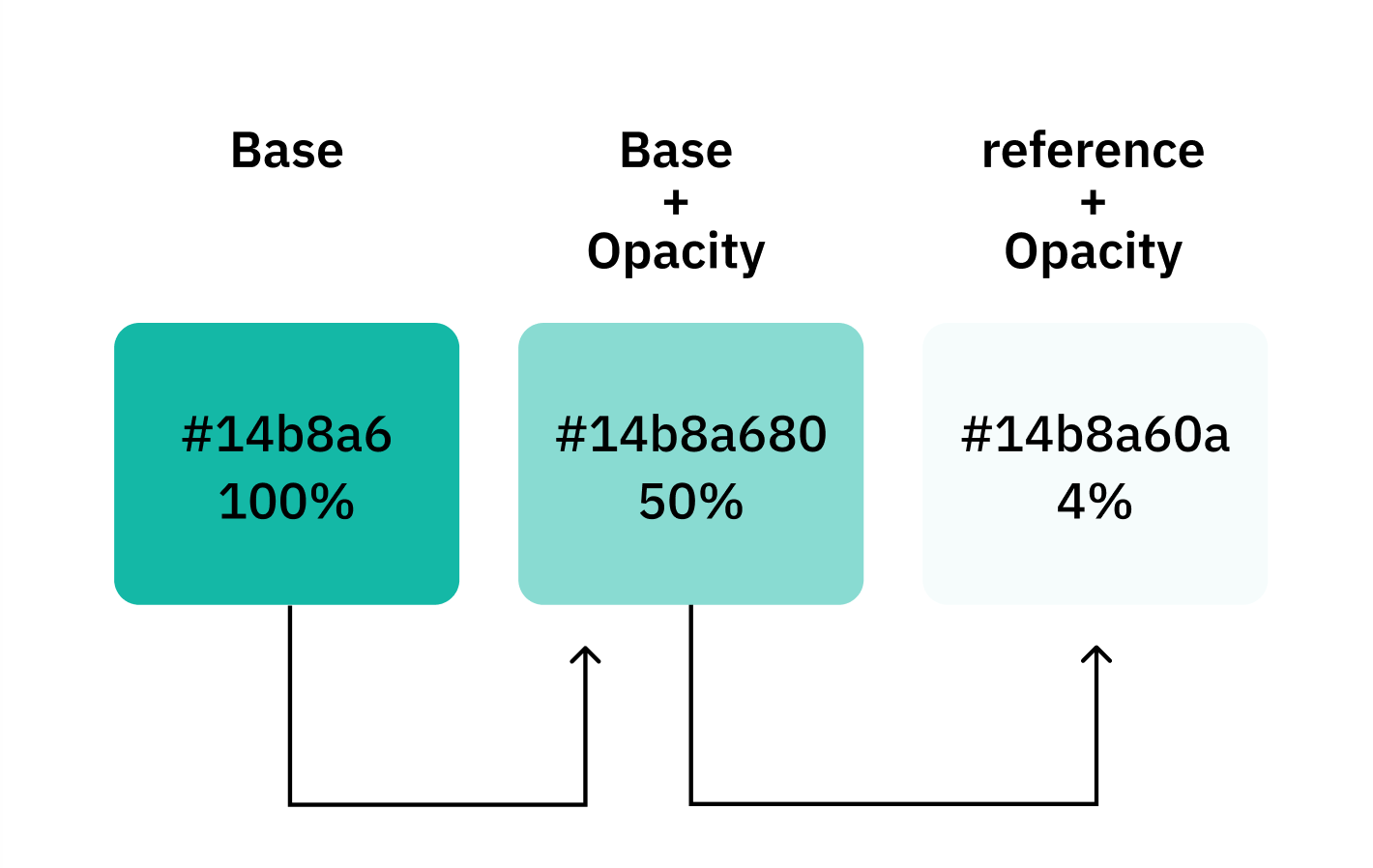
Describe the solution you'd like When creating a new token and referencing a token already containing opacity, when adding opacity to this reference, it should result in the correct percentage of said values
- Base color + 10% opacity
-
Base+10%+ 50% = 5% and not 50%.
Token A: Value = #14b8a6 Type = color Token B: value = 10% Type = opacity Token C: value = {Token A}{Token B} type = color Resolved value = #14b8a680 Token D: value = {Token C}10% type = color Current Resolved value = #14b8a680 Expected Resolved value = #14b8a60a
Key information: Our color token options are based on Colorjs.io docs and it should be achievable since the docs state the following
“ColorJS allows you to chain multiple methods to modify a color instance sequentially. Once you have created a color instance using ColorJS, you can apply multiple color modifications in a chained manner by calling successive methods on that instance.”
Added 23-07-2024:
-
test tokens: tokens.json
-
screenrec with explanation:
https://github.com/user-attachments/assets/ff83826d-4e57-4286-8d99-1c3ff29b48f4

@keeganedwin please check this one to see if its still an issue or if it can be closed. I've added labels


@six7 could this be because Figma handles Opacity as layer visibility and not in a color modifier? I'm inclined to suggest we don't use opacity tokens in the values of color tokens, and use an alternate token type, like number.
@six7 could this be because Figma handles Opacity as layer visibility and not in a color modifier? I'm inclined to suggest we don't use opacity tokens in the values of color tokens, and use an alternate token type, like number.
For these things it's mostly on our end and not on Figma's.
For this one I would strongly recommend to use color modifiers! We will not be able to achieve that result with rgba() methods. We can fix it for color modifiers though, if its not working there.
I'd like to deprecate rgba() at some point because it really was only a way for us to do what we wanted to before we had modifiers.

@six7 shall we document this as a known issue and close the ticket as its not a bug?
closing as its a known issue and has been added to the technical docs for color tokens.