
fort
 fort copied to clipboard
 tnodir
Dark theme for UI

See:
- https://github.com/Alexhuszagh/BreezeStyleSheets
- https://github.com/ColinDuquesnoy/QDarkStyleSheet
I think this is a little confusing to me. Is it possible to make FortFirewall supporting dark theme out of the box ??

Is it possible to make FortFirewall supporting dark theme out of the box ??
Those links are examples how the Dark theme can be added to Fort.
Well, you will implement it on upcoming releases, or I suppose to do it by myself ? I don't think I can do it.
![canny[bot] avatar](https://avatars.githubusercontent.com/in/43057?v=4 "Published by a pub.dev verified publisher")
Great job 👍
But I have a little suggestions:
1- unavailable options text is too dark and difficult to read, they will be better if they become little more brighter.

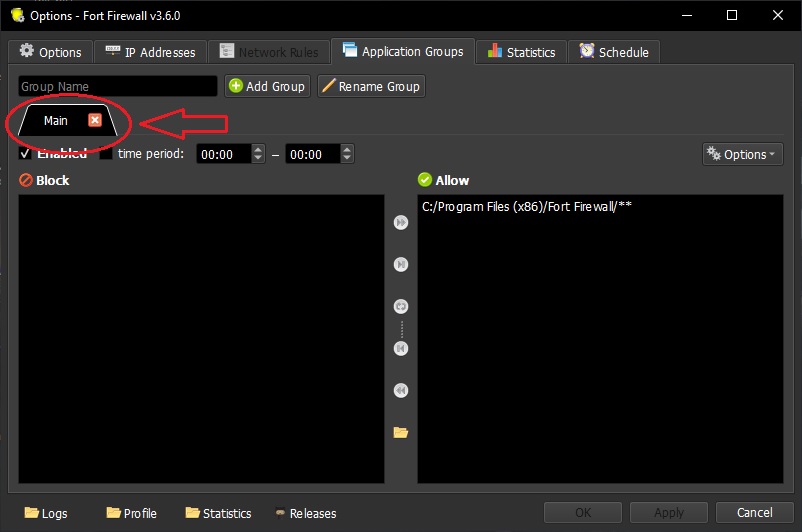
2- selected tabs is pure black, you can change it to dark gray.
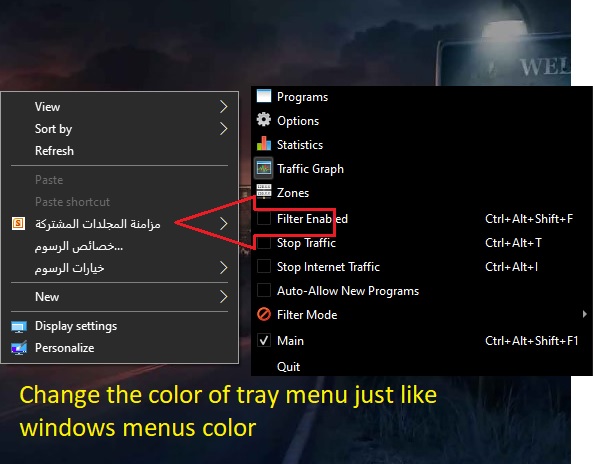
3- make the color of tray menu identical to the windows menus color.
Good luck my friend 😊
@anwar-alsilwy Thank you for testing the Dark Mode. Actually I've just added ability to use Qt's dark mode support, which is in progress right now.