

 tmux-plugins
Vim sessions not restored
I'm on Mac Os Sierra, iTerm2 and restoring my vim sessions gives the result as per screenshot.
Opening session file in a iTerm new tab, outside Tmux, restores it properly.
Screenshot:
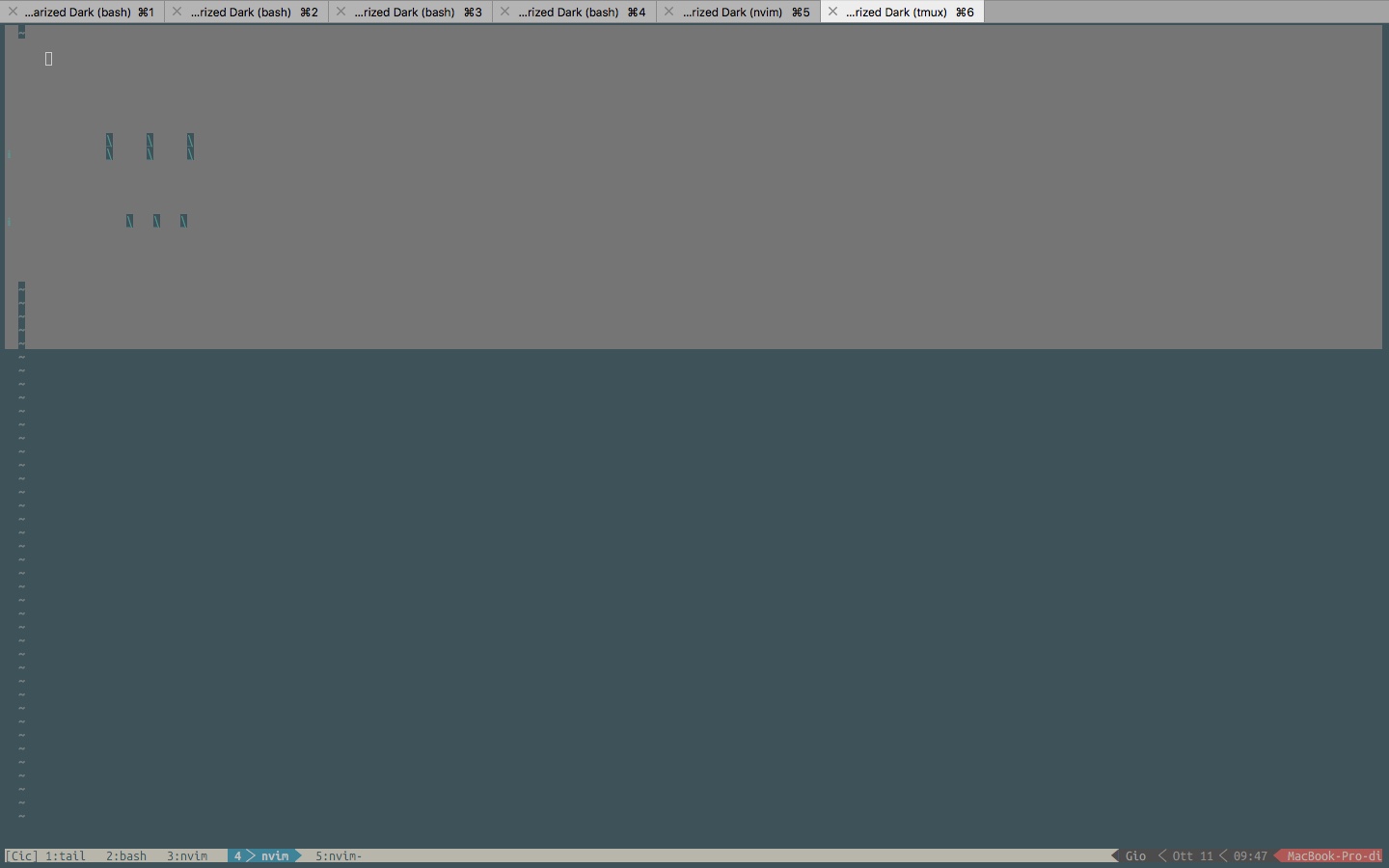 My "last":
tmux_resurrect_2018-10-11T09:10:50.txt
my .tmux.conf:
tmux.conf.txt
Please ask for more details, fighting since one month trying not to ditch tmux that I love. But I need to restore Vim sessions, that seems it can't really do, at least in my case.
Thanks for help.
My "last":
tmux_resurrect_2018-10-11T09:10:50.txt
my .tmux.conf:
tmux.conf.txt
Please ask for more details, fighting since one month trying not to ditch tmux that I love. But I need to restore Vim sessions, that seems it can't really do, at least in my case.
Thanks for help.

Hey, yea, the plugin is maintained, but unfortunately I can't respond to every support request. Please leave the issue open and I hope someone from the community will help or give ideas.

Thank you, I hope somebody has encountered some similar issue. Waiting patiently...
I wonder if this issue is related to https://github.com/tmux-plugins/tmux-resurrect/issues/245 and the iterm vs. iterm2 problem is just a red herring.

I use Arch linux and Terminator + zsh + nvim. I see a very similar issue with vim session restoration. The vim session is not rendered properly. At the moment my only solution is to close and reopen vim.

Same issue on Manjaro KDE konsole. @sheiksadique also press j until cursor down to the end line is another way to render it.
What's more I alse get a % each time restore a shell.


Hi @Guitarflier Maybe Vim sessions not restored properly is a more properly title?
I have the same issue. The restored vim session is not properly rendered. At first it was a blank screen, and with the movement of the cursor, it started to render it line by line in a broken way :joy:
My environment: tmux 2.8 neovim v0.3.1 zsh 5.4.2 Linux Mint 19.1 with Cinnamon 4.0.9

I have the same issue with neovim, only way to fix it I've found is to close vim and open it again, which is quite tedious.

Neovim sessions are not recovered at all for me...just an empty shell with the correct working directory (where neovim was previously open).
Same thing as @deeuu, but with macvim.
All vim sessions are lost, just tmux splits and panes are restored.

The default programs list allows vim which doesn't work with MacVim.apps binary (which is named Vim). Adding this config fixed the issue for me:
set -g @resurrect-processes '~Vim -> vim'

@coldeasy this is a step in the right direction, all my vim processes did restart, but none of them reopened their sessions, all of them show an empty buffer.
If anyone still has issue with restoring vim sessions, it could due to _get_command_strategy() in process_restore_helpers.sh in tmux-restore scripts folder. I suggest checking if there is alias in .zshrc for vim as the command in saved tmux session instead of :vim ... could be :/usr/local/bin/vim ... which then messes up cutting command in _get_command_strategy() and produces wrong command to be called when restoring pane.
Make sure to delete unnecessary aliases in .zshrc for vim/nvim or other programs.
Hope it helps.
