
Anatoliy Kashkin


Anatoliy Kashkin
I have implemented very basic keyboard navigation in grid view. Use `arrows` to navigate, `return` or `space` to launch game, `ctrl` or `menu` to show context menu. Basic gamepad navigation...
Stick support is added in e3d214c. It may be buggy. How should UI update when controller is connected/disconnected? Any ideas for bindings (besides `dpad/LS - arrows`, `A - return`, `B...
UI now switches to controller mode when gamepad is connected and back to normal mode when it's disconnected: 
@neuromancer, @Hedronmx now (394cd6d) compat dialog won't show if settings are saved. It will be shown anyway if opened from context menu.
@Hedronmx what do you suggest? * Stop switching UI to controller mode * Show settings button in all modes (and probably add some shortcut (`select` button?)) * Switch to controller...
In e5b5298 settings button is always visible and has controller shortcut (`select`). Also triggers now emit `Tab` and `Shift+Tab` to control focus and make navigation easier in some cases.
@neuromancer - What version are you using? - If you have built it yourself, do you have `libmanette` installed and used during build? - Is there anything gamepad-related in log?...
Interesting. It was correct for me with Steam Controller with both `hid_steam` kernel module and with `sc-controller`. It should print pressed keys and its values in log if app is...
Yes, I can confirm. `X` and `Y` seems to be swapped between `hid_steam` and `sc_controller`. ###### Steam Controller (Wireless) with `hid_steam`: ``` 'Wireless Steam Controller' connected Button pressed: A (A)...
Exit controller shortcut is added in f05d464 along with settings redesign and controller improvements. Use `Guide + B` to exit GameHub. 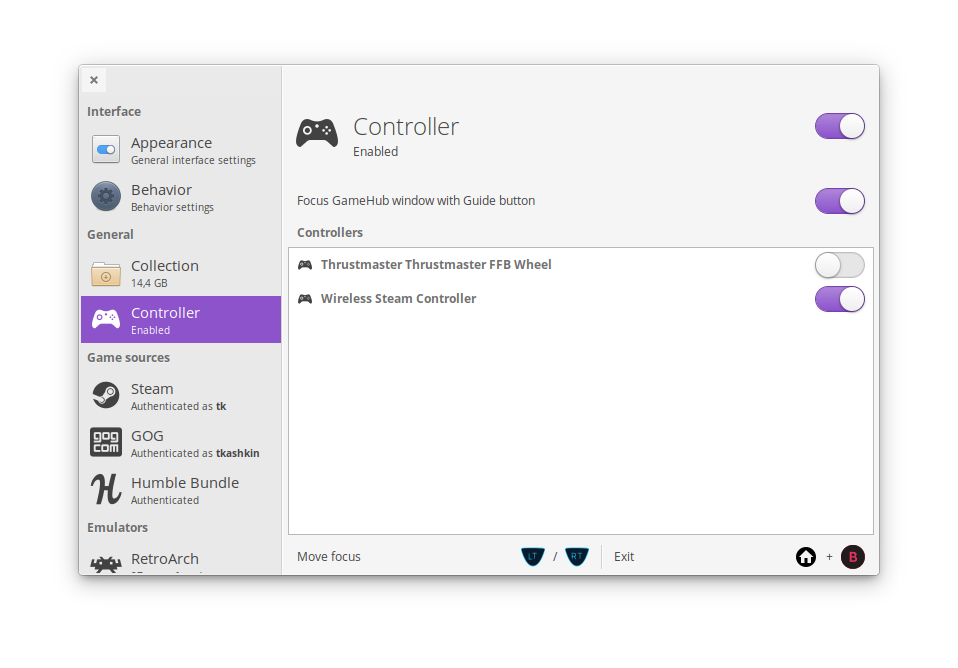 It's now possible to disable individual controllers.