

 thurasw
Window behind/overlapped with auto-hidden taskbar
The window overlapped with the taskbar if it was set to auto-hide (Taskbar settings->Automatically hide the taskbar in desktop mode). Is it possible to fix this? Thanks in advance!
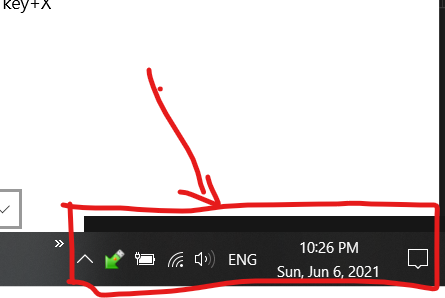

If you click on the taskbar icon to hide the window, then click again to reshow it, the window should be displayed above the taskbar. Let me know if that works.

Yeah that works, but would love if it just appear above the taskbar (like how if the taskbar was not set to hidden), since to activates it, the taskbar needs to be appeared beforehand, and disappeared right after mouse was hover away (when interacting with airwave windows), and makes the windows being overlapped when the taskbar appear again (doing other stuffs like changing programs)