

 thunderbird
Drafts can not be saved and mails can't be sent due to "error in Connection to encryption provider"
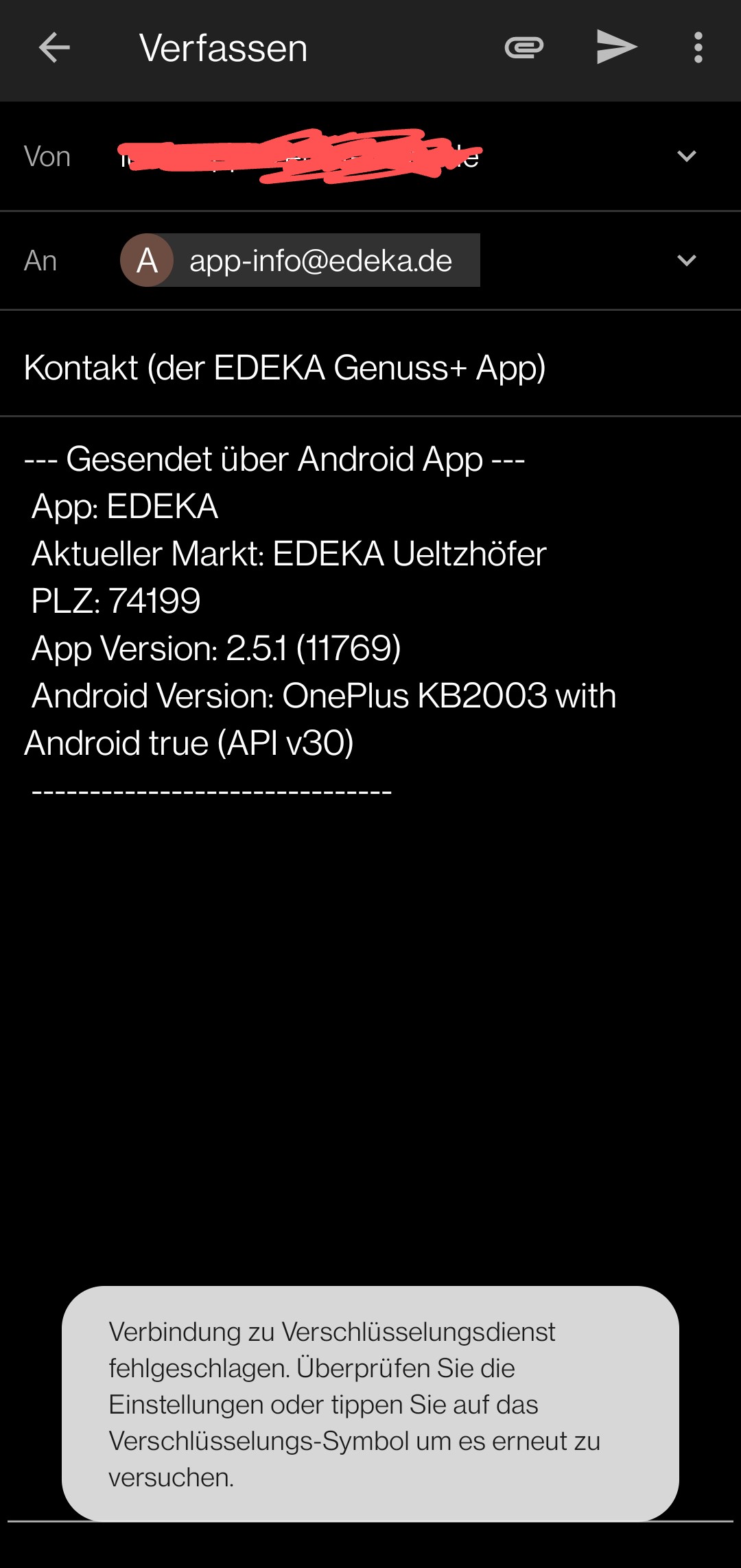
Describe the bug In some cases, K-9 will not allow me to store mails as drafts or even send them. An error message is displayed at the bottom about a "failed connection to the encryption service". I have openkeychain configured, but the mail is not encrypted and there is no key for the receiver.
Disabling the encryption services fixes the issue. It also works after I tap on the mail address in the receiver field, and then on the mail address again!
Note: the content of the mail is defined by a mailto: link.
Screenshots
Environment (please complete the following information):
- K-9 Mail version: 5.905
- Android version: 11
- Device: OnePlus 8T
- Account type: IMAP

If a crypto provider is enabled drafts are encrypted by default. Your Android version probably suspends the OpenKeychain app when it wasn't used in a while, leading to the error when K-9 Mail is trying to connect to it to encrypt the draft.
Try exempting OpenKeychain from whatever power saving measures your OS is offering.
See also: https://forum.k9mail.app/t/how-do-i-make-k-9-mail-work-with-openkeychain-on-xiaomis-miui/82

Yesterday, on K9 build 6,200, I had the same or a very similar problem.
I think that 1) battery saving options are not the source of the problem. I think that rather 2a) the cause is a semi-configured encryption setup.
My reason for believing 1 is as follows. So far as I can tell, OpenKeyChain is running as it should. ('So far as I can tell' because the affected device, which is an Asus Zenfone 8, running Android 12, seems to have non-standard battery-saving options.)
As to 2: I started to configure the encryption and then, being unable to discover what to do (partly because I could not find good instructions), I gave up.

Every now and then I run into the same issue. Openkeychain is active and fully configured, k9 shows the error and claims i should 'click the lock symbol' to change encryption settings. However, there is no such symbol displayed in that mail! K9 version 6.400

I think I know WHY THIS HAPPENS:
It is when k9mail is opened by another app.
E.g. when you click an email address on a website in a webbrowser app .
In this case the k9mail Android intends are "embedded" into the other app.
I'm not an Android developer. But I guess this makes OpenKeyChain think the other app (e.g. the webbrowser) tries to access the key, which it then denies.
See also:
- #3420
- https://github.com/thundernest/k-9/pull/1082

I think I know WHY THIS HAPPENS:
It is when k9mail is opened by another app. E.g. when you click an email address on a website in a webbrowser app
this may happen, but is not a adequate requirement: I ran into this problem today again, openkeychain is open, and it asks me to click the lock symbol, which is not even there. version
6.602
Noticed it happens basically every time when K9 is invoked from external, like a mailto-link on a website or another app (like sharing a picture taken with vflat) - so this confirms what kolAflash found out