
thunderbird-android
 thunderbird-android copied to clipboard
 thunderbird
The app becomes unusable with large inboxes.
I am not sure if this is expected to work, but I expected it to work. I am not the only one: https://groups.google.com/forum/#!topic/k-9-mail/9F55x6i6Ssg Mail in Opera 12 that is over five years old on a five year old laptop (top range, Thinkpad W530) works extremely fast on the same inbox.
Expected behavior
K-9 should cope with 10GB of data or 100 000 messages stored locally.
Actual behavior
When the Local folder size in Settings>Accounts>Fetching mail is set to unlimited with a large (around 70 000 mails) inbox, K9 downloads them all after crashing a few times but becomes extremely sluggish with Android frequently offering to kill it - and sometimes it crashes. It is slow to scroll messages and to display them (using split view, but I do not think that matters).
Steps to reproduce
- Set the local folder size in Settings>Accounts>Fetching to unlimited with a large inbox (in my cse, 70 000 messages)
- Wait a minute or two.
Environment
K-9 Mail version: 5.403 Android version: 7.1.1. My phone is GeminiPDA - (this specs: https://www.planetcom.co.uk/?page_id=8 ) - it should not be too weak for this. Account type (IMAP, POP3, WebDAV/Exchange): Gmail over IMAP.

Can confirm.
Downloaded K9mail to clear (just delete!) 22k inbox, while it does load the mails (quite slowly), when I "select all+delete" then the client totally bugs out. On first attempt it deleted 500 mails before crashing. On second attempt (after clearing app's data+cache) with only 10k mails at a time, it stopped showing the messages in UI inside "Inbox" but kept showing 10k unread messages when in folder list AND didn't delete these 10k messages from the server.
The button keeps showing "Load 5000 more" but it does absolutely nothing.

Just an idea for a potential workaround: I've the same situation, large accounts, grown for years. What I do is to create (at least) yearly archive folders, like /archive/2017 and /archive/2017/Sent, and organize my emails into these archive folders. At least means, that for one fast growing account I'm archiving more than once a year. K9 then works quite fast (except an open bug with Trash folder), and search also works fine, which is one of the most important aspects for me. Maybe an intermediate idea for you, too? P.S.: My "Mass Archiving" is done using Thunderbird on my Linux box, doesn't really make fun with K9 ;) Afterwards manual sync of archive folders inside K9. Archive folders are of course no push folders, no need, waste of traffic.

I don't know if it is exactly the same problem but with more that 200 emails in my inbox, K9 is slow to display them, I have to wait 5 seconds to see emails. During this waiting time time I see this screen :
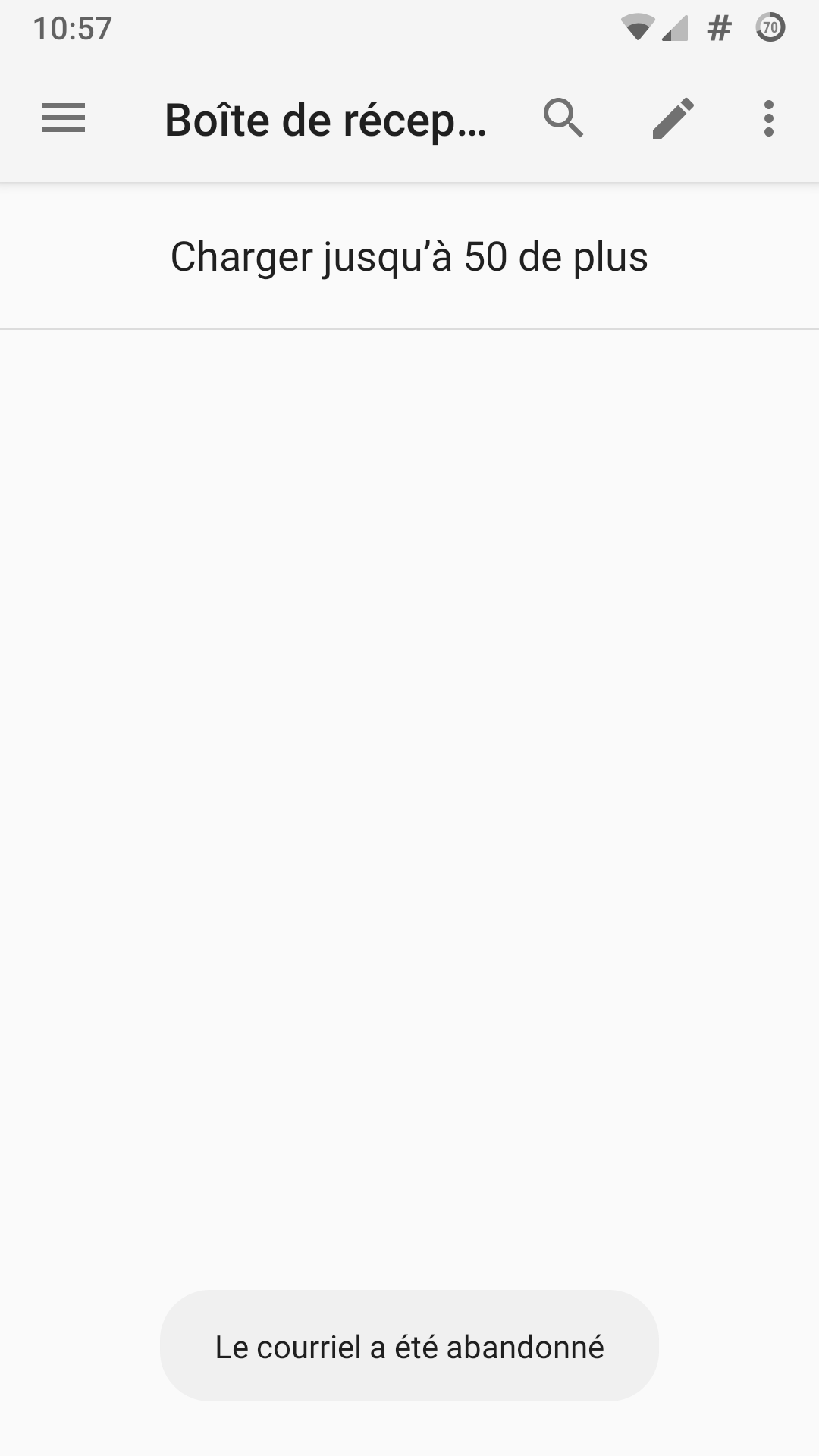
As a small improvement, is it possible to see "Loading" instead of "Load more" like if the folder is empty?
To reproduce : just compose a new message and cancel it. Or just open the app. You have to wait 5 seconds to see your emails.
Strangely, the slow time does not occur if I change from Inbox to another folder and Inbox again : in that case it is quick : less than 1 second to wait.

I've got an OnePlus 5 (Android 10), and K9 (v5.600) quite reliably becomes unstable after 1GB of data is downloaded. it appears that for me, as soon as 1GB is locally on the handset, K9 starts to automatically force close really regularly (but not every time) in the following situation:
- deleting 1 or more messag(es), but especially when deleting from the display view of the message itself
- refiling a message as 'spam' from the actual message itself
I'm guessing that it's related to the reloading of the inbox screen, but I'm only guessing. I've hit the 'send feedback', but I'm not savvy enough to know how to fix the underlying issue.
Note: wiping the local copy of the inbox and redownloading the data from a server at an amount under 1GB solves the issue, so it seems very related to the total size of the data, not the number of messages

Is there an easy way to compress the database / get rid of all cached copies without having to wipe all settings as well and start from scratch?

Perhaps there is a better way... I don't see why it should be loading all messages in order to display anything. There must be some middle ground. Can't it build an index and just update that when doing any operation?

I believe this should be better now with the search improvement made for https://github.com/k9mail/k-9/issues/5776 - ideally you shouldn't really need to keep 10 GB+ of email available offline on device most of the time, if you can search for just what you need. But maybe I'm missing some use cases? Like people who are often "off the grid" and don't have bandwidth? Or low data caps? Or super-large attachments saved?

Maybe I am old school but I do like to keep things offline.
Indeed, people that are in places with no network (for me, hiking in the mountains) or people without a mobile plan (especially common during travelling when relying on Wifi can be a lot cheaper). Even going to an underground restaurant can mean you lose network connection.
Also, I keep unread e-mails as a sort of task list. I have one e-mail that I am kind of postpoing but want to get to eventually that is over a year old. With a setting of 2500 messages fetched, it is not displayed when I set unread e-mails to be on top - I presume this is also because of this.
Joining the discussion here coming from #5772 .
In my case the inbox, and other folders, have 50-100 messages, but I have the same usability issues described above. I do however have over 4000 contacts, with sometimes multiple emails, on my phone.
Disabling the Show correspondent names option, as described in #5772, fixed my usability issues - at the cost of losing the name on addresses.
Should these really be treated as the same bug/duplicates?

I post my git hub account and i Wanted recovered it
On Fri, Jul 21, 2023, 9:27 AM Renato Alves @.***> wrote:
Joining the discussion here coming from #5772 https://github.com/thundernest/k-9/issues/5772 .
In my case the inbox, and other folders, aren't that large, but I have the same usability issues described above. I do however have over 4000 contacts, with sometimes multiple emails, on my phone.
Disabling the Show correspondent names option, as described in #5772 https://github.com/thundernest/k-9/issues/5772, fixed my usability issues - at the cost of losing the name on addresses.
Should these really be treated as the same bug/duplicates?
— Reply to this email directly, view it on GitHub https://github.com/thundernest/k-9/issues/3472#issuecomment-1645762074, or unsubscribe https://github.com/notifications/unsubscribe-auth/A2EIALVJXITB3NO3A4MUAYLXRKNV5ANCNFSM4FGUTUKQ . You are receiving this because you are subscribed to this thread.Message ID: @.***>

I couldnt recovered
Sent from Yahoo Mail on Android
On Fri, Jul 21, 2023 at 12:55 PM, Karina @.> wrote: I post my git hub account and i Wanted recovered it On Fri, Jul 21, 2023, 9:27 AM Renato Alves @.> wrote:
Joining the discussion here coming from #5772 .
In my case the inbox, and other folders, aren't that large, but I have the same usability issues described above. I do however have over 4000 contacts, with sometimes multiple emails, on my phone.
Disabling the Show correspondent names option, as described in #5772, fixed my usability issues - at the cost of losing the name on addresses.
Should these really be treated as the same bug/duplicates?
— Reply to this email directly, view it on GitHub, or unsubscribe. You are receiving this because you are subscribed to this thread.Message ID: @.***>
Hello. I have similar issue: with k9-mail 6.711 beta and an Unified Folders with 33k e-mail, when I launch the app I need to wait about 15" before the Unified Folders is shown. I can provide a log.
