

 thunderbird
apply date-setting also to exported attachments
hopefully this is not too hard to implement, but it will be a huge improvement IMHO:
how about setting the file date & time of exported attachments also to the ~~receiving~~ date & time of the mail like it is done for the mail-files (.eml, .html,...) as soon as this option is activated?
this would make it much easier to match the attachments with the mail-file or even the original mails in your clients (especially after the index.html got lost, you butchered the folder structure of the export or whatever happened)...!
BTW: if also the parent folder of the attachments (Attachments-...) matches the date & time, this would make it a breeze even for noobs to match attachments and mails simply by date without anything else.

additionally i'm all ears for an even better idea to match the attachment files resp. folders to its original mails, than just numbering its parent folders... because even with an index.html it is pretty tedious having to always count the messages with attachments, especially if there are more than a hand full.
but for now this seems to me the easiest solution and as a benefit it is independent from the index.html and folder structure.
@DJCrashdummy
fortunately I have already implemented this, however, I have not gotten a chance to put it in the options dialog. you have to set the option in the configuration editor. the screenshot below is from the built-in help. ignore the old version number,forgot to fix. out of curiosity did you look at the internal help, I think many people miss it, it is at the bottom of all menus.
just let me know help is not clear enough for this .
Christopher
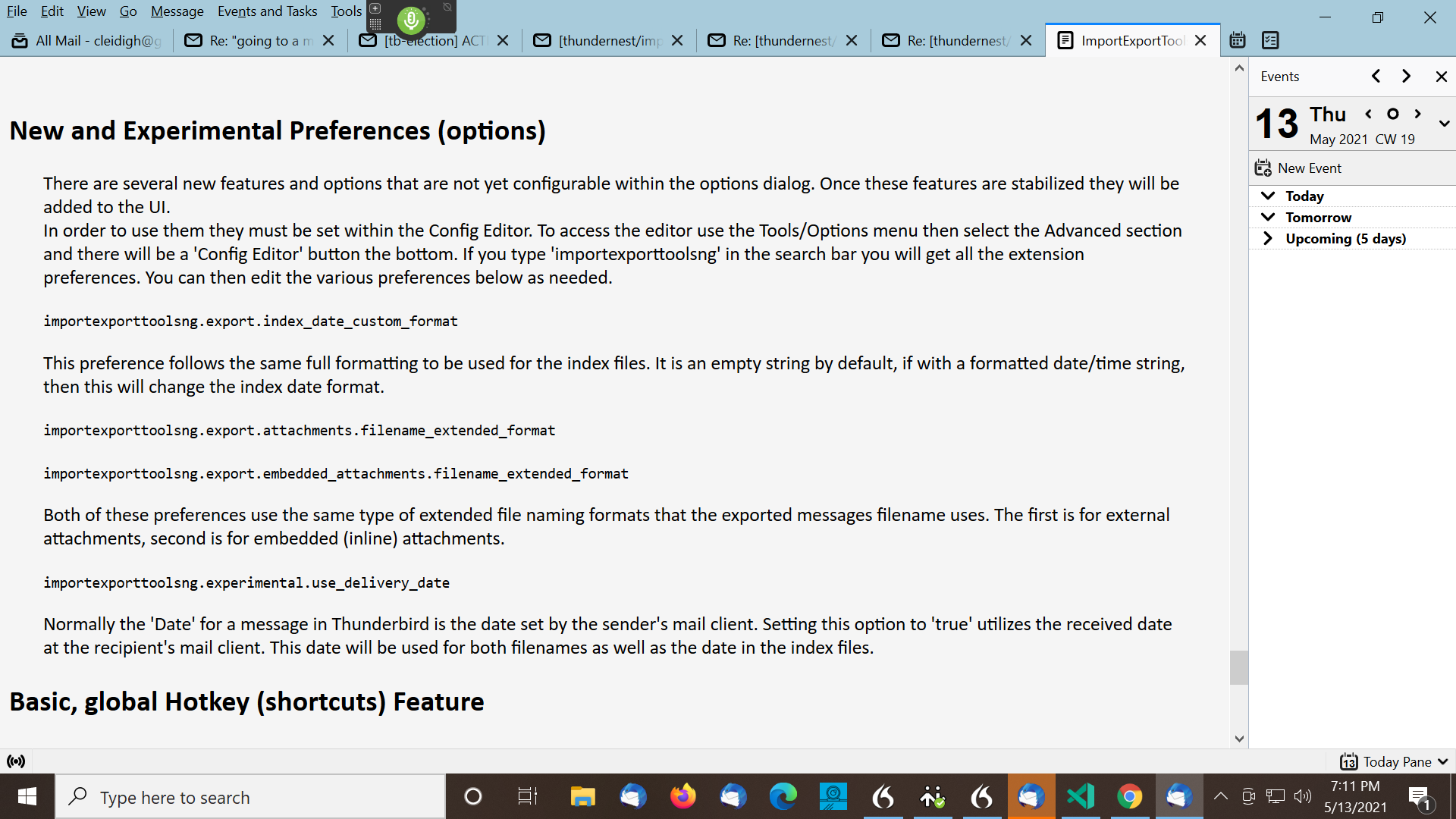

I support the proposal to assign the creation date and time to the saved attachments, not the save date and time, but the date and time the original message was sent. However, I did not understand where exactly I need to make the changes mentioned in the message above?
importexporttoolsng.experimental.use_delivery_date
importexporttoolsng.export.attachments.filename_extended_format
importexporttoolsng.export.embedded_attachments.filename_extended_format
importexporttoolsng.export.index_date_custom_format

to the issue itself:
sorry @cleidigh, you got me completely wrong. i didn't pay attention to the difference of sender & delivery date (once again).
this issue is about applying the same date in the FILE SYSTEM to the exported ATTACHMENTS as for the mails (.eml, .html or .txt).
about the experimental preferences:
- so
importexporttoolsng.experimental.use_delivery_dateis definitively not what i'm looking for (i'm fine with the default). -
importexporttoolsng.export.attachments.filename_extended_formatandimportexporttoolsng.export.embedded_attachments.filename_extended_formatlead me to an interesting idea: if there would be a place-holder for the original filename of the attachment, i could simply prefix it with the date and also kind of keep the original name. :bulb: -
importexporttoolsng.export.index_date_custom_formatseems to be already present in the GUI. :thinking:
thanks for the hint to the help and about @cleidigh's thoughts & question regarding it:
- well... yes, i've seen the help briefly but somehow thought it was only the changelog and the tables. rearranging its segments (not the changelog on top) and/or perhaps a table of contents may help to get the users to take a closer look.
- calling it "Help" didn't even help to raise my attention: i didn't think of it as a general documentation. - i don't know why, but i expected something like this rather in its git-repo readme than the apps "help" itself.
- beside that, the translation is horrible: it's more a guessing game than something else... so i didn't even try to read it in advance and only used it as reference for creating a custom date. yes, i've read somewhere that you have to use machine translation for now... i'm not really familiar with l10n, but at least manually translating the tables should be somehow manageable. (i heard good things about Weblate.)
BTW: thanks for the screenshot... at least for me it's much easier to understand the english original, than the translation. :frowning_face: