
bhima

bhima copied to clipboard
Published
3 weeks ago
•
 third-culture-software
third-culture-software
Possible problem with the Bhima test data or journal registry display
Try this:
- Run Bhima with bhima_test
- Go to the journal registry (Finances > Journal)
- In the Search options, select the new "Account Type" and select "Income". Note that you get the first display below
- Go back into the Search Options > Defaults > Show Full Transactions. You should see the second display below
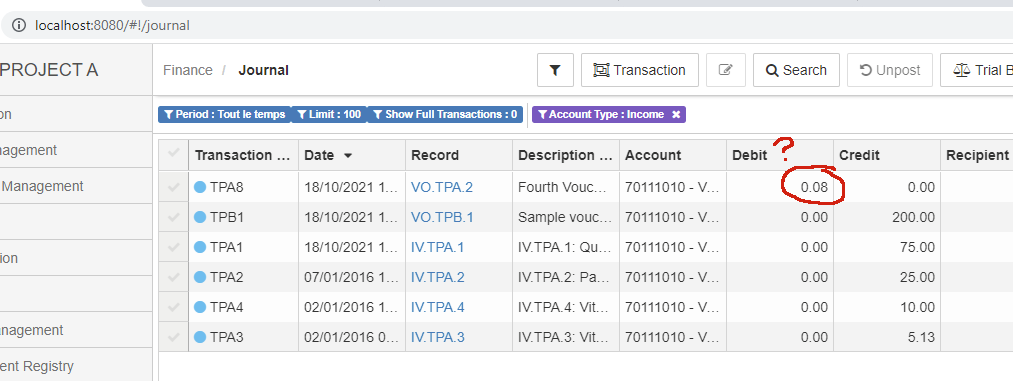
With full transaction details, everything seems okay, assuming "Income" means something different for the different accounts.
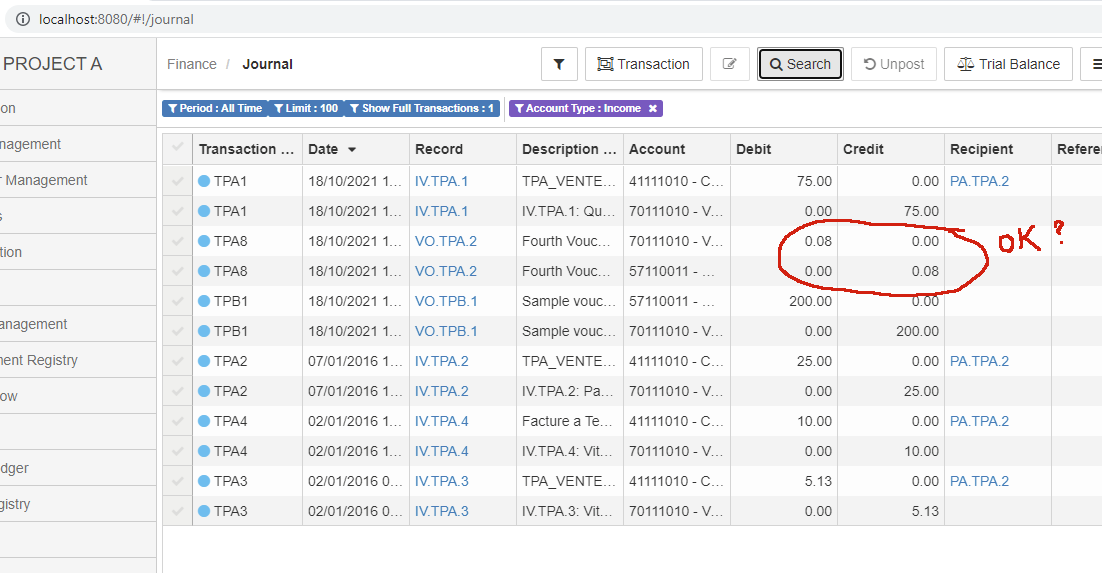
It seems strange to me that the non-full-transactions view displays differently for TPA2 than the others. Perhaps something different about the 57110011 account.
And perhaps nothing is wrong at all.
