

 thingsboard
Thingsboard Gateway not connecting to Bacnet
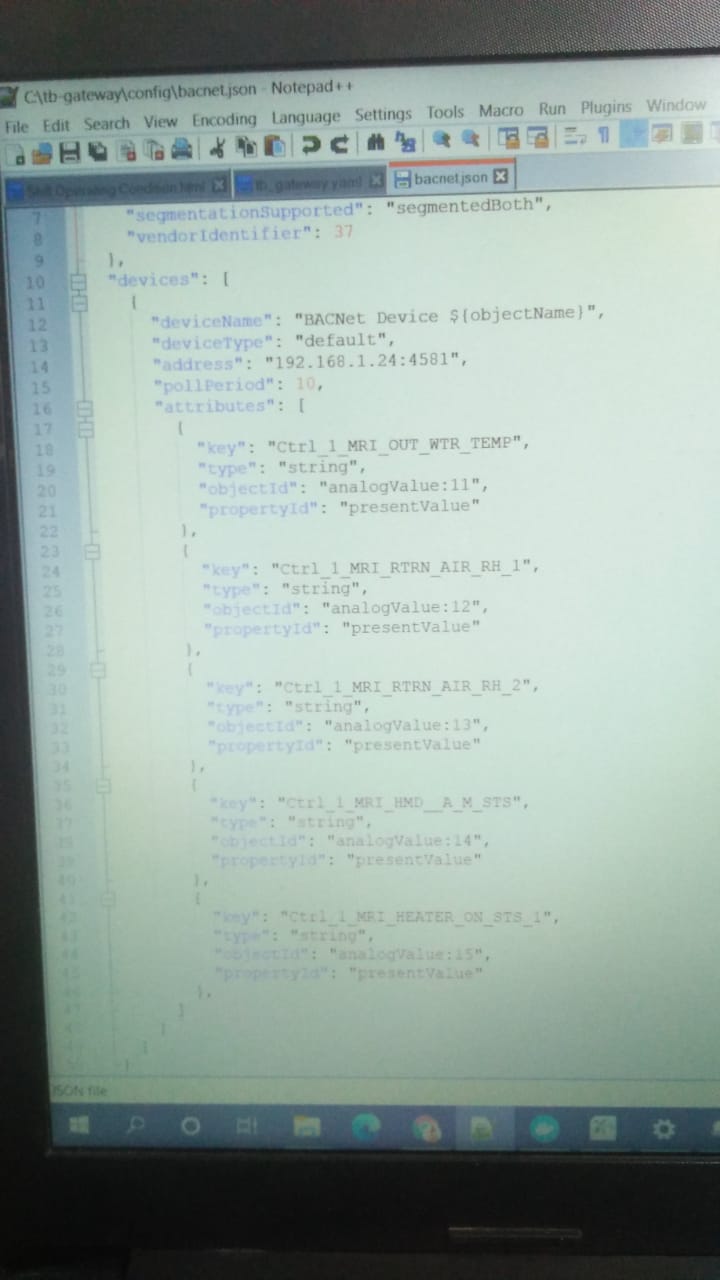
Thingsboard IOT gateway does not seem to detect bacnet device. The logs do not show any error. But if I use any other IP address other than 127.0.0.1/0.0.0.0 in the address of the general section like 192.168.1.221, it throws an error.. Also, when I use 127.0.0.1 or 0.0.0.0, it does not detect the device and hence it is not added in my thingsboard server. In contrast, the modbus device is detected and created in the thingsboard server when I add it in my tb_gateway.yaml file.
We have installed docker on windows 10 and configured the gateway.
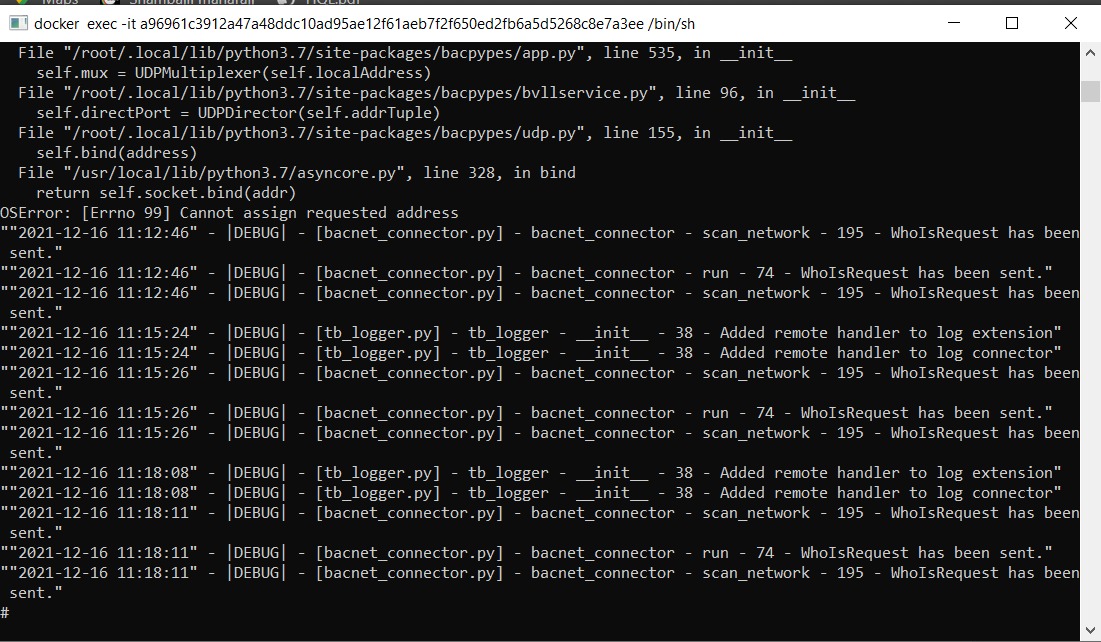
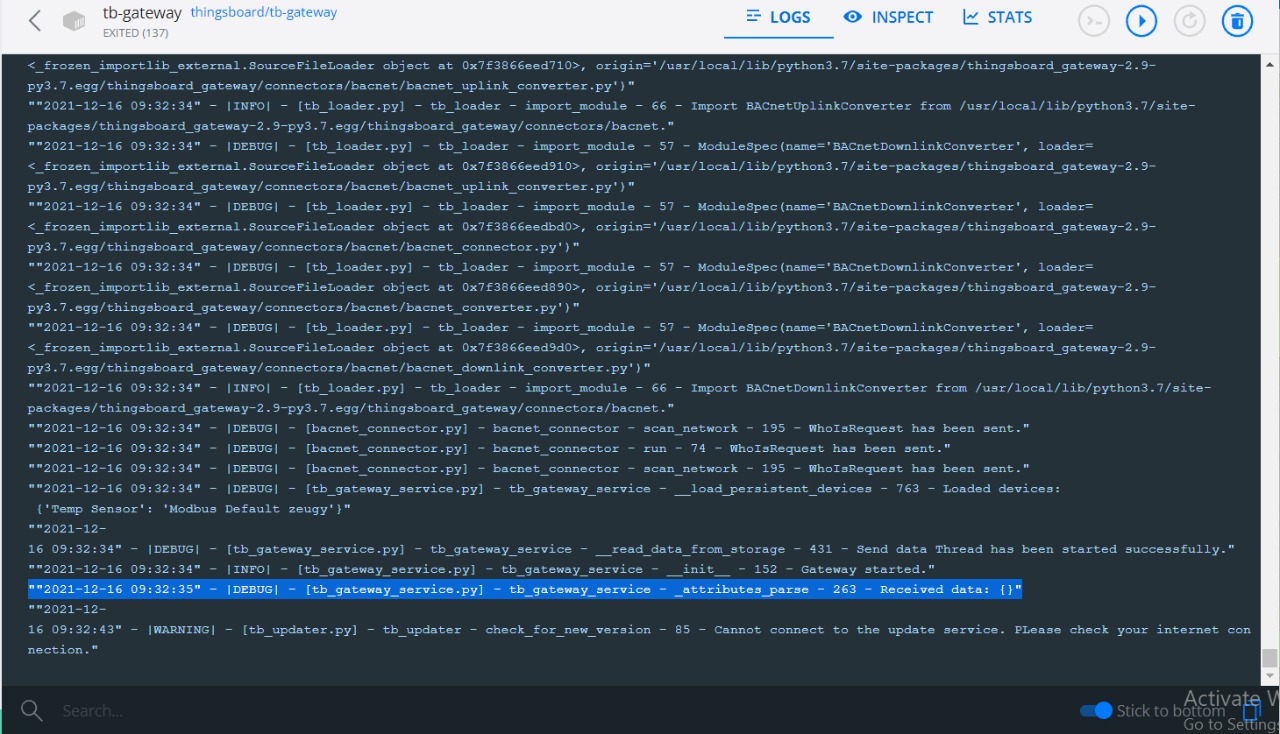

Hi @gmgiddikar1, thanks for your interest in ThingsBoard IoT Gateway. I think that it is problem with the misconfiguration of your docker network. I guess so too that if to use the IP address of docker container as a server address, it has to work. Or it can be a problem through port forwarding.

Hi Vitalii, thanks for comment. We have tried using server address as a IP address of docker container. Please explain why you think its a problem through port forwarding. AS I already mentioned that Yabe detects the network and device and able to read the object id present values.
Hi @gmgiddikar1, so you have to follow the next instruction:
- BACnet Connector have to be
"address": "0.0.0.0:47809",, for example: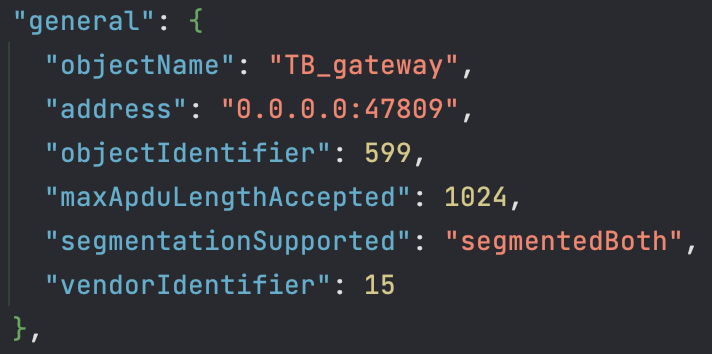
- Device IP address has to be the inner private IP (
192.168.1.198/24), in my case: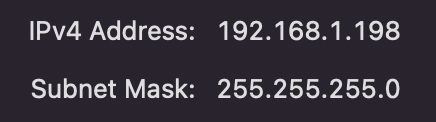 and device configuration:

- Run your device
- Run Gateway via the docker container
- Voila!
