

 thesofproject
[BUG] Distorted internal speaker sound on sof-rt5682
Describe the bug I purchased a Chromebook Plus 515 with a 12th gen Intel CPU (i3-1215u) and decided to flash Coreboot (via MrChromebox's firmware utility) to replace ChromeOS with a Linux distro, more specifically Manjaro. Seeing that the sound card wasn't being detected by the system, I ran this script and got it to work. However, while there aren't sound quality issues when using Bluetooth or jack-connected headphones, audio coming from the internal speakers sounds garbled and choppy.
I'm able to confirm that this bug is experienced by at least one other user, so it probably isn't hardware-related, and it's not OS-related either, being also present on EndeavourOS. Switching from WirePlumber to PulseAudio did not resolve the issue. Using PulseAudio didn't help as well.
To Reproduce This issue may just be limited to Chromebooks running Linux given their use of I2S codecs as opposed to HDA. For that matter, repeating the steps described above on a Chromebook with an sof-rt5682 sound card to install Linux and enable detection of the card will reproduce the issue.
System information
Audio:
  Device-1: Intel Alder Lake PCH-P High Definition Audio
    driver: sof-audio-pci-intel-tgl
    alternate: snd_hda_intel,snd_sof_pci_intel_tgl bus-ID: 00:1f.3
    chip-ID: 8086:51c8 class-ID: 0401
  API: ALSA v: k6.8.12-3-MANJARO status: kernel-api with: aoss
    type: oss-emulator tools: alsactl,alsamixer,amixer
  Server-1: PipeWire v: 1.0.7 status: active with: 1: wireplumber
    status: active 2: pw-jack type: plugin tools: pw-cat,pw-cli,wpctl
  Server-2: PulseAudio v: 17.0 status: active with: pulseaudio-alsa
    type: plugin tools: pacat,pactl,pavucontrol
The current kernel parameters in use are:
rw quiet splash udev.log_priority=3 acpi_osi=Linux snd_hda_intel.power_save=0
An attempt was made to also include the firmware log with sof-tools-2024.03-1, yet the package version is seemingly incompatible with the current Linux version, returning an Invalid ldc file signature when executing:
sudo sof-logger -l /sys/kernel/debug/sof/etrace -o sof-logger.log
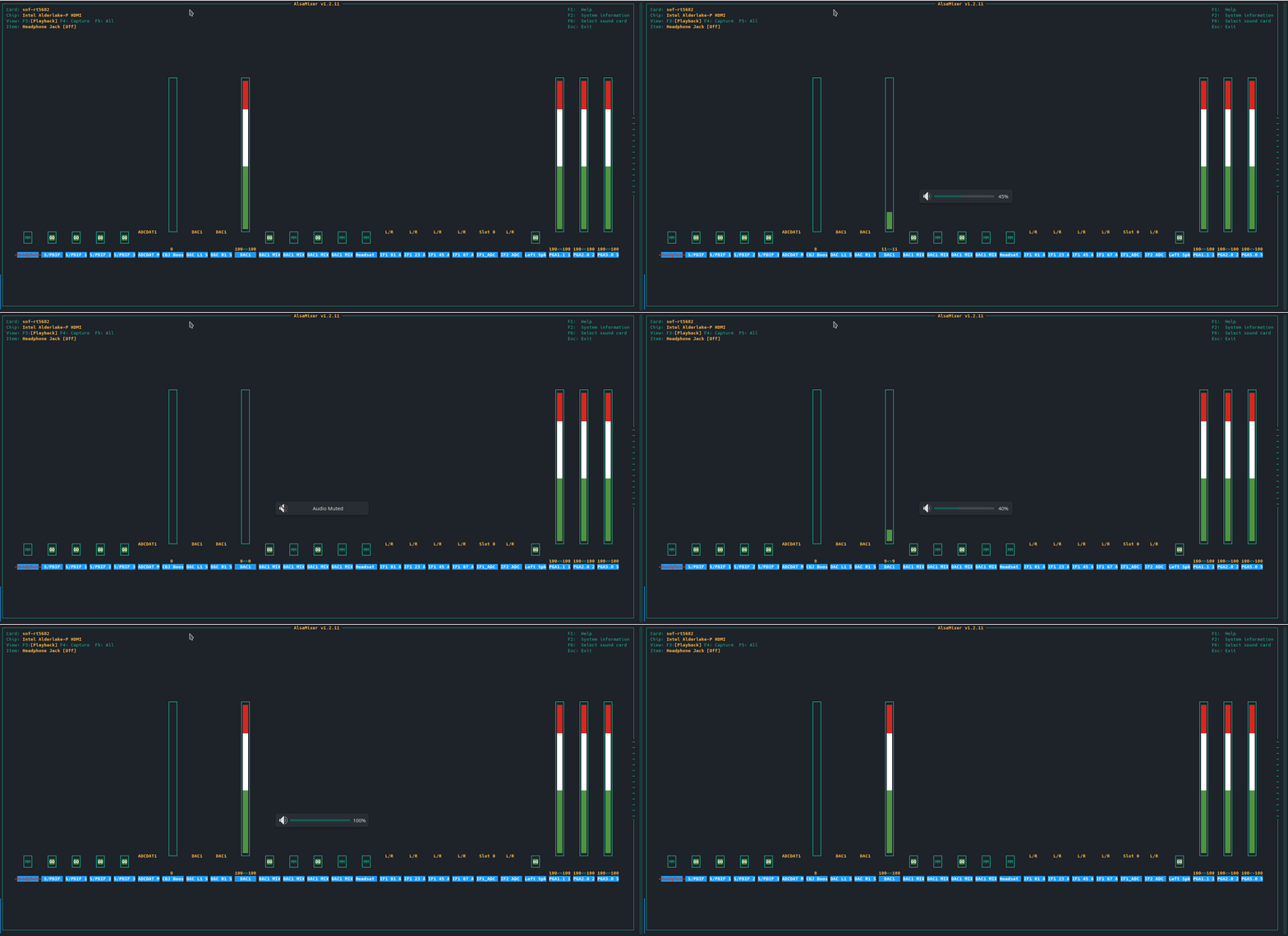
I'm not sure whether this is relevant, but the information reported by alsamixer doesn't match up with what's reported by the display controls. The following is for the headphone audio (the volume control for the internal speakers is missing):

Most likely you have a setup where firmware/topology isn't aligned with UCM. Exhibit A for this observation is that you are relying on a Chrome version of UCM
bash(f"git clone https://github.com/WeirdTreeThing/chromebook-ucm-conf -b {args.branch_name[0]} /tmp/chromebook-ucm-conf")
but it seems that you are using the public version of the firmware
    if not path_exists("/lib/firmware/intel/sof"):
        print_status("Installing SOF firmware")
        install_package("sof-firmware", "firmware-sof-signed", "alsa-sof-firmware", "sof-firmware", "sof-firmware")
I would either use all the components from Chrome, or all the components from sof-bin/alsa-ucm-conf.
At any rate it's not a firmware issue and it's not clear how to support this configuration.

Hi @plbossart, thank you for replying back. I was told by one of the senior contributors of the Chrultrabook project that, although the UCMs are based off of ChromeOS, they're actually written from scratch.
Hi @plbossart. The issue with the crackling internal audio still persists, even with the latest versions of the SOF firmware and Linux 6.10, though I did resolve the volume control issue by switching to Pipewire. Since our last conversation, I've removed acpi_osi=Linux and snd_hda_intel.power_save=0 and tried to set the dsp_driver=3 option for the snd-intel-dspcfg module. I also noticed that the internal microphone isn't being detected.
I'd greatly appreciate it if you or someone else who's knowledgeable in this area could provide me with some guidance regarding how to analyze these trace logs and hopefully manage to identify what might be the root cause: sof-logger.log
please add this file sof-dyndbg.conf.txt as /etc/modprobe.d/sof-dyndbg.conf, reboot and attach the result of 'alsa-info'
Please make sure your console log is larger enough for the verbose logs.
the internal microphone is reported by the kernel with a PCM device
card 0: sofrt5682 [sof-rt5682], device 99: DMIC (*) []
if that's not seen by userspace, the UCM file is broken.
The start of the log is missing, your buffer is too small, but I can already tell you the topology is not right. You cannot use the HotWording/KPB with the publicly released firmware. This is 3rd party stuff that is only distributed by Google.
and then there's a failed IPC
   6.030685] sof-audio-pci-intel-tgl 0000:00:1f.3: ipc tx error for 0x60010000 (msg/reply size: 108/20): -22
[    6.030688] sof-audio-pci-intel-tgl 0000:00:1f.3: HW params ipc failed for stream 2
[    6.030689] sof-audio-pci-intel-tgl 0000:00:1f.3: ASoC: error at snd_soc_pcm_component_hw_params on 0000:00:1f.3: -22
That's probably a bad configuration was well, where you're trying to send information to a non-existing component.
In short, you are in a configuration hole. You probably need to use all the firmware and topology from Google, not the latest sof-bin, and verify that the UCM is aligned with topology.
@micmalti, are you still facing the issue or got it resolved / moved away from the setup?

Last summer, I did try replacing the firmware and topology files with those from the ChromeOS recovery image, along with some tweaks to HiFi.conf, but it was of no use. I haven't looked further into it ever since, tbh.
@micmalti, do you still have interest to pursue this further? If so, please update to as recent kernel, sof-firmware (sof-bin), alsa-ucm-conf as possible and:
add the mentioned sof-dyndbg.conf file and when booting add the log_buf_len=4M kernel command line parameter.
After boot, capture the full kernel log (dmesg).
Test the audio with command line tools only, using aplay (mplayer/mpv/mpg123, etc) and arecrod to see that things work in lower level.
PA, PW/WP relies on UCM to map the audio hardware and they do quite heavy and unpredictable things when they don't or misunderstand the hardware.
The firmware/topology/UCM shipped with ChromeOS might not work well on Linux desktop, for one the UCM version (UCM1 for ChromeOS, UCM2 in Linux). The firmware also contains different modules, the topology might be different as well. But the ChromOS fw/tplg should work with low level tools, in theory.
Thanks @ujfalusi, but I’m unable to debug it at the moment. Hopefully, other users experiencing the same issue can help investigate.
@micmalti, in that case would you mind closing the issue? It is generally better to start from the start in case someone in the future will face with the same issue. The information is not going away, it is still going to be accessible under the closed ones and being searchable as well.
Thank you