

 theskumar
Unable to escape posix expansion
What
Unable to elegantly escape the $ in ${VARIABLE} expansion.
Scenario
.env
VAR=${VARIABLE}
script.py
import os
import dotenv

if dotenv.find_dotenv():
    dotenv.load_dotenv(interpolate=False)

print(f"VAR={os.getenv('VAR')}"
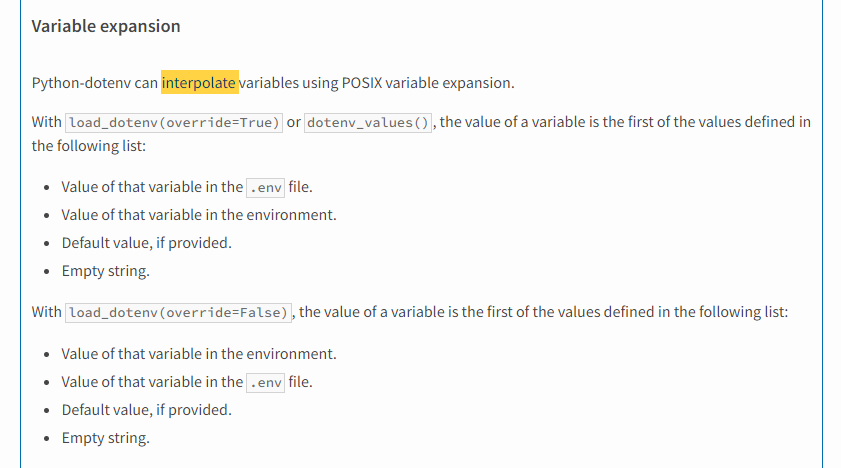
I do not see the interpolate kwarg in the documentation, however looking at the stub: https://github.com/theskumar/python-dotenv/blob/914c68ef0e4c2c085d2753f5cbbf304852f37850/src/dotenv/main.py#L307-L330
*Edit: and the pypi documentation:
Expected Behavior
output
>> VAR='${VARIABLE}'
Actual Behavior
output
>> VAR=''
Workaround
My current workaround is to provide the desired string as a default value for variable expansion.
.env
VAR=${_:-${VARIABLE}]
output
>> VAR='${VARIABLE}'
System
Host: Windows 11 Python: 3.10 w/ Poetry environment

I upvote this. The logical way to do this would be using single quotes (there's no interpolation of single-quoted strings in bash), but the library treats it same as double quotes.

Adding the option to escape the dollar symbol with a backslash would match the behaviour of Bash (and the Node module dotenv-expand). For example, in Bash:
KEY=value
K1=\$KEY
K2=\${KEY}
K3="\$KEY"
K4="\${KEY}"
echo $K1, $K2, $K3, $K4

# $KEY, ${KEY}, $KEY, ${KEY}
Currently python-dotenv behaves as follows, so the backslash escape is not possible.
from io import StringIO
from dotenv import dotenv_values

dotenv_values(stream=StringIO(r"""
KEY=value
K1=\$KEY
K2=\${KEY}
K3="\$KEY"
K4="\${KEY}"
"""))

# OrderedDict([('KEY', 'value'), ('K1', '\\$KEY'), ('K2', '\\value'), ('K3', '\\$KEY'), ('K4', '\\value')])
