
codepad
 codepad copied to clipboard
 thecodepad
:video_game: An Offline Front-End Development Playground

CodePad
An Offline Front-End Development Playground


NEW: Save your snippets!
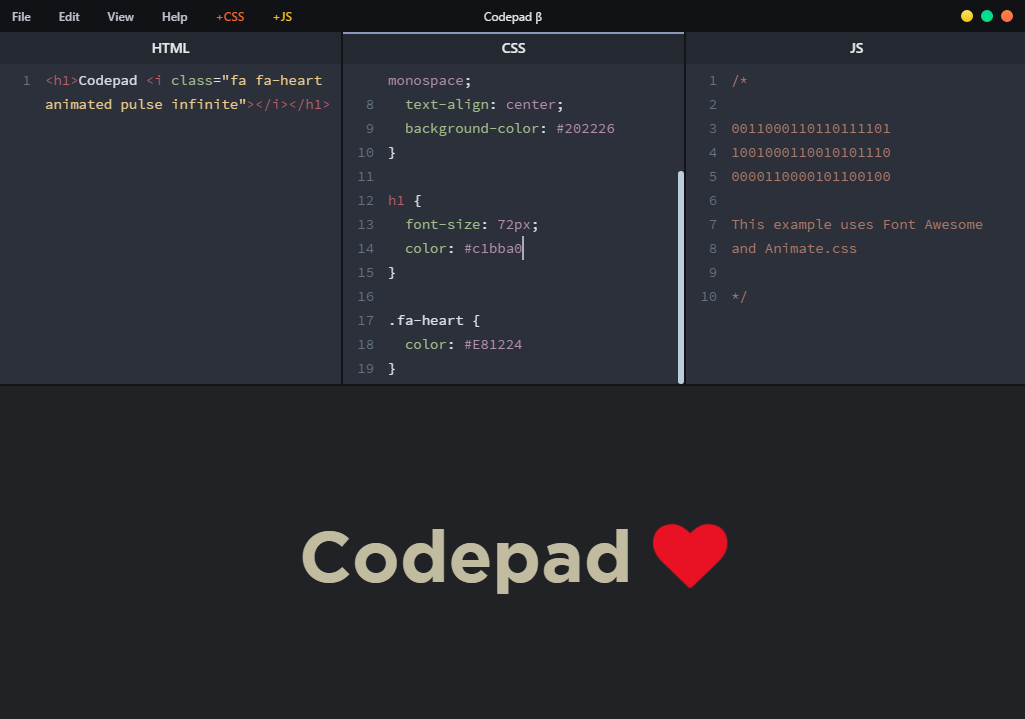
CodePad instantly previews your code so you don't have to run back and forth between an editor and a browser. You can also add your favorite icon fonts, libraries and frameworks such as Font Awesome, anime.js and Bootstrap with a click. And the best of it all, everything works offline.
Screenshot 🖼️
Installation 💻
Download CodePad for Windows here. Extract and run CodePad.exe. Coming Soon for Ubuntu and macOS.
Run From Source 🎩
You can run the app via command line by following these steps:
$ git clone https://github.com/thecodepad/codepad.git
$ cd codepad
$ npm install
$ npm start
Please note that 'Save' will not work here.
Dev To-Do List 🌈
- [x] Save the code snippet
- [ ] Resizeable editor
- [ ] Editor themes/appearance settings
- [ ] Preprocessor support
- [ ] Import custom libs
- [ ] View output in fullscreen/browser
Credits 👨
Designed and developed by: @apollonian11 and @jay9596
Metadata
Owner
 thecodepad
Metadata
:video_game: An Offline Front-End Development Playground