

 testing-library
User event type should call fireEvent.focusOut
Describe the feature you'd like:
Type should trigger onBlur but currently it does not and needs to be manually fired. OnBlur should be fired by default and if the user doesn't want it to be fired it should be available as an option similar to skip click. As a convenience this option could be set for the whole user during setup and overridden through each call to .type.
Even if this is rejected it is unintuitive that onBlur is not called when call .type as it is very common to implement API calls onBlur rather than onChange and tests will fail because onBlur is not being called without any clear communication to the user. This should be made clear in the docs at the very least.
Suggested implementation:
see above
Describe alternatives you've considered:
wrapping type with fireEvent.focusOut(element) immediately after
Teachability, Documentation, Adoption, Migration Strategy:
- Could possibly break tests that depend on only firing one
onBlurevent.

Hi @brianHaleyEmpire, thanks for opening this one.
I must say I don't agree with the approach since browsers don't implement "typing" that way and the purpose of user-event is to mimic the way browsers dispatch events. Also, blurring is a side effect that to me doesn't seem reasonable as part of a type action.
Even though some use cases might require adding a focusOut action, I think that's reasonable.
I'll keep this one open for @ph-fritsche to also comment on this :)

I'm not sure if this would be a good idea. Implementing something on blur implies that the user has to perform another interaction before the callback is triggered e.g. clicking somewhere else.
This introduces ambiguity because the user could also e.g. press Tab. In the future there might be a setting to replay Utility APIs in different modes (keyboard first, mouse first, touch, etc...), but any extra ambiguity introduced earlier might make releasing such feature more complicated (possibly breaking).
It also might obfuscate that the tested behavior will not occur while a user is typing or when a user has finished typing, but when the user interacts with something else.
I'd read the following test as If I go to the element and type "foo", there will be a notification that this is a valid input.
If this test passes and there won't be a notification when reenacting this in the browser until I do something else, that might add confusion.
test('type into textbox', async () => {
  const { user } = setup(<MyFormField/>)
  await user.type(screen.getByRole('textbox'), 'foo')
  expect(screen.getByRole('status')).toHaveTextContent(`"foo" is available. :) `)
})
The following interaction would make it clear that this behavior isn't expected until the user does something else than typing into the input:
test('type into textbox', async () => {
  const { user } = setup(<MyFormField/>)
  await user.type(screen.getByRole('textbox'), 'foo')
  await user.click(document.body)
  expect(screen.getByRole('status')).toHaveTextContent(`"foo" is available. :) `)
})

@ph-fritsche IMO the first example you provide is ambiguous in what it does. It could either trigger focusOut or not. The second example is much more explicit IMO. A better solution than both would be to handle this situation similar to how you handle skipClick. This is familiar to existing users and if you want to ensure backwards compatibility you can implement it as a default false ex:
test('type into textbox', async () => {
  const { user } = setup(<MyFormField/>)
  await user.type(screen.getByRole('textbox'), 'foo', {focusOut: true}). // or {skipFocusOut: false} similar to skipClick
  expect(screen.getByRole('status')).toHaveTextContent(`"foo" is available. :) `)
})
IMO the first example you provide is ambiguous in what it does. It could either trigger focusOut or not.
It doesn't mention anything about focusOut. There is no interaction described by it that would trigger a focusOut.
A better solution than both would be to handle this situation similar to how you handle skipClick.
How would this be better than explicitly await user.click(document.body)? Could you elaborate how this API design would make it easier for tests authors to write good tests / catch bugs?
Also just triggering focusOut wouldn't be in line with out premise to simulate interaction as if a user would perform them. We would simulate an interaction that might remove the focus from the element, e.g. clicking on the document.body, or it might not if e.g. an event handler on mousedown prevented this.
The click/skipClick is there for historical reasons. We already recommend to just use .keyboard instead of .type with skipClick: true.
If we implement a feature like .navigateTo, we will need to define how we handle ambiguous APIs. Introducing more of those won't make it easier to specify the desired behavior moving forward.
If you do not want to use fireEvent because it doesn't simulate end user behaviour then I do not see a way of implementing this feature for the convenience of users.
My suggestion then would be to make it more clear what these convenience methods do and do not do. It is not clear in the docs. Specify what events this method triggers and what the end state is.
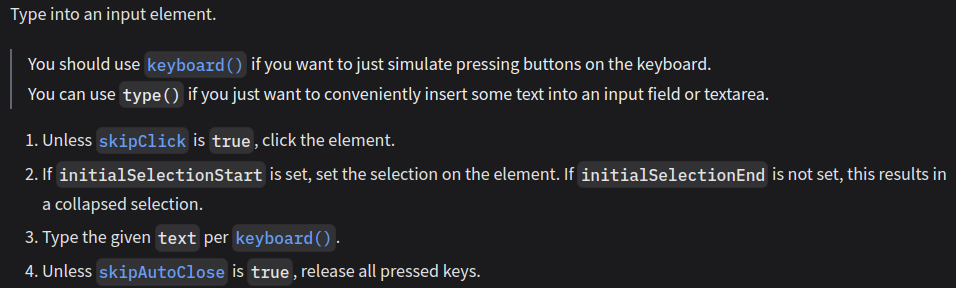
PRs to the docs are welcome at https://github.com/testing-library/testing-library-docs/pulls