
jest-dom

jest-dom copied to clipboard
 testing-library
Typing problems
Hi, i am having some typing issues
-
@testing-library/jest-domversion: -
nodeversion: 12.14.1 -
npm(oryarn) version: 6.13.4 -
WebStorm 2020.1.1 -
Next 9.3.5
Relevant code or config:
I am trying to use the toHaveTextContent function. If I run the test it works correctly, but at the typing level it keeps telling me that there are problems
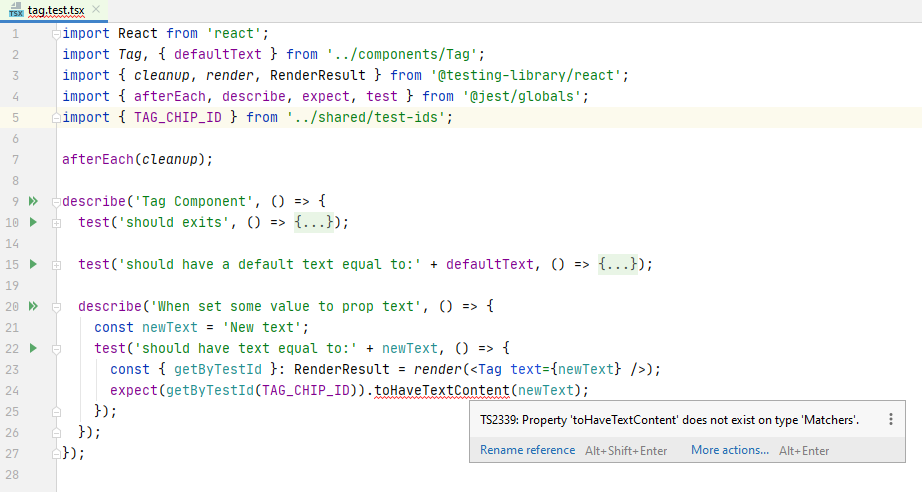
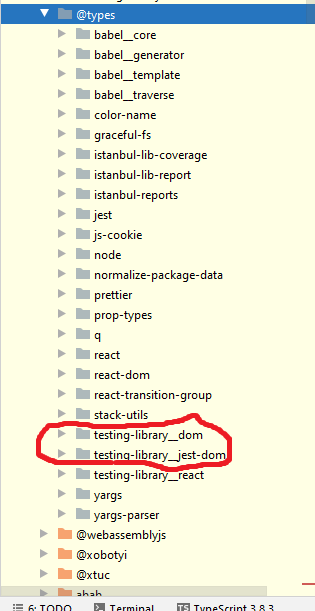
What confuses me is that the types exist, but he is not taking them.
What you did:
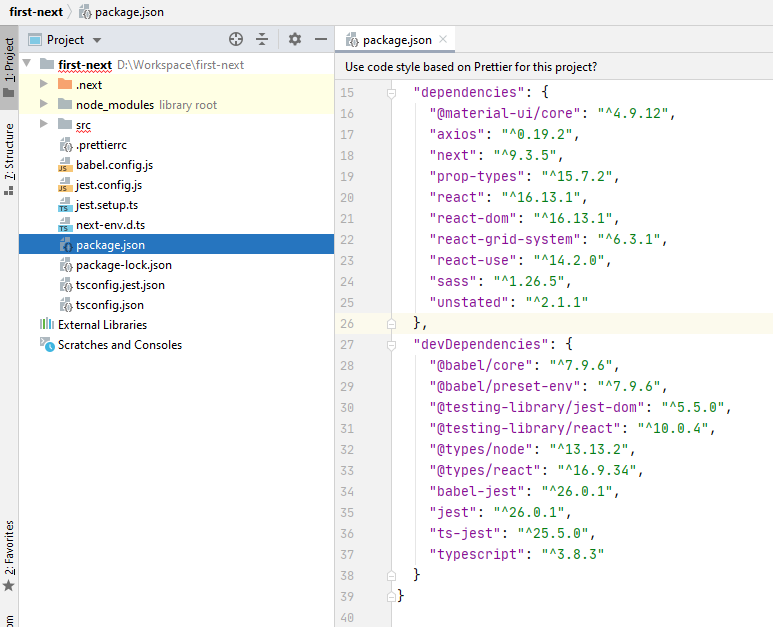
Here I show you my settings:


{
  "compilerOptions": {
    "target": "es5",
    "lib": [
      "dom",
      "dom.iterable",
      "esnext"
    ],
    "allowJs": true,
    "skipLibCheck": true,
    "strict": true,
    "forceConsistentCasingInFileNames": true,
    "noEmit": true,
    "esModuleInterop": true,
    "module": "esnext",
    "moduleResolution": "node",
    "resolveJsonModule": true,
    "isolatedModules": true,
    "jsx": "preserve"
  },
  "exclude": [
    "node_modules"
  ],
  "include": [
    "next-env.d.ts",
    "**/*.ts",
    "**/*.tsx",
    "jest.setup.ts"
  ],
  "typeRoots": [
    "node_modules/@types"
  ]
}
Problem description:
any suggestion?


In your jest-setup.ts file, did you try to just put:
import '@testing-library/jest-dom';
