
tensorboard
 tensorboard copied to clipboard
 tensorflow
[TimeSeries:scalar] render smoothed trajectory on top
Here's a screenshot of a scalar plotted in time series with a large smoothing factor. Notice how the smoothed yellow trajectory isn't visible.
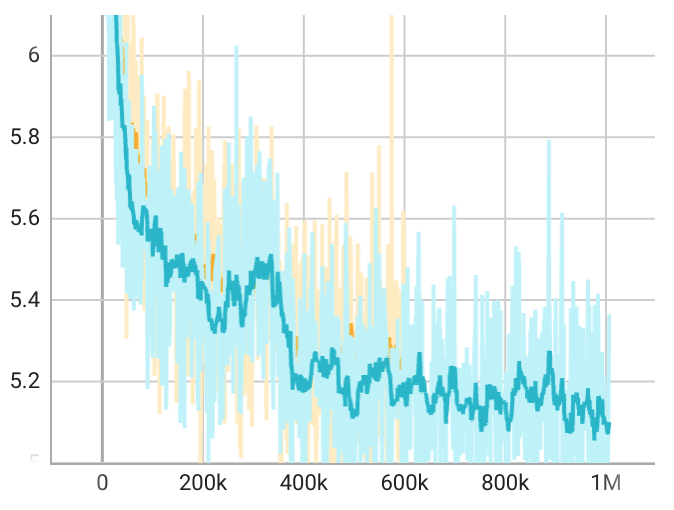
Here's the same plot in the scalar tab with the same smoothing factor. Both smoothed trajectories are visible.

Seems like a straightforward fix using the painter's algorithm: first draw all the unsmoothed trajectories, and then draw all the smoothed trajectories.

Thanks for the report @sharvil . Would you mind running diagnose_tensorboard.py and posting the results (as described in the bug report template)?

Is there a minimal set of information you need to collect to diagnose this bug? The diagnose_tensorboard.py script is collecting system information that I'd rather not share if it's not necessary for this particular issue.
Here are the Tensorboard-related packages I installed using pip install.
tensorboard==2.7.0
tensorboard-data-server==0.6.1
tensorboard-plugin-wit==1.8.0
FWIW, this issue has been present in every public version of Tensorboard I've tried since the time series tab was introduced. I assume this issue is still present in 2.8.0 since the release notes don't address it explicitly.
I cannot seem to reproduce this issue. We have made some upgrades in our renderers recently so that may have fixed this unknowingly. However, I tried older versions as well and I still could not reproduce.
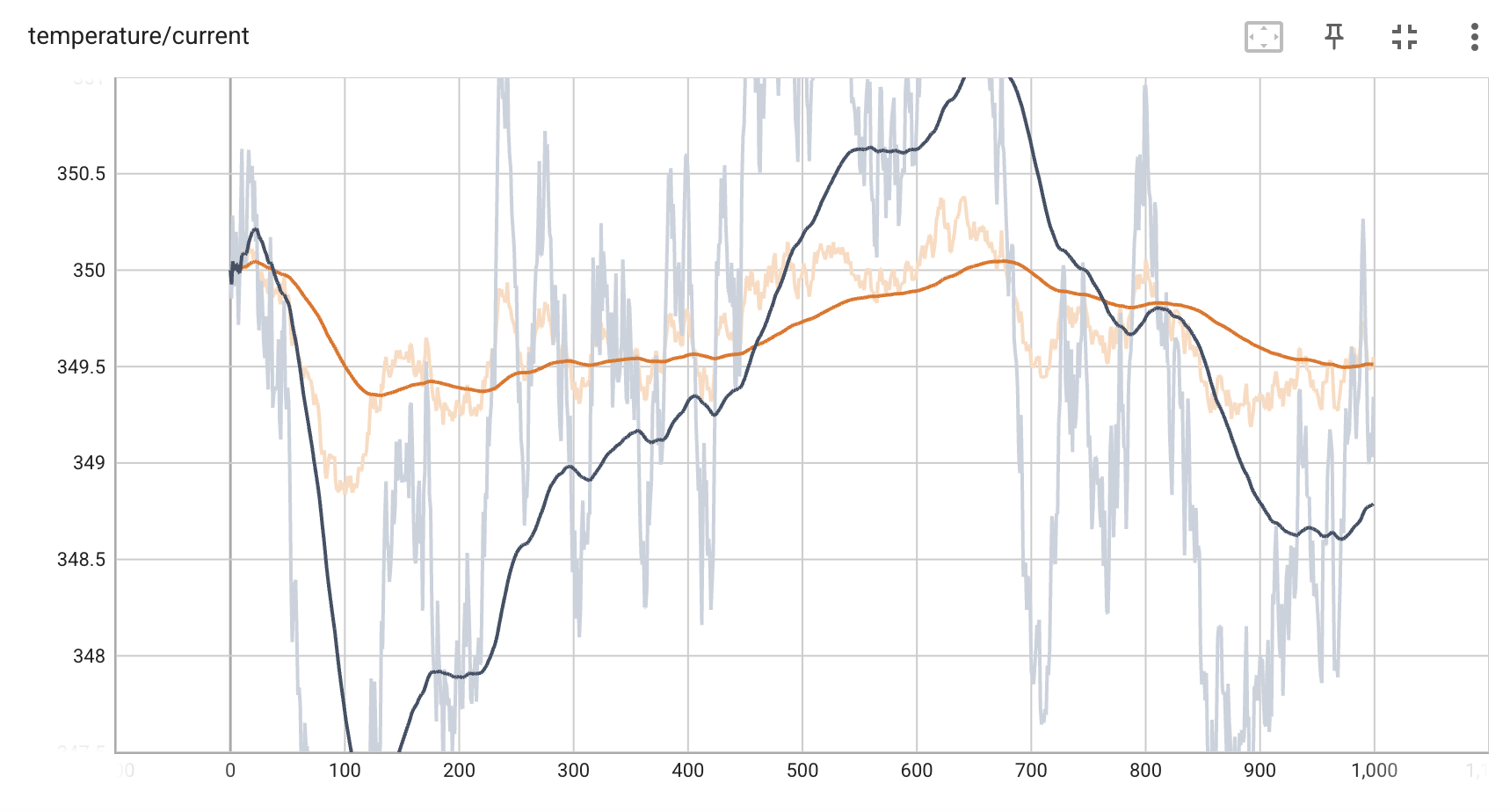
Here is a screenshot of a scalar graph in timeseries which shows the smoothed lines not being blocked at all by raw lines:
Maybe try upgrading to 2.8.0 and see if the issue persists for you.

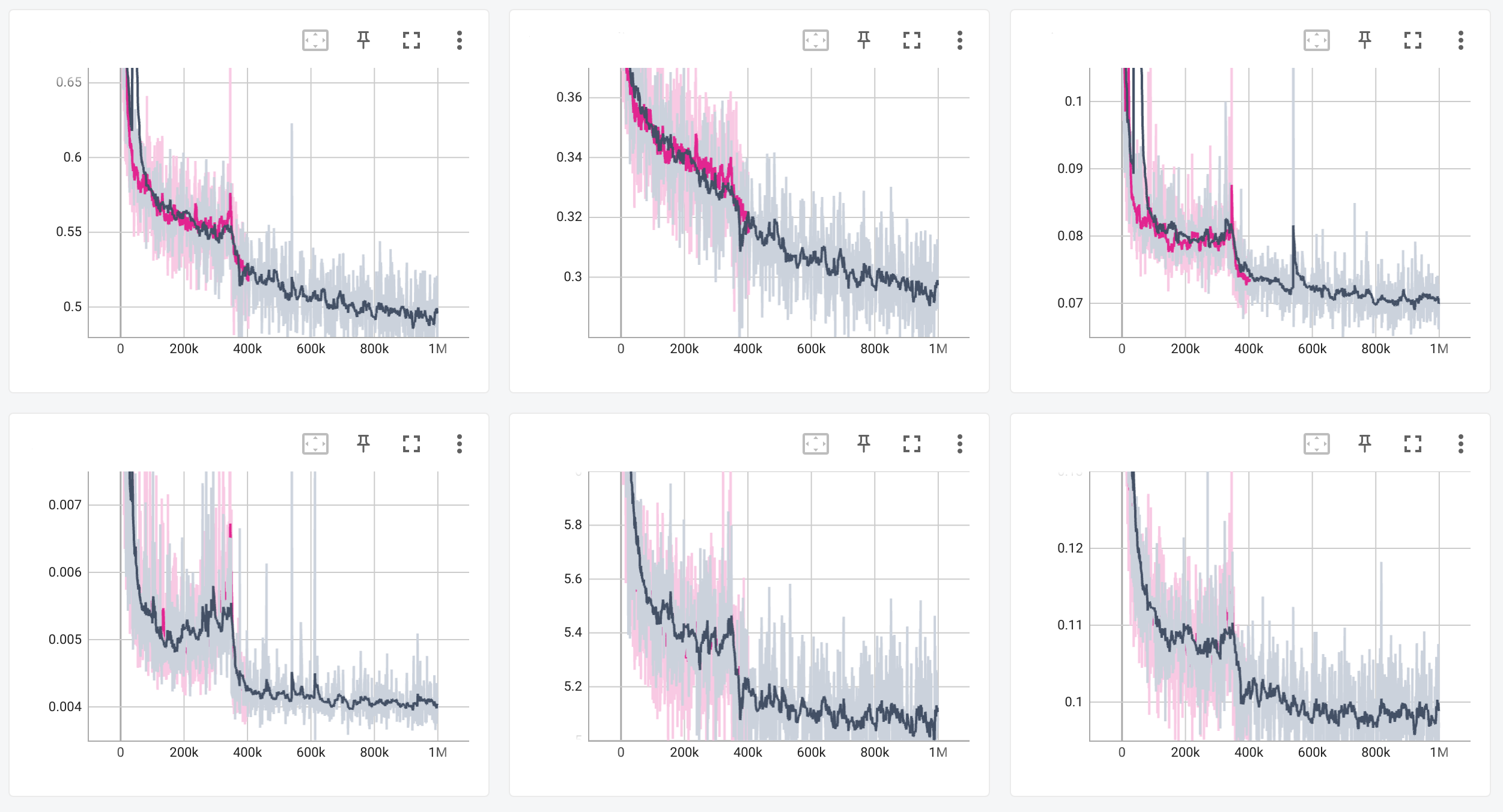
Upon closer inspection, it looks like Tensorboard 2.8.0 is sometimes rendering trajectories correctly. See below.
Interesting. I have not been able to find what type of data is triggering this. I am trying to create some logs that reproduce this now. If you are comfortable sharing your scalar logs that would be a great help!
I can't share those logs but I've found a reasonable way to reproduce the problem.
- run tensorboard --logdir ./runs/ --bind_all
- open tensorboard in browser
- navigate to "time series" tab
- log scalars in ./runs/run01, wait for process completion
- press refresh icon inside Tensorboard (top right corner)
- log scalars in ./runs/run02
- press refresh icon inside Tensorboard
- continue logging new runs and pressing refresh until repro
Using the Tensorboard refresh button as new run data comes in seems to cause the problem. If I refresh the entire browser tab, scalar trajectories are rendered as expected. Of course, refreshing the browser is not a solution because all state information is lost (e.g. which runs are selected, which colors are assigned to them, etc.).
Here's a script I used to generate synthetic data that's able to repro the issue. I have to generate ~8 runs and follow the procedure above. I recommend setting the smoothing factor to 0.9.
import math

from argparse import ArgumentParser
from random import random
from torch.utils.tensorboard import SummaryWriter


def main(args):
  run1 = SummaryWriter(args.run1_filename)
  run2 = SummaryWriter(args.run2_filename)
  scale = [random() * 250 for _ in range(args.groups)]
  for step in range(args.steps):
    for group in range(args.groups):
      p1 = scale[group] * math.exp(-step / args.steps) + (random() - 0.5) * 50
      p2 = scale[group] * math.exp(-step / args.steps) + (random() - 0.5) * 50
      run1.add_scalar(f'group/{group}', p1, step)
      run2.add_scalar(f'group/{group}', p2, step)


if __name__ == '__main__':
  parser = ArgumentParser()
  parser.add_argument('run1_filename')
  parser.add_argument('run2_filename')
  parser.add_argument('-s', '--steps', default=5_000)
  parser.add_argument('-g', '--groups', default=9)
  main(parser.parse_args())
BTW, the repro steps I mentioned above aren't the only way to trigger this issue. All the logs I'm generating from my training runs seem to exhibit this rendering issue even after a full browser reload + Tensorboard restart, but I'm not able to share them here.

Just wanted to give an update here.
I am able to reproduce this issue and I am trying to find the cause when I have the time. Thank you for your patience.
I found some time to look into this. The above PR seems to fix it although I have not tested it very thoroughly. I will discuss this with my team to decide if this is good enough or if we should invest the time to implement a better solution.
Thanks, @JamesHollyer. I appreciate your communication and persistence on this issue.
So the real problem here is that the smoothness rendering on top is a result of the ordering of the lines. When they are added to the Scene the smooth lines are added last so they end up on top. When new lines are added later they get added on top regardless of whether they are smooth lines or not. The solution is to create two Scenes(this is where we create the one we use now). One Scene for raw lines and another for smooth lines. The smooth line Scene will be on top so no matter when those lines are draw the smooth lines will always be visible.
This solution will need to be allocated some time and priority. I am un-assigning myself from this issue for now until that time is allocated.
I also experience this. I am viewing it in VSCode.
Python 3.10.14 tensorboard 2.11.2 tensorboard-data-server 0.6.1 tensorboard-plugin-wit 1.8.1
