

 telerik
[DateInputs] Calendar popup navigation bug
Describe the bug There is a specific invisible vertical line inside the calendar popup of the DateInputs which uses the navigator and when clicking on the line it triggers the navigator to scroll the months. If the line falls over a specific date of the week it prevents it from being selected. This is also valid for the month/year view.
This issue seems to be related to the latest version of Chrome as Firefox doesn't have the issue.
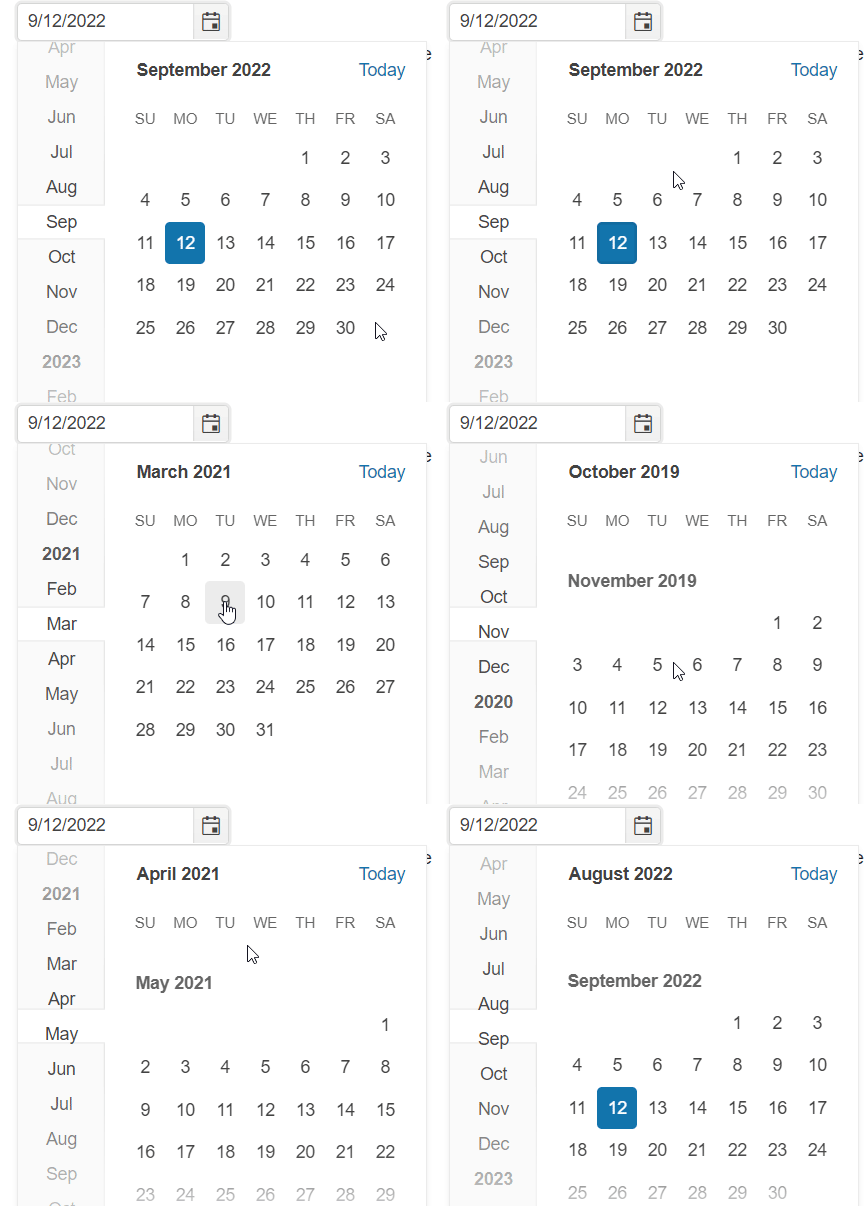
To Reproduce Steps to reproduce the behavior: Open the following demo: https://stackblitz.com/edit/angular-putshj?file=src%2Fapp%2Fapp.component.ts Or any DateInputs demo that utilizes the calendar plus the navigator.

Just to add a bit. This problem is worse when the line falls directly over the center of dates, and it does that in certain themes.
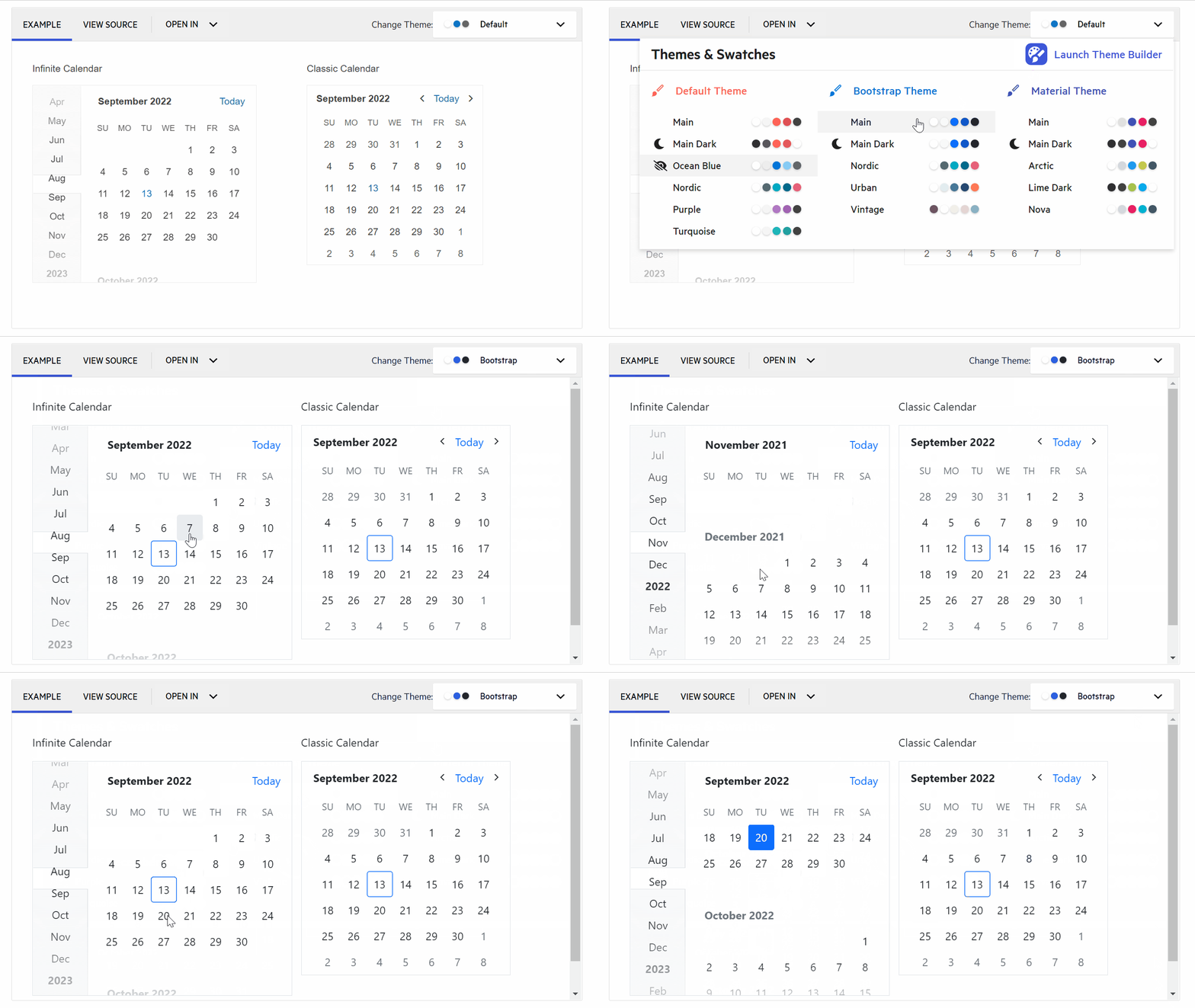

It does seem like the browser has changed how CSS is being applied since it worked in a previous version of Chrome.

Are there any work arounds for now? We found this one in our regression testing.

We found disabling fastNavigation or setting the calendarType to "classic" both resolved it, if you can afford to loose the fast navigation functionality of course.

It seems that the latest Chrome version does not handle elements with overflow: hidden; properly.
What currently happens is that Chrome thinks that the user clicks on the scrollbar of the .k-calendar-navigation element... scrollbar that shouldn't be accessible at all as it is a hidden element:
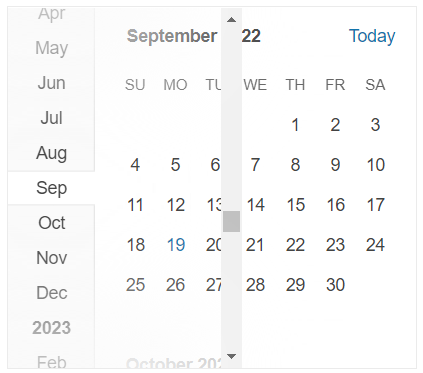
A temporary workaround (until we fix it officially in our Kendo Themes) is to use the following CSS code (can be seen in action in this Stackblitz example):
.k-calendar-navigation {
    z-index: 1;
}


The fix is already available in the dev version. The next official version will be released on 17th of October.
Fix is available in Kendo Theme version 5.9.0 - https://github.com/telerik/kendo-themes/releases/tag/v5.9.0