

 telekom
Scale Header: logo-click and logo-title
Hi Team,
I am trying to use logo-click and logo-title"Brand Header and Navigation"
I am referring to:
https://www.brand-design.telekom.com/scale/?path=/docs/components-brand-header-navigation--standard
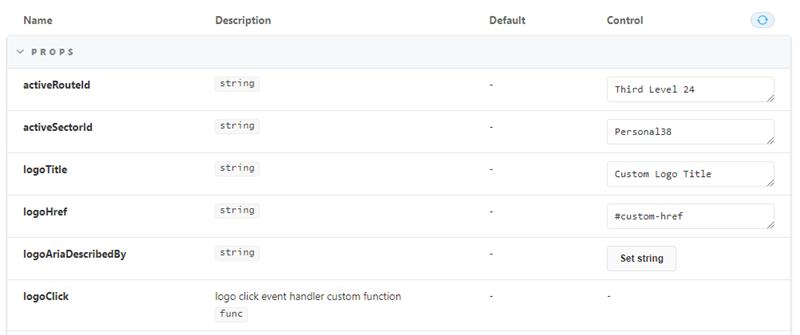
When you use logo-click and you click on the logo the function specified is not executing. When you change the value of logo-title the logo title is unchanged (still default).
Kind regards

Hi @KlonAnon, are you using any specific framework? I tried to reproduce the issue and logoClick and logoTitle seemed to work for me:
<html>
...
  <body>
    <scale-app-shell>
      <scale-app-header slot="header" id="header">
        <div slot="menu-main">
          <scale-nav-main name="Custom Item #1"></scale-nav-main>
          <scale-nav-main name="Custom Item #2" id="nav-main-with-mega-menu">
            <app-mega-menu>
              <div slot="custom-body"><pre>custom-body</pre></div>
            </app-mega-menu>
          </scale-nav-main>
          <scale-nav-main active name="Custom Item #3"></scale-nav-main>
          <scale-nav-main name="Custom Item #4"></scale-nav-main>
        </div>
      </scale-app-header>
      <div style="height: 800px; padding: 48px 0;">
        Scroll to test header behavior
      </div>
      <div style="height: 800px; padding: 48px 0;">
        Scroll more to test header behavior
      </div>
    </scale-app-shell>
    <script>
      const header = document.getElementById('header');
      header.logoClick = () => {console.log('CLICKED')}
      header.logoTitle = "TEST TITLE"
    </script>
  </body>
</html>

@KlonAnon did you try using the .prop modifier when setting logoClick? That makes sure the function is passed as a property and not an attribute…
