bit
 bit copied to clipboard
Published
20 hours ago •
 teambit
teambit
MDX error silenced on bit status
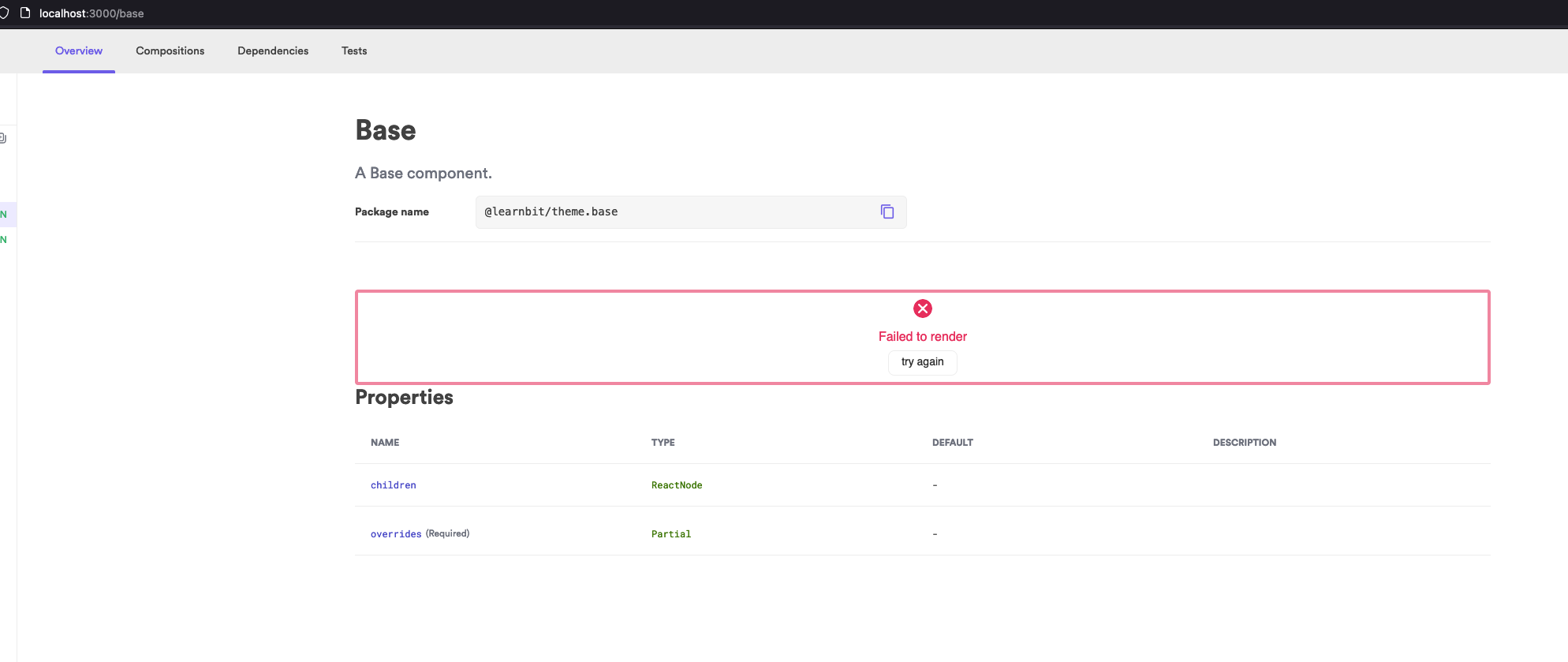
If an .mdx file has issues (for example, wrongly importing a component), the overview fails to render, but bit status doesn't show any error why.
Steps to Reproduce
- Create a component.
- Try to wrongly import it on the mdx file.
- Start the server, and run also bit status.
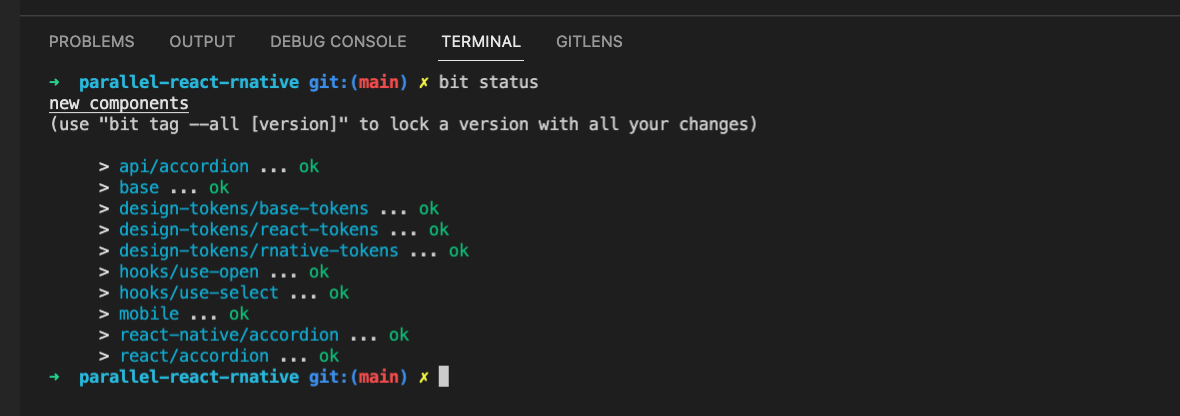
- Bit status will show everything ok, while the UI server won't be able to render the mdx file.
Expected Behavior
I would expect to have bit status showing that the import failed, like it does on a .tsx file.
Screenshots, exceptions and logs
In the following screenshot, the component 'Mobile' doesn't exist.

Specifications
- Bit version: 0.0.791
- Workspace type: Harmony
- Node version: 16.14.0
- npm / yarn version:1.22.18
- Platform: MacOs
- relevant env: Community React, Community react native.


Yes, this has been resolved a while ago. bit status shows warning if packages are missing from .mdx files.