
Martin

Martin
@pwsonawane 1. What happens to the value in the Amount field when you have entered 359577 and then you tab away from that field (or click in another field)? 2....
@pwsonawane Please could you reply directly on github here https://github.com/moneymanagerex/moneymanagerex/issues/5723 rather than via email. Any screenshots you attach to an email get stripped off. Could you answer the 3 questions...
@pwsonawane > This is what happens to value 359577 in the Amount field when I click in another field. > [Displayed as 359.00] That's very strange. Using MMEX 1.6.3 on...
Looking closer at @pwsonawane's 3rd screenshot above, there is another oddity. The Account and Reconciled balances are shown prefixed with a $ sign. It appears that the Currency Manager settings...
> What is the currency for the account we are viewing @pwsonawane Check by right clicking the account and selecting `Edit Account...` 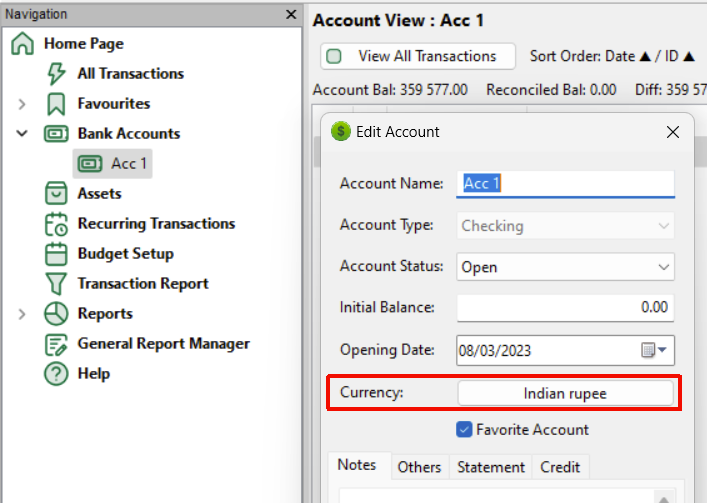
@whalley: > What is the currency for the account we are viewing... **I only ask as the Currency Code USD has a name of INR**, which prompts me to ask...
@pwsonawane ☝️ There's your problem! In `Options | General` (or when you first created the database) you have set the Base Currency to `Indian rupee` as shown by the tick...
If the above is implemented we need to decide what to do if: 1. The Account values in one (or more) of the transaction rows does not correspond with an...
@sarjanwebdev > It would be great if MMEX can spit out the rows that disqualified for import. > So user does not have to hand-pick them to fix and retry....
> An export from other financial software can have both of these. For example when I migrated from YNAB to MMEX the former spits out a huge CSV file containing...