

 tabler
Icon font is misaligned in Flutter
Hi,
first of all, thank you for this awesome font!
I'm using it in a Flutter app, as an icon font, and it seems it's a bit misaligned. Here's a snapshot next to Material Icons font to see the difference.
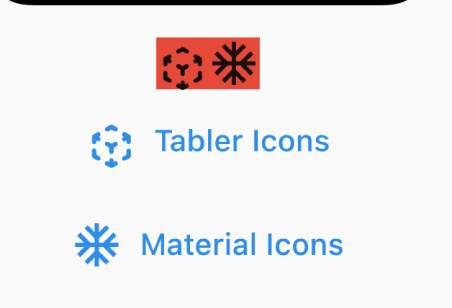
Any ideas why?

I went on Sketch, open 2 icons, select the paths and convert them into outlines and now I get this...
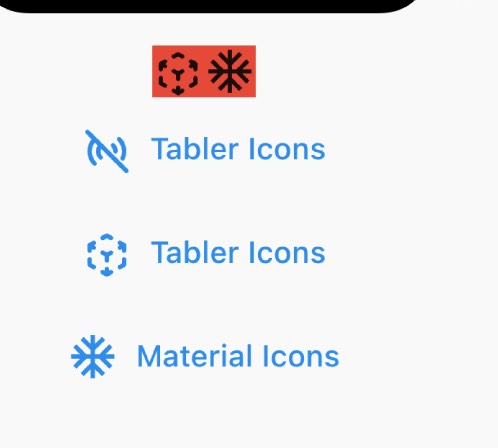
which is an improvement, but still a bit misaligned.
It depends on what size your intending to use the icons at. I have the opposite problem. I tend to make the font smaller, and have to futz around with padding to get them to align correctly. There’s not going to be a one size fits all solution here. Just adjust the padding/margin/size to suit your needs.

That said, there are a few that genuinely do not align perfectly, but I assume your referring to overall general alignment not specific icons.

This is not specific to flutter, it's a problem even on the web when using the icon fonts

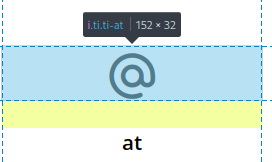
The issue is also clearly visible in the included example webpage: https://github.com/tabler/tabler-icons/blob/master/iconfont/tabler-icons.html
 .
.
I've solved this issue by adding a css transform:
i.ti {
  /*
  compensates the wrong top spacing in the iconfont.
  See https://github.com/tabler/tabler-icons/issues/118/
  */
  transform: translateY(-1px);
}

Hi @codecalm . Can you provide more information on how and where it is fixed? Because I'm still facing this issue even with the latest version. Thank you.
