
atom-smalls
 atom-smalls copied to clipboard
 t9md
t9md
Rapid cursor positioning across any visible chars with search and jump.
:warning: [Deprecated] Don't use.
- Why? Because I no longer use this package in daily editing.
- It's difficult to have motivation to maintain package I don't use.
- Unpublished at 2017/06/11
smalls
Rapid cursor positioning across any visible chars with search and jump.
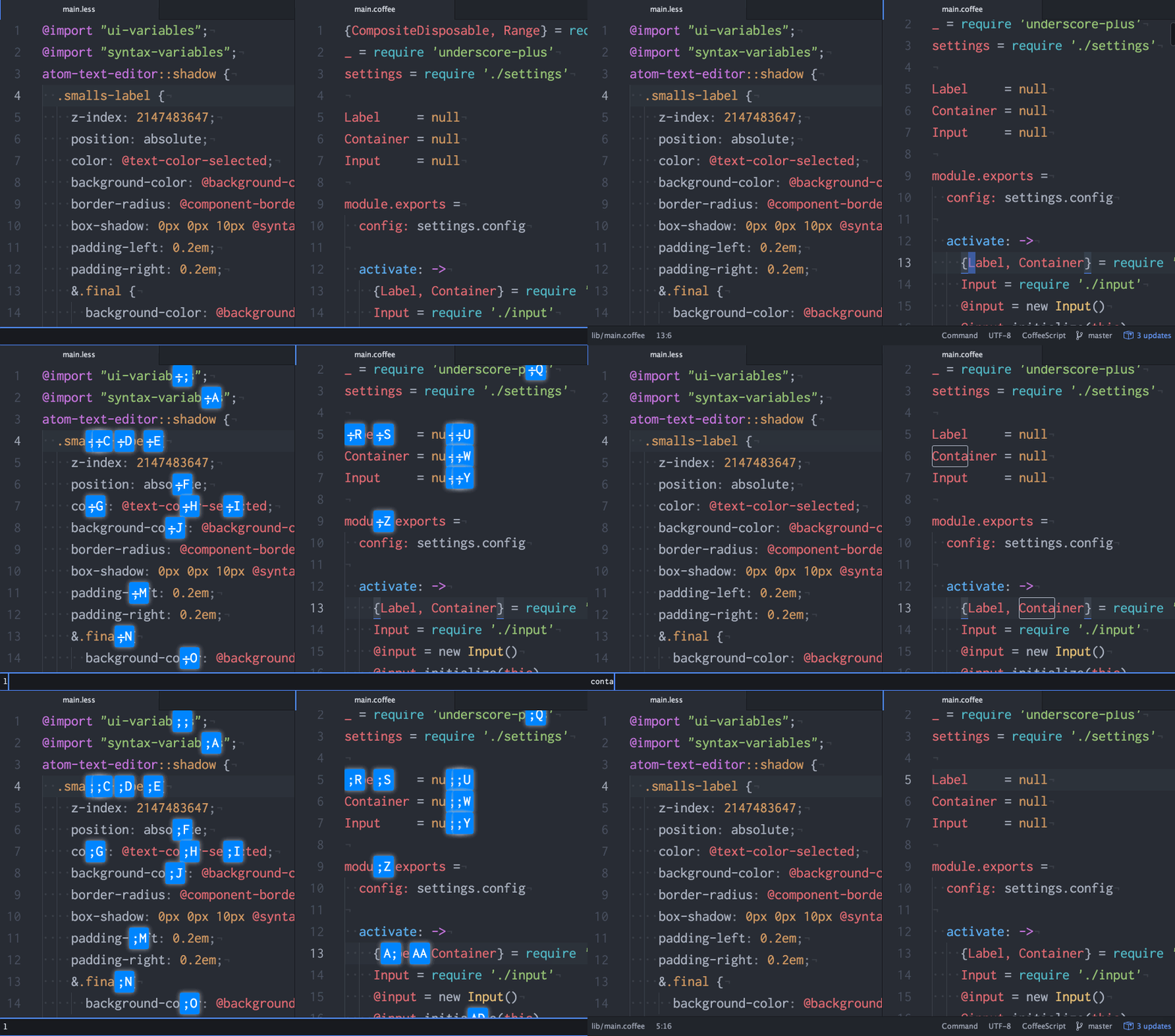
Features
- Search and jump to position across visible panes.
- Flashing cursor position on landing(enabled by default).
- Automatically start jump-mode with configured input length(disabled by default).
- easymotion style label jump.
- Port of my vim-smalls.
- Can configure label display position 'start' or 'end' of matching text.
- Can configure label characters(two chars required at minimum).
- Determine appropriate number of label to use(one char label or two char label).
- Change label color to indicate if its final choice.
line-throughdecided label char for two chars label.- Label you chose is always matched with case-insensitive.
How to use
- Start smalls-mode with
smalls:start - Input character then Enter(
core:confirm) orsmalls:jump. - Choose label then the cursor land to new position with flashing.
Commands
smalls:start: Start smalls jumping mode.smalls:jump: Start jump mode, available within only smalls input UI.
Keymap
No keymap by default.
e.g.
'atom-text-editor:not([mini])':
  'ctrl-;': 'smalls:start'

# Optional.
# By this setting you can speedily start jump with minimal finger movement.
# Limitation: You can't search `;` itself with smalls..
'atom-text-editor.smalls.search':
  ';': 'smalls:jump'
My setting, I use vim-mode-plus.
'atom-text-editor.vim-mode-plus.normal-mode':
  's': 'smalls:start'
; is key for vim-mode:repeat-find in vim-mode.
If you follow my keymap, assign it to other keymap.
and setting labelChars to ;AWEFJIO
Customizing label style
You can customize label style in style.less.
e.g.
@color-error-lighten: lighten(@background-color-error, 30%);
atom-text-editor::shadow .smalls-label {
  box-shadow: 0 0 3px @syntax-text-color;
  background-color: @base-background-color;
  border: 1px solid @syntax-text-color;
  &.not-final {
    color: contrast(@color-error-lighten);
    background-color: @color-error-lighten;
  }
  .decided {
    text-decoration: line-through;
  }
}
Labeling strategy
smalls chose appropriate label chars depending on number of candidates. Strategy is as following.
- One char label is sufficient, use one char label.
- Two char label is sufficient, use two char label.
- If two char label is not enough, use two char label multiple time and redraw label by your choice until it reached final candidates.
Label color
While choosing label, our eye usually be fixed to final destination position and not noticed how many other candidates are there.
So sometimes its frustrating when just after you chose label, re-appear another label to further narrowing candidates.
To minimize this surprise, smalls make this distinguishable by CSS class(color).
If label is unique(means, same label is NOT used multiple time), it means final choice.
In this case label element have final CSS class.
And by default it set different color than non-final label.
Similar packages
Atom
Vim
Emacs
IntelliJ
Thanks to great predecessor!!
My smalls work is based following work.
- Lokaltog's vim-easymotion
- DavidLGoldberg's DavidLGoldberg/jumpy
 t9md
t9md