sytone
Image Platform Support
Describe the bug The current docker image uses amd64 but I want to use it on a raspberry pi 4, which has a linux/arm64/v8 architecture
To Reproduce
On a raspi 4 or a non amd64 machine, run the usual run command. I used:
docker run --rm -it -v /home/pi/Documents/obsidian/raspy/ -v /home/pi/Documents/obsidian/raspy/config/.config/ -p 8080:8080 ghcr.io/sytone/obsidian-remote:latest
Expected behavior It should run as expected.
Terminal output:
WARNING: The requested image's platform (linux/amd64) does not match the detected host platform (linux/arm64/v8) and no specific platform was requested standard_init_linux.go:228: exec user process caused: exec format error failed to resize tty, using default size
Desktop:
- OS: Raspbian Buster 64-bit Desktop version
- Docker: Docker version 20.10.14, build a224086

I am only running it on a x64 based OS, I do not have a Pi around at the moment to test a ARM version on, I am not even sure if the base image has a ARM version,.

I think my problem is the same, I am using oracle cloud free tier with an ARM processor, although I didn't get this terminal output when I do the log -f command I receive the same error: standard_init_linux.go:228: exec user process caused: exec format error

I do a small change in my fork of the repo for arm64 architecture. It works for me on a raspberry pi 4.
A beter way may be to build same multi arch build via buildx
- Building Docker images for multiple operating system architectures
- Getting started with Docker for Arm using buildx on Linux
Maybe in the future.

If you want to make a pull request we should be able to get both published. I am not using a arm platform at the moment so have not needed a arm image.
Just to note for others, upstream obsidian only has support for 64bit arm installs, so arm7l won't be possible Thanks for all the work, and the fork for aarch64

Using the Dockerfile above with the exception of pulling the arm64 version (from linuxserver and Obsidian.md/download page) "FROM ghcr.io/linuxserver/baseimage-rdesktop-web:arm64v8-focal" and "curl https://github.com/obsidianmd/obsidian-releases/releases/download/v0.15.9/Obsidian-0.15.9-arm64.AppImage -L -o obsidian.AppImage"
I get an error at the "Copy root/ /" line. See log below. Any ideas why?
➜ obsidian docker build -t obsidian-remote_arm64 . Sending build context to Docker daemon 60.42kB Step 1/11 : FROM ghcr.io/linuxserver/baseimage-rdesktop-web:arm64v8-focal arm64v8-focal: Pulling from linuxserver/baseimage-rdesktop-web Digest: sha256:d5d2f359c3abef40342316f38ad16d07c054edcf58f6a74f471c7042d6db2604 Status: Downloaded newer image for ghcr.io/linuxserver/baseimage-rdesktop-web:arm64v8-focal ---> 2beecc860e8d Step 2/11 : RUN echo "**** install packages " && apt-get update && apt-get install -y --no-install-recommends curl libnss3 zlib1g-dev dbus-x11 uuid-runtime && echo " cleanup " && apt-get autoclean && rm -rf /var/lib/apt/lists/ /var/tmp/ /tmp/ ---> Using cache ---> 595637b5dbd3 Step 3/11 : ARG OBSIDIAN_VERSION=0.15.9 ---> Using cache ---> 39f122c13e82 Step 4/11 : RUN echo "*** download obsidian " && curl https://github.com/obsidianmd/obsidian-releases/releases/download/v0.15.9/Obsidian-0.15.9-arm64.AppImage -L -o obsidian.AppImage ---> Using cache ---> ba036bf885cc Step 5/11 : RUN echo " extract obsidian ****" && chmod +x /obsidian.AppImage && /obsidian.AppImage --appimage-extract ---> Using cache ---> 5ecae08e5b8c Step 6/11 : ENV CUSTOM_PORT="8080" GUIAUTOSTART="true" HOME="/vaults" TITLE="Obsidian v$OBSIDIAN_VERSION" ---> Using cache ---> 5008893acacd Step 7/11 : COPY root/ / COPY failed: file not found in build context or excluded by .dockerignore: stat root/: file does not exist

Hi there,
I started to work on the compatibility of this container with both ARM and AMD64 platforms. This can be done with the help of Docker Manifest.
I am just facing an error stating /obsidian.AppImage: 1: Not: not found when building the image. Is it possible for someone to assist on this. Haven't changed anything from the defaults but just unable to get the image built properly. I am using Docker Desktop in Windows 11.
If this issue can be solved, we can easily integrate ARM and AMD based images into a single repo.
Looking forward for an answer.

I think that for ARM systems you have to use the Obsidian arm64 version instead: https://github.com/obsidianmd/obsidian-releases/releases/download/v1.0.0/Obsidian-1.0.0-arm64.AppImage
And also I had to add zlib1g-dev to the apt-get install RUN command

Tried my had on building arm64 image. Also bumped version to 1.0.3
https://github.com/Just5KY/obsidian-remote/actions/runs/3458166419/jobs/5772315851 https://github.com/Just5KY/obsidian-remote/blob/latest/dockerfile.arm64 https://github.com/Just5KY/obsidian-remote/blob/latest/.github/workflows/justsky.yml

Tried my had on building arm64 image. Also bumped version to 1.0.3
https://github.com/Just5KY/obsidian-remote/actions/runs/3458166419/jobs/5772315851 https://github.com/Just5KY/obsidian-remote/blob/latest/dockerfile.arm64 https://github.com/Just5KY/obsidian-remote/blob/latest/.github/workflows/justsky.yml
How stable did you find this new version @Just5KY? I used the image from @tfaureperso and the container crashed a couple of times. I assume this was due to the older version of the Obsidian image.

I tried building it with the mentioned settings, but I am not able to get past that error. Will keep trying and maybe work on integrating the version provided by @Just5KY
This issue can be closed now fixed with #25 arm image can be found at https://hub.docker.com/r/sytone/obsidian-remote
Thanks @Just5KY
@basicallybene will close this week unless you respond with any issues.
@sytone I noticed you haven't closed this issue (request) which is good. I know you don't have raspberry pi but I am willing to test to get something working for Raspberry Pi OS 64 with Docker & Portainer. I have a working instance of OpenMediaVault and Piwigo running. Using Portainer to "Pull image" sytone/obsidian-remote I get the following error.
Failure no matching manifest for linux/arm64/v8 in the manifest list entries
Can you provide any insight to what @tfaureperso tfaureperso/obsidian-remote changed to make work? And if it can be incorporated into the "Pull image"?

@rekab72 use
sytone/obsidian-remote:arm64it's not onlatesttag
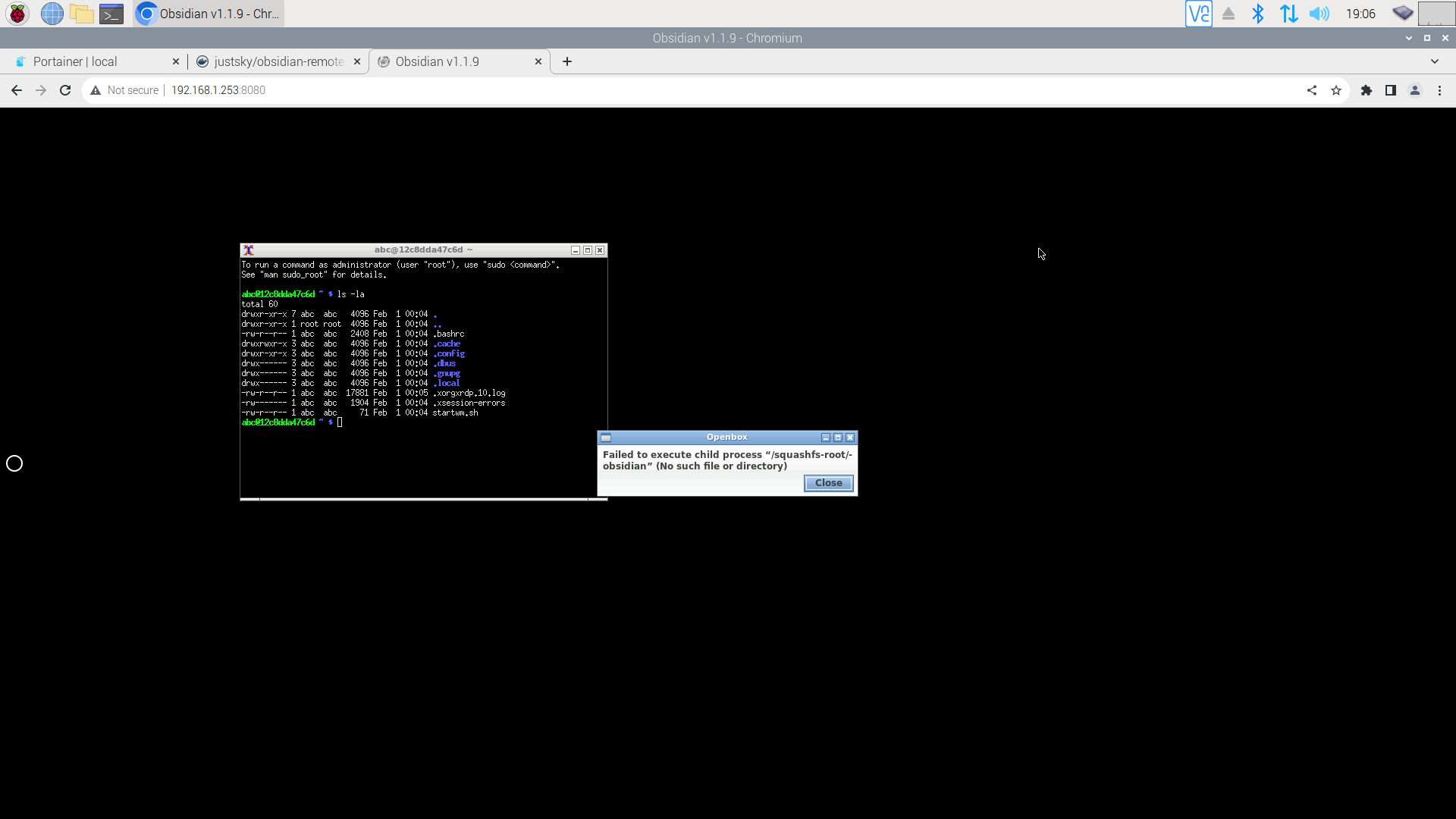
@Just5KY I owe you! Fantastic. Container running and web page responds but it is all black with just the circle dot! Now I need to work on that. Thank you so much for the insight to get it running. This is going to be my replacement for Simpletnote.
@rekab72 you can right-click on the blank area, and you will see the option to load Obsidian.
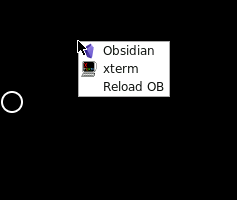
@Just5KY Thanks again! Now onto the next item for me to resolve.
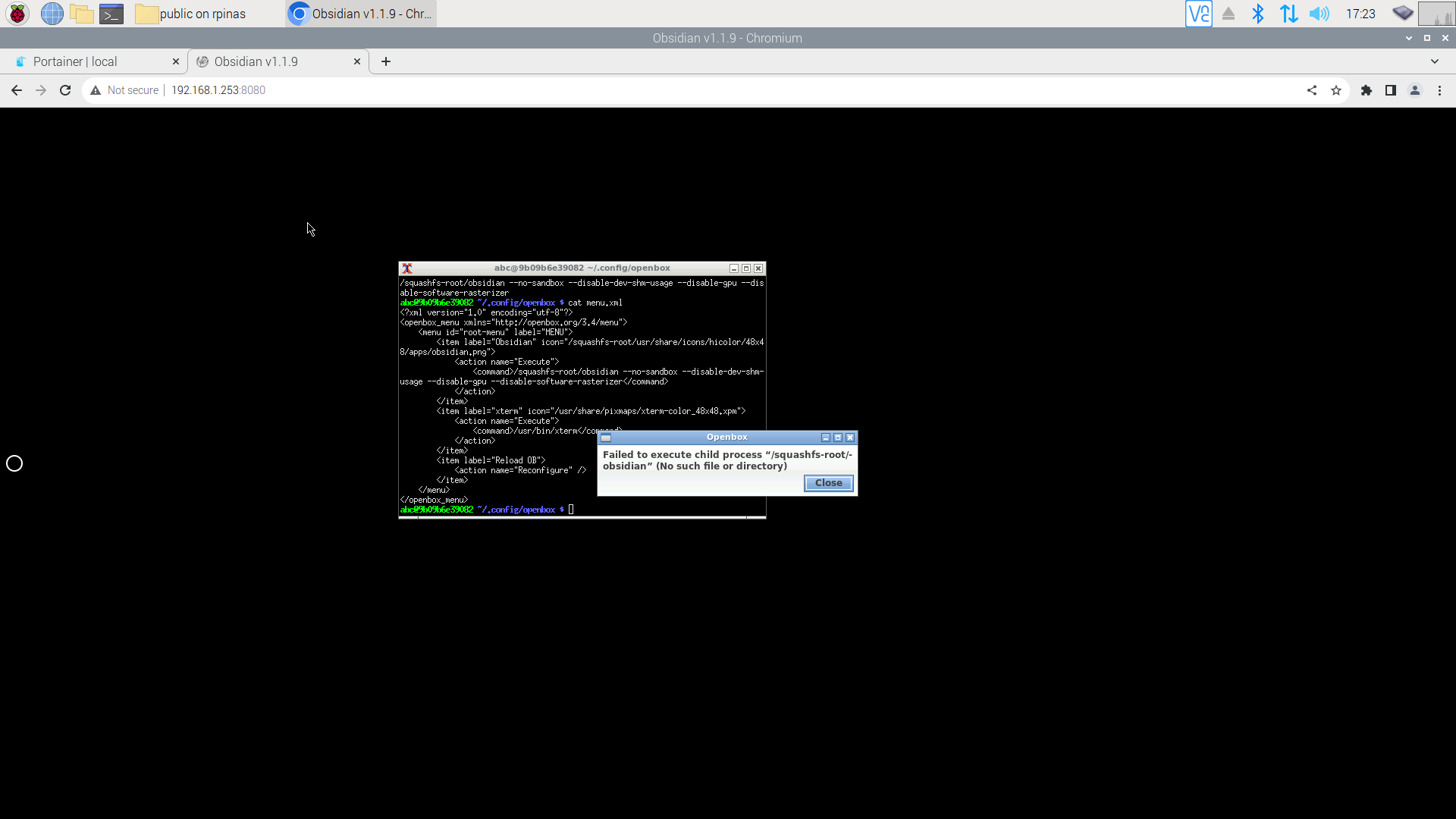
Failed to execute child process "/squashfs-root/obsidian" (No such file or directory)
can you try justsky/obsidian-remote:arm64 see if you face the same issue ?
@rekab72
Thanks @Just5KY for another helpful option. I deleted the existing Container and Images and created a new Container with justsky/obsidian-remote:arm64 successfully. However, I get the same error when attempting to open Obsidian by right clicking. Xterm works and opens to this directory.