

 sytone
Missing TZ variable
Is your feature request related to a problem? Please describe. There are plugins that use the current time of the system to work. Right now it shows an hour less than my Timezone.
Describe the solution you'd like It would be awesome to set it as a TZ variable in the docker container.

You can, this is based off the linuxserver images. TZ is an environment variable you can set. Did you try this via the CLI or compose and were there issues?

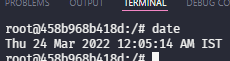
Just ran the docker command with TZ=Asia/Calcutta and checked the running container and saw it was in IST.
docker run --rm -it -e TZ=Asia/Calcutta -e PUID=1000 -e PGID=1000 -v D:/ob/vaults:/vaults -v D:/ob/config:/config/.config/obsidian -p 8080:8080 --name obsidian-remote obsidian-remote:latest
I did it on Unraid, I added a variable TZ with the value Europe/Madrid:
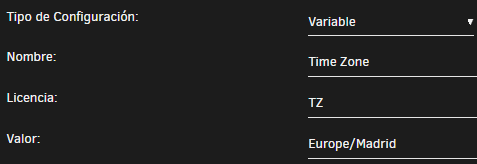
But I got 1 hour less:
 This is what shows me the Day Planner Plugin in the mermaid editor
I had troubble with permissions so I edited the PUID and PGID and it worked, so I tried TZ also, but it didn't work.
Just made a new build, v0.0.4 which will push date information to the log when the container starts. I am guessing it is a Time Zone issues with daylight savings.
That can be the cause of the 1 hour gap.
Here is the log info:
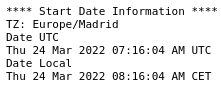
I think that's the problem.
ok, I am not sure why the image is not switching time zones to DST for your area. Did Madrid make any changes to the dates that DST start and stop recently? Ill have to look at the base image to see if there is any issues with the base TZ stuff. Will probably not get time until the weekend.
Sorry for the late reply.
I have looked when is the day when the time is changing and it's tomorrow (I didn't know when it was changing this year, sorry 😅, I hope this nonsense finish soon), so that you comment might be the problem.
If you want, we can wait for the Sunday morning and I'll comment if the time is the same in both, time zone and current time and there's no error. And then you can close this issue, and if this occurs next time when the hour change is coming, I'll wait for the hour change.
The hour has changed:
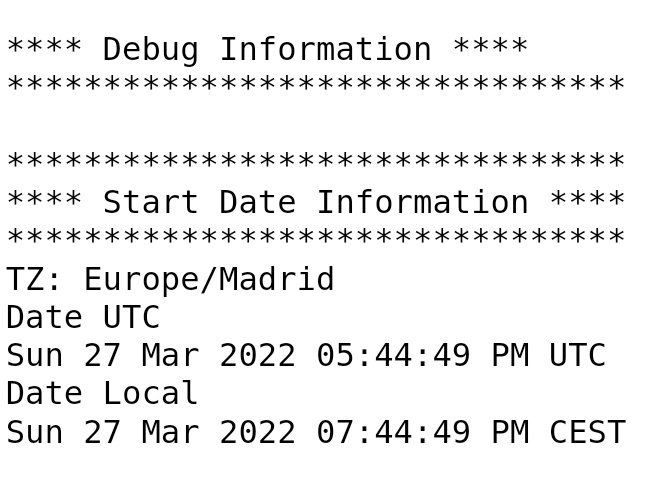 Now we are at UTC + 2 so it should be right, but internally it displays UTC hour, without those 2 hours.
I had the same problem. Had to configure manually "dpkg-reconfigure tzdata"

I have right TZ in console (Israel Date Time ) but when use @time from plugin it use UTC (-3 hours)

Adding reconfigure to the initial config script to force it as per comment by @benglim.
echo "Running dpkg-reconfigure -f noninteractive tzdata"
echo "${TZ}" >/etc/timezone
dpkg-reconfigure -f noninteractive tzdata