synthetos
Flashing G2 to UNO vs using TinyG V8
Hi all, I'm just getting started with building a CNC with G2 as the motion controller. I've built other CNC systems before on larger machines, so I'm pretty comfortable with the hardware/electrical end of things, I'm just trying to get my head around G2.
I have a ShopBot FabMo setup right now that I've been hacking on a little bit: https://github.com/FabMo
I've been using CNCjs running on a Pi plugged into the ShopBot G2 card and doing some basic moves and cuts.
My next step is to convert another small gantry machine I have in the shop. I'd like to use a G2 board, and use a Pi as a host for CNC js. I've got the Pi part covered, I'm just up int he air about a G2 board... At first I thought I could use the ShopBot g2 board. I likely could, but it's non standard hardware, and if I did flash it to a different version of G2 I feel like I'm wandering into uncharted territory.
For this build I already have external stepper drivers wired up, so all I need to provide to get motion is just step and direction. The Tiny G V8 looks like a good solution as it appears that it will work right out of the box. The other idea I had was using an Arduino UNO I have laying around. Since I don't need on board drivers the Tiny G V8 offers, I was thinking of starting out with the UNO because it would get me to learn how to compile G2 and get it onto a board...
Anyway, I'm looking for some advice as to the best way to start. My thinking is that I should just buy the Tiny G V8 and use that, but part of me wants to learn how to use an UNO, I have some other really simple single axis projects I want to do, and I feel like using an UNO (or even a NANO) is the right choice for those..
Anyway, I'm looking for some advice on how to best proceed. Thanks in advance for any help!

Had the same question a few months ago and decided to install g2core on a Arduino Due with a small board on top of it to connect the external stepper. I found this additional board somewhere here in the forum. Used the design files to have a series of 10 produced (couldn't do less) and that's running my WorkBee right now. The board on top is rather trivial, just provides for easy wiring of steppers and switches.

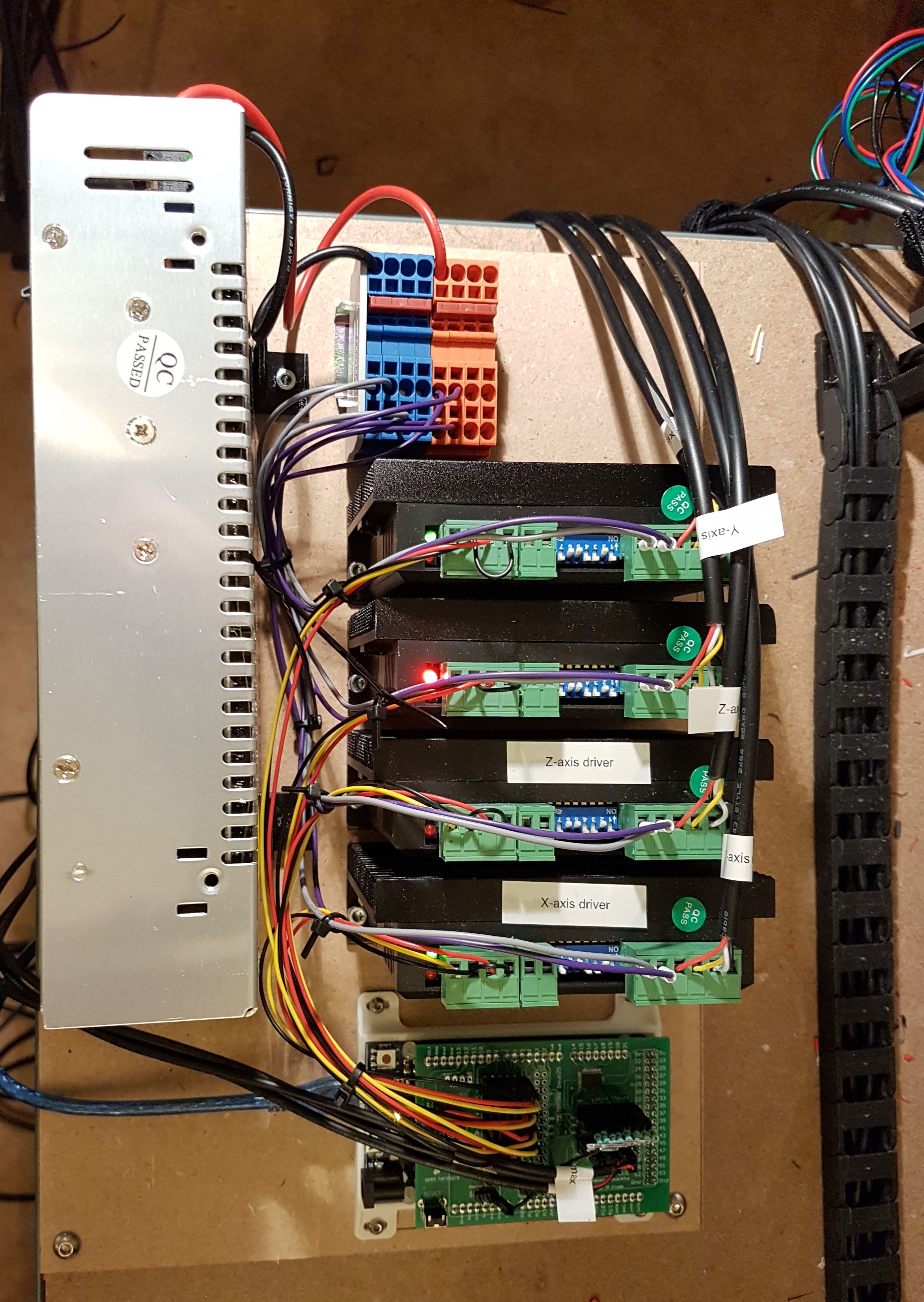
@turboproc Ahh, so you can't connect a Due directly to stepper drivers? I have a test setup like this:
https://photos.app.goo.gl/iEFASC9cyhFMiUmB7
Essentially the drivers have their own power supply. All I'd need from the Uno/Due is step and direction to test out motion. For a real install I'd likely to the V8 because it's got more IO for homing/limit switches.
You already have your stepper drives, so no need of extra shield. Due with g2 will give you pulse and direction to all motors. I am also running setup similar to yours and i am using DM542 stepper drives which works smoothly.

As I tried to explain, that shield that I use is only ment to make connection very easy. As such you could do without.