

 syncpoint
Map palette - Symbols Sets for partial armed forces and areas of MIL-STD 2525C
Currently the user has only the possibility to search for the symbols according to MILSTD 2525C in the Map Palette by entering text.
This means that the user must know at least approximately, how the symbol was named in MIL-STD 2525C. Furthermore, the "hit display" is correspondingly long if only a part of the name is entered.
In this case it would be advantageous if the user could limit the search and thus the hit results in the map palette to the areas of the armed forces or the areas of the MIL-STD 2525C.
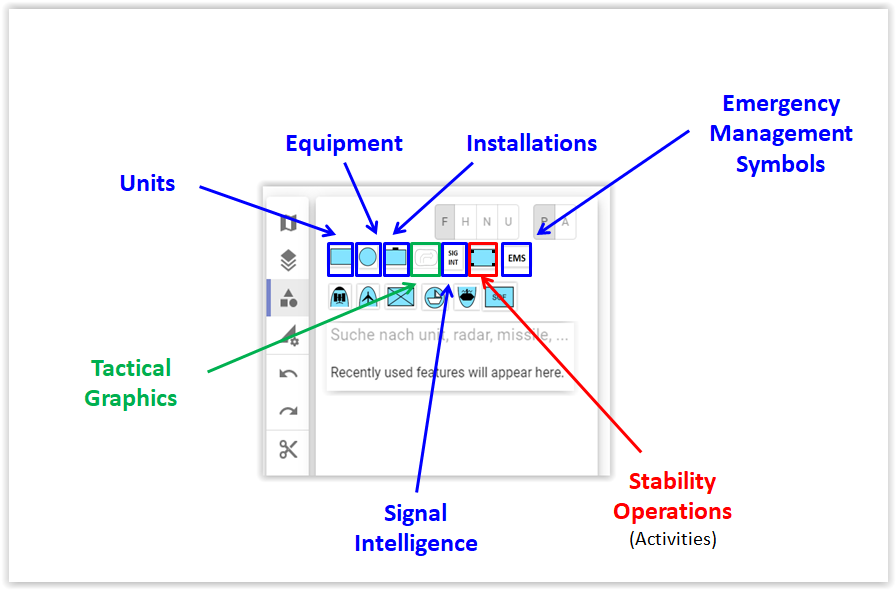
Areas of the MIL-STD 2525C:
- UEI (separate buttons for Units, Equipment and Installations)
- Tactical Graphics
- SIGINT
- Stability Operations
- EMS
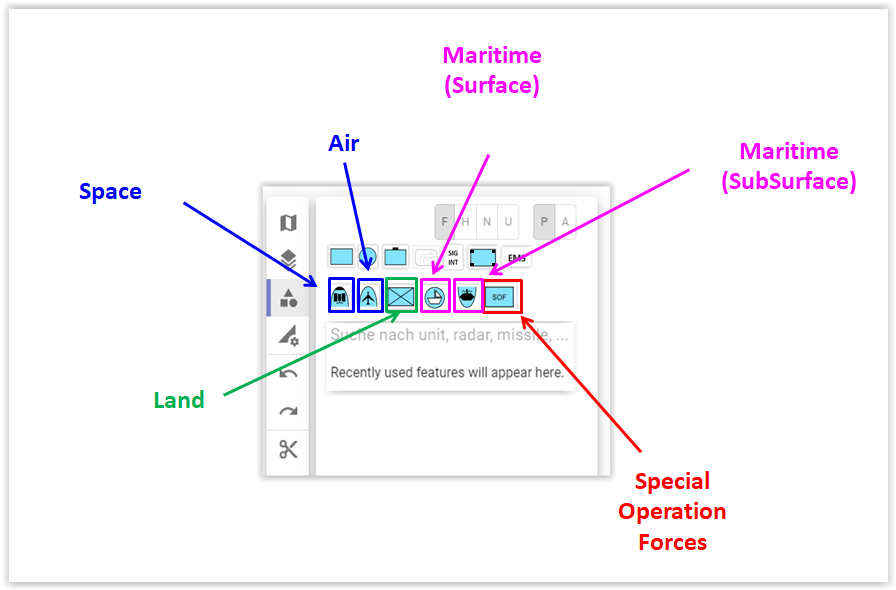
Areas of the armed forces:
- Air (separate buttons for Space and Air-Symbols)
- Land
- Maritime (separate buttons for Surface and Subsurface-Symbols)
- SOF
Tags could be used to assign the individual symbols to the respective areas.
It shall be possible to combine the areas of MIL-STD 2525C with the areas of the partial armed forces.
E.g. the user wants only units and equipment of the Air and Maritime divisions to be displayed in the hit results.
