

 swagger-api
Collapsible markdown in descriptions?
Content & configuration
n/a
Is your feature request related to a problem?
Some of our endpoints have very large descriptions. It would help a lot if we could use collapsible blocks in Markdown, like you can do on GitHub, e.g.:
CLICK ME
yes, even hidden code blocks!
print("hello world!")
Describe the solution you'd like
Swagger-UI’s Markdown parser accepting collapsibles, like the CLICK ME one above.
Describe alternatives you've considered
We’re using sections, but, say, 10 screen heights of text, images etc. is… bad UX.

Hmm.. since the functionality is provided by the browser (most browsers, anyway), this should simply be a matter of adding the <details> and <summary> tags to our element whitelist.
I'm prioritizing this, as it's widely helpful and likely easy to implement.
Edit: it's <details> not <detail>

@michalrus, it appears to me that this is already working:
swagger: "2.0"

info:
  description: "<details><summary>wow</summary> look at this!</details>"

paths:
  /:
    get:
      description: >
        <details>
          <summary>wow</summary>
          me too!
        </details>
though, to be fair, the multiline value has some weird newlines (cc #3867, haven't forgotten about it 😄). Even if this is working on your end, happy to keep this open as a request to polish that detail.
let me know what you're seeing on your end!
Wonderful! Thanks. =)
I only had to add this style to make it look sensible:
        details                 { margin:        2em 3em; }
        details       > summary { margin-left:   -1em; font-size: 1.5em; font-weight: bold; }
        details[open] > summary { margin-bottom: 0.667em; }
(Forgive me if it’s rubbish, I’m no frontend dev.)
markdown inside the details is not supported ? its just rendered verbatim

markdown inside the
detailsis not supported ? its just rendered verbatim
@bingunginter works for me on https://editor.swagger.io:
openapi: 3.0.0
info:
  title: test
  version: 1.0.0
  description: >-
    <details>

    **Bold** text

    </details>
paths: {}
OpenAPI uses CommonMark[1] which allows Markdown formatting inside HTML tags in certain cases. Refer to the CommonMark specification, "HTML blocks" section, examples 122 and 138.
[1] OpenAPI 3.0 uses CommonMark. OpenAPI 2.0 uses GitHub-Flavored Markdown (GFM), but GFM is also based on CommonMark.

👋🏼 This is really handy! But... there is a bit of an awkward UX when using this at the tag level. When you to expand the description, the click also registers for the collapsible list of paths and opens/closes that at the same time. Is there a simple fix/workaround for this?
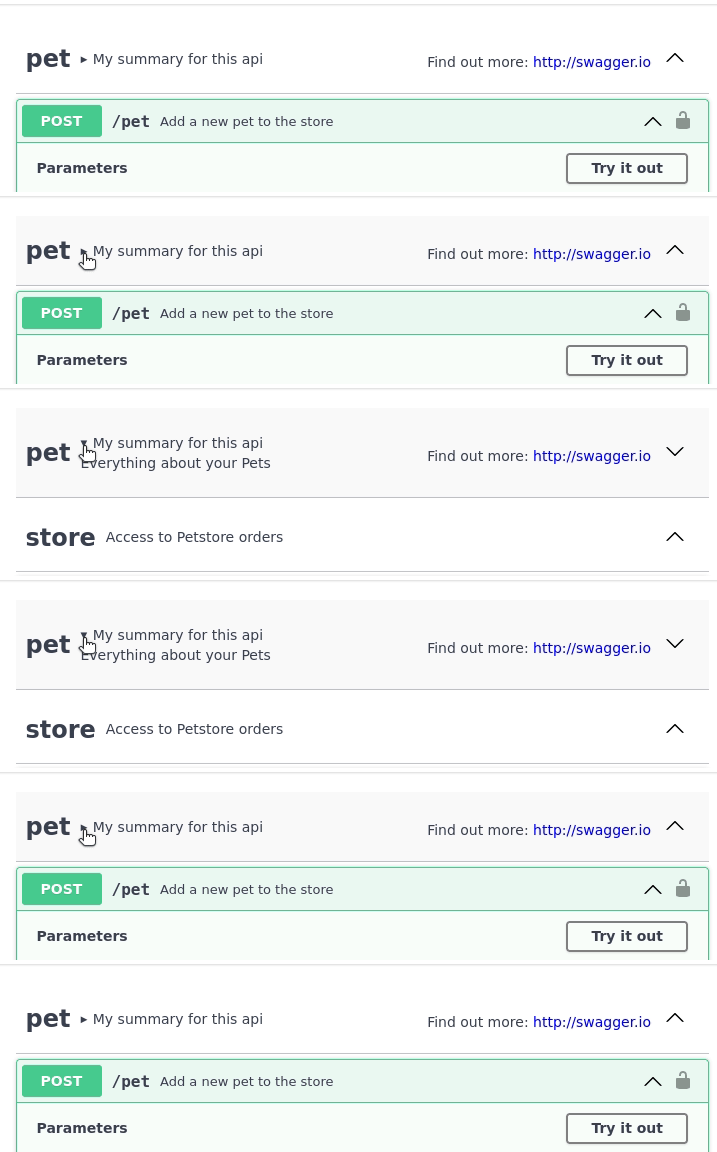

I worked around this by injecting this javascript
// It takes the document a sec to load the swagger stuff, loop until we find it
let swaggerLoaded = setInterval(() => {
  if (document.getElementById("swagger-ui")) {
    clearInterval(swaggerLoaded);
    // Disable event bubbling for summary elements
    for(let summary of document.getElementsByTagName("summary")) {
      summary.addEventListener("click", e => e.stopPropagation());
    }
  }
}, 300); // check every 300ms
here is some bug about this:
description: "<details><summary>title</summary>\r\n```\r\nmycode```\r\n</details>"
the text ```</details> will display into code block
But this is fine:
description: "<details><summary>title</summary>\r\n```\r\nmycode\r\n```\r\n</details>"
And this is break again:
description: "<details><summary>title</summary>\r\n```\r\nmycode\r\n ```\r\n</details>"
