

 suren-atoyan
How to use local js instead of requesting cdn

I have the same question -
I have found the docs here on how to configure the loader to load monaco from a source other than the CDN but I have been unable to get this to work.
I understand that I can use the config like so to set the path to monaco:
loader.config({ paths: { vs: "..." } });
But what exactly should this be the path to? Is it the root directory of the monaco git repo? Is it a relative path from the project root? Do I have to expose the file explicitly as an http endpoint?
An example of loading this locally would be a huge help.

@spencerkohan could help to solve the same problem? Did you know what should i put in vs ?

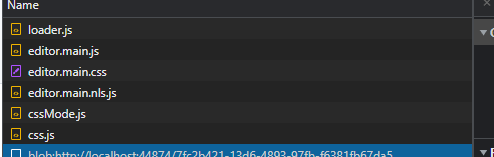
I've test it locally,
first add monaco-editor dependency: pnpm install monaco-editor -S
before using @monaco-editor/react, configure it first:
import { loader } from '@monaco-editor/react';
import * as monaco from 'monaco-editor';
loader.config({ monaco });
code above can execute before react render, here is my example:

It's in the official documentation now: https://github.com/suren-atoyan/monaco-react?tab=readme-ov-file#use-monaco-editor-as-an-npm-package
I believe we can close this issue.

It's in the official documentation now: https://github.com/suren-atoyan/monaco-react?tab=readme-ov-file#use-monaco-editor-as-an-npm-package
I believe we can close this issue.
Can agree with you any more, maybe this issue can be used to record local monaco case.