

 supabase
Cannot login with OAuth on Safari, either on mobile or on desktop
Bug report
Describe the bug
Oath login almost never works on Safari on either desktop or mobile.
To Reproduce
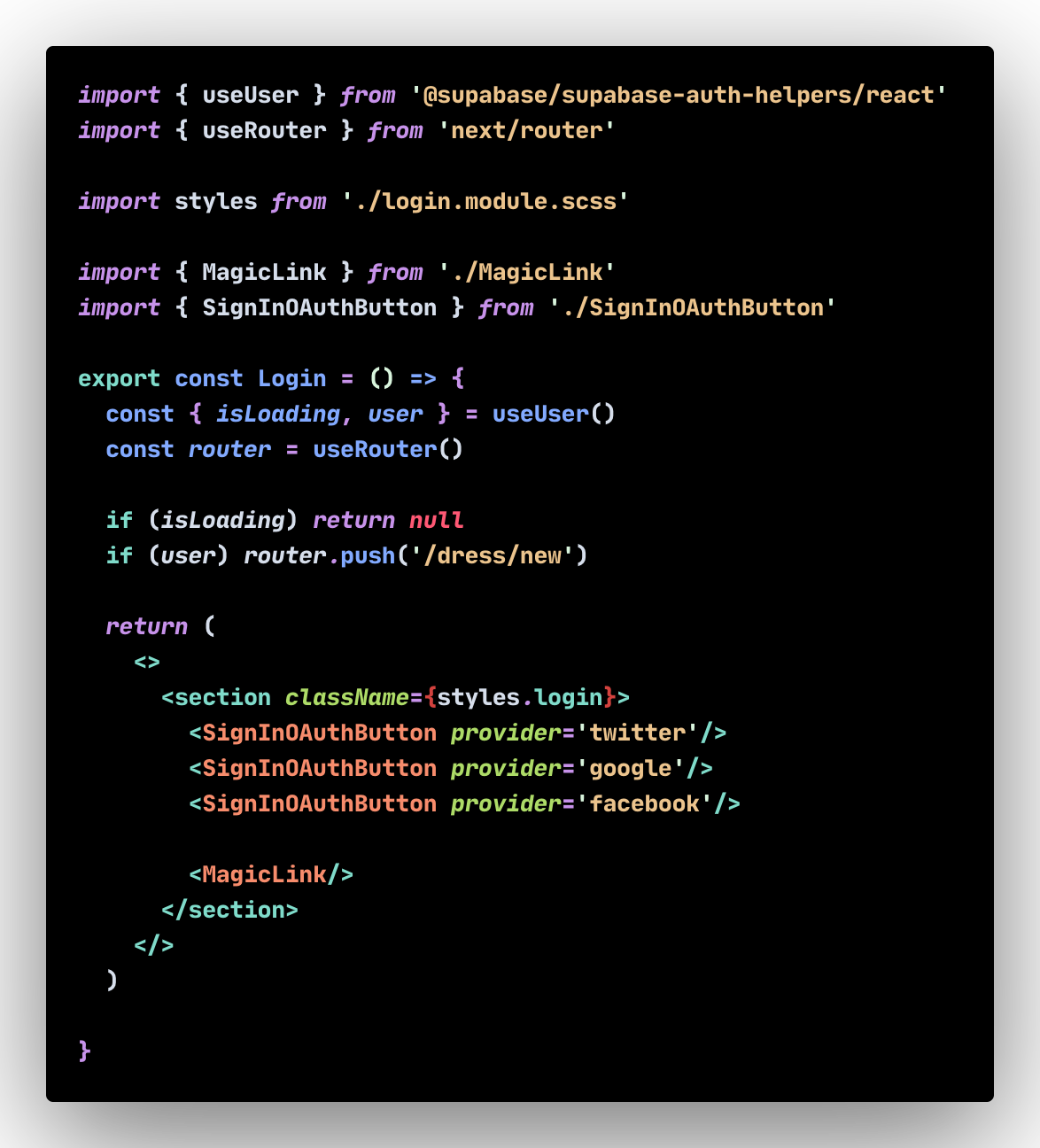
This is our login:
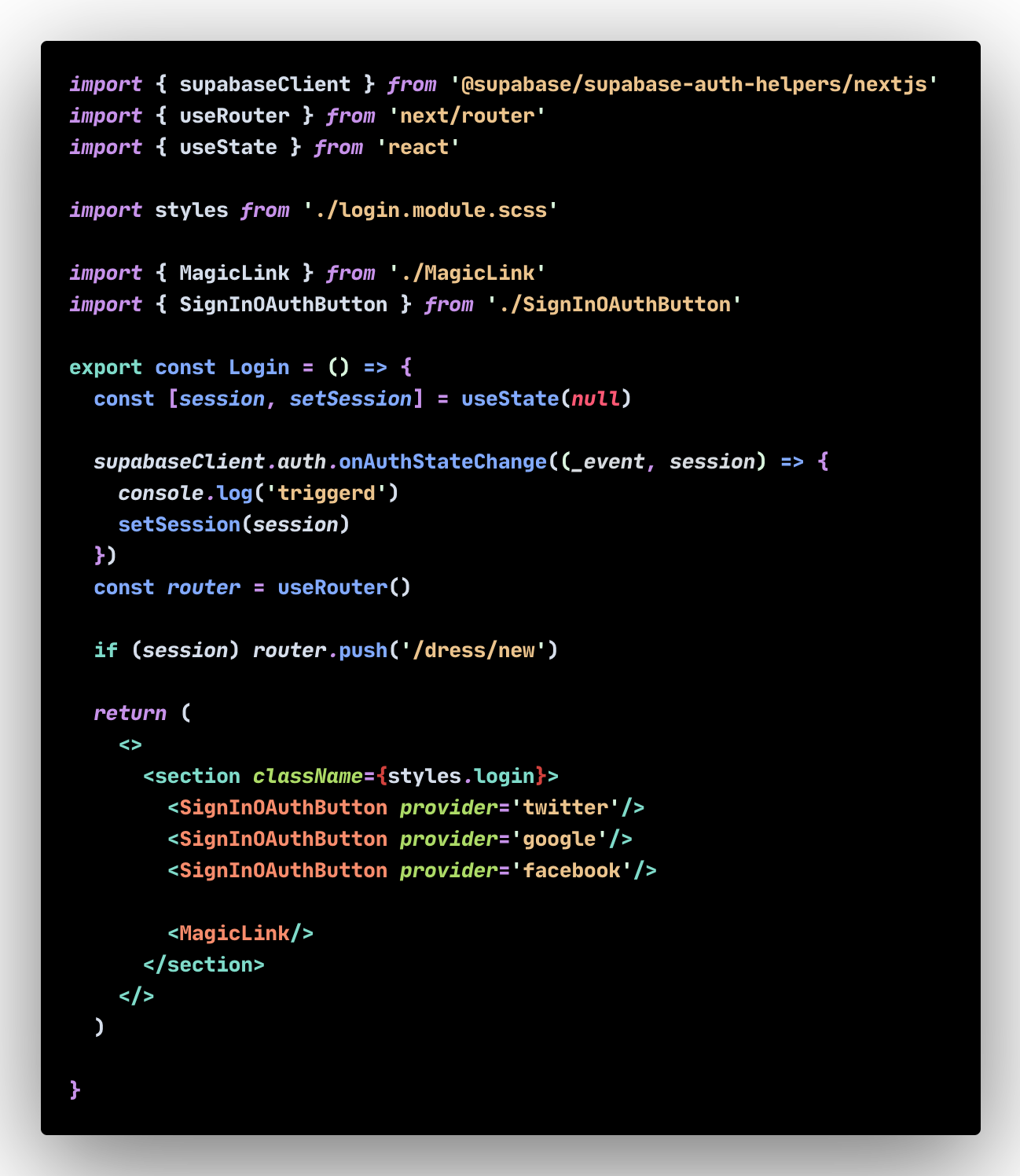
We have also tried this logic:
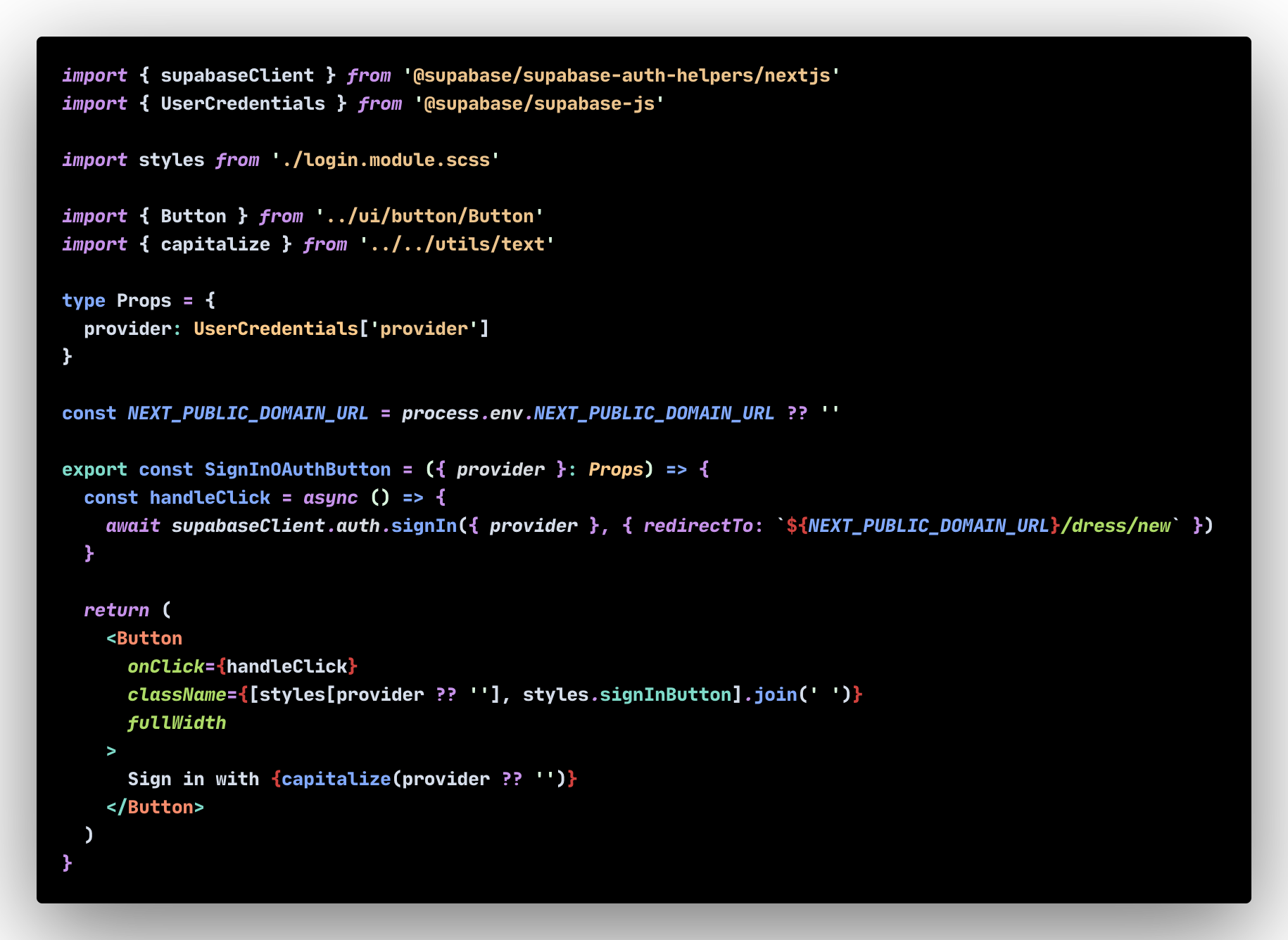
This is our SignInOAuthButton:
This works with no problem on Chrome or any other browser. However the log in only works around 1/10th of the time we try to login in in Safari. The console.log in the login does not get triggered in Safari. We get 2x No cookie found! on both Safari and CHrome.
Expected behaviour
To log in as an authenticated user just like in Chrome
Screenshots
If applicable, add screenshots to help explain your problem.
System information
- OS: [e.g. macOS, Windows]
- Browser: Safari
- Version of supabase-js: 1.35.3
- Version of supabase-auth-helper: ^1.4.2
- Version of Node.js: 16.15
Additional context
No indication of why it sometimes work when you login.

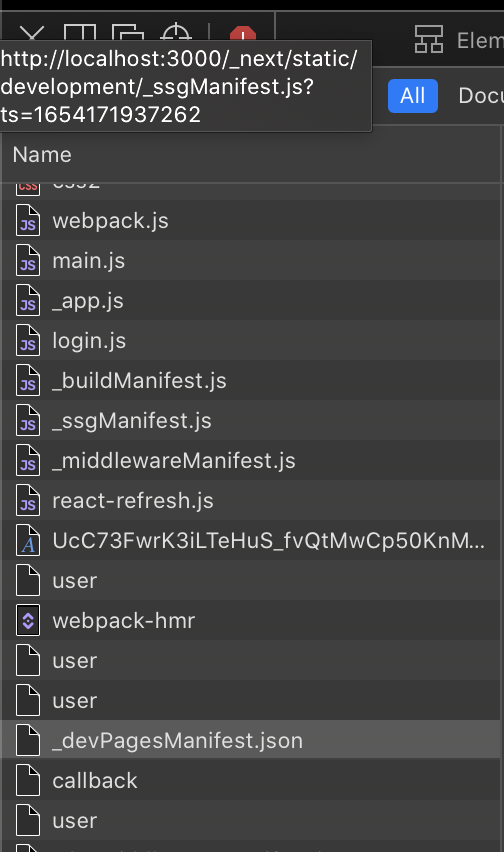
Here is a working network tab vs a non working login. In both scenarios I just click login
Non working:
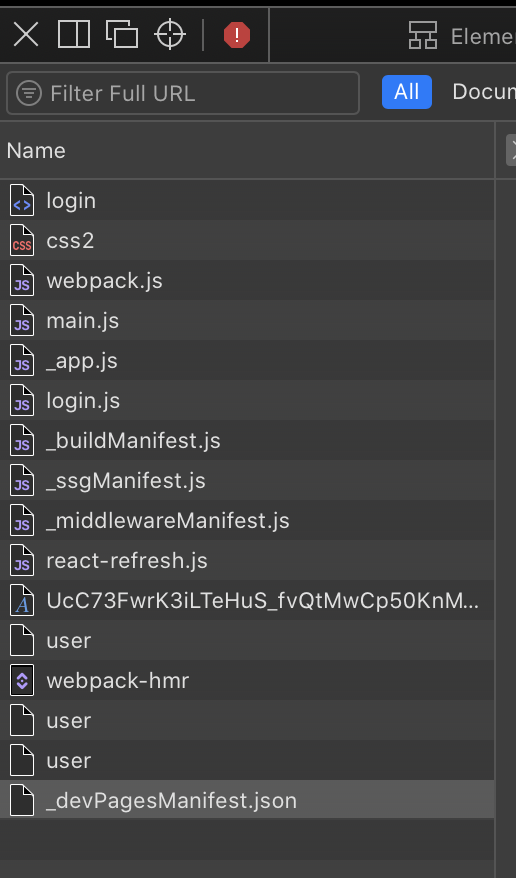 Working:
Thanks for the bug report @GustavEkberg .
This one sounds like it could be an issue with the js library. I'm going to transfer it there for the team to check out!

@kiwicopple - I don't think it's exclusive to Oauth. I'm getting similar errors to @GustavEkberg where the user and callback routes are invoked on desktop browser email/password sign-ins. On mobile, /api/auth/callback isn't called and never returns a cookie/access-token - in console, the cookie is undefined.
I'm not totally sure where this issue stems from, but prior to updating auth-helpers (0.2.0 -> 0.2.1), I was receiving an error as recorded in this issue as well as an error message from getUser() saying that the /api/auth/user has failed.
I just updated to the latest release for @supabase/auth-helpers-nextjs and react and it looks like the examples in the auth-helpers as well as the Supabase examples using auth-helpers doesn't work on mobile.

Hi @ohjonah, hi @kiwicopple, I have the same problem with sveltekit. Is there any news in the meantime?


Hey everyone. Just looking at some of the code mentioned here. There are a few problems with it.
First, always make sure that the supabase.auth.onAuthStateChange function is registered early and properly.
Often the initial onAuthStateChange callback will run before any components are mounted and rendered. To listen for session changes, make sure you use useEffect or equivalent to do this within components!
Otherwise, please provide some code (that is not a screenshot) that you know is reproducible so we can try and investigate further.

I'm experiencing this issue with the off the shelf libraries, no custom supabase.auth.onAuthStateChange code. But it could also be https://github.com/supabase/gotrue-js/issues/503 instead
"@supabase/auth-helpers-nextjs": "^0.5.2",
    "@supabase/auth-helpers-react": "^0.3.1",
    "@supabase/auth-ui-react": "^0.2.6",
    "@supabase/supabase-js": "^2.2.3",

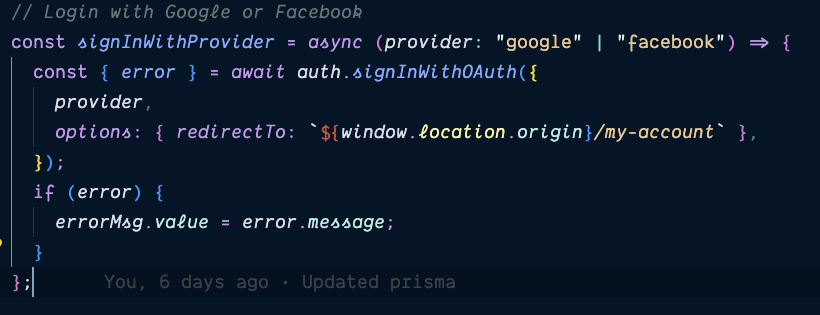
Any update on this issue? I am having the same problem using Nuxt3. The problem only happens in Safari. If I log in with email and password, it works fine but if I try to log in with Google or Facebook it fails and I don't get any console error either.

Hey all,
I'm attempting to replicate this on Safari 16.2 and Can't seem to replicate the issue - would y'all mind sending over the Safari version that you're using as well as the relevant code snippets? You can use a tool such as carbon.now.sh or add three backticks before pasting the code like
const signIn
Thanks!


Update Safari browser to the latest version. That might fix it for you. I did that and the issue was resolved.
Any update on this? Doesn't work on Android Chrome, iOS Safari. I'm not doing anything special either, just using the <Auth /> component. Works fine on desktop but not on any of the several different devices that I have tested

Dropping this related convo. in here, seems to be an issue fetching RSC payload: https://github.com/vercel/next.js/issues/48677
This "failed to fetch RSC payload" error flashes up in the console if you're quick enough to catch it!


Having same issue now, my sign in with google button doesn't do anything when clicked on safari but works well on other dvices

Hey everyone reporting this issue, can one of you create a reproducible example repo with this behaviour as we're unable to reproduce this on our side. I've tested with the auth-helpers in a simple app I deployed to Vercel and can't replicate the issue. Here is a link to the Vercel deploy https://safari-vercel-test.vercel.app/auth/signin and here is a link to the repository https://github.com/silentworks/safari-vercel-test.
Note my example is using NextJS with the App Router.

Your approach is very different from mine, going to try it now. Thank you This is how I handle mine and it doesn't work.
NOTE: Using Nextjs App router but in a client component
Hey everyone reporting this issue, can one of you create a reproducible example repo with this behaviour as we're unable to reproduce this on our side. I've tested with the auth-helpers in a simple app I deployed to Vercel and can't replicate the issue. Here is a link to the Vercel deploy https://safari-vercel-test.vercel.app/auth/signin and here is a link to the repository https://github.com/silentworks/safari-vercel-test.
Note my example is using NextJS with the App Router.
I think the difference is that we (or at least I) run the Supabase signInWithOAuth client-side instead of server. I'm on vacation right now but friday I'll be able to make a "working" example to debug.
I have the same issue. I made a reproduction repo here: https://github.com/buesing/supabase-auth-safari-repro
It's really just plainly calling the supabase.auth.signInWithOAuth function on Safari.
Would you mind taking a look @silentworks? Thanks so much!

@buesing you are missing a number of steps in your code. Please take a look at the example repo I posted above to see how things work and also this guide which walks you through the steps you need in place. https://supabase.com/docs/guides/auth/server-side/oauth-with-pkce-flow-for-ssr
I have managed to make it work on Safari MacOS, Safari iOS, Chrome iOS and I guess on every other browser and OS. Although I am not sure if this the best solution.
[BEFORE] Here is how my code looked like initially, when facing this problem:
const handleSignInWithGoogle = async () => {
    try {
      const { error } = await supabase.auth.signInWithOAuth({
        provider: "google",
        options: { redirectTo: `${window.origin}/auth/callback` },
      })
      if (error) throw error
      router.refresh()
    } catch (error) {
      console.error(error)
    }
  }
[AFTER] and here is how it looks now:
const handleSignInWithGoogle = async () => {
  try {
    const response = await fetch("/api/auth/google", {
      method: "POST",
      headers: {
        "Content-Type": "application/json",
      },
    })
    const { data } = await response.json()
    if (!data?.url) throw new Error("No url returned")
    router.push(data.url)
  } catch (error) {
    console.error(error)
  }
}
and /api/auth/google route-handler:
import { cookies } from "next/headers"
import { NextResponse } from "next/server"
import { createRouteHandlerClient } from "@supabase/auth-helpers-nextjs"

import type { Database } from "@/lib/database.types"

export const dynamic = "force-dynamic"

export async function POST(request: Request) {
  const requestUrl = new URL(request.url)
  const supabase = createRouteHandlerClient<Database>({ cookies })

  const { data } = await supabase.auth.signInWithOAuth({
    provider: "google",
    options: { redirectTo: `${requestUrl.origin}/auth/callback` },
  })

  return NextResponse.json(
    { data },
    { status: 200 }
  )
}

Also have this on any chromium browser, using next and next auth, no idea on what to do

Also have this on Brave, using next and next auth, no idea on what to do
@mttetc Next Auth doesn't make use of gotrue-js so it would be best to report that on their repository. Folks here are reporting an issue they have with gotrue-js and Safari. I've also provided an example repo above which is working with Safari, you can explore the code to see what's different to what you are doing. https://github.com/supabase/gotrue-js/issues/292#issuecomment-1705580362
@silentworks thanks for checking my repo. I just added the missing auth callback route, still getting the same error on Safari. As for other steps - I'm not sure what's missing, following this guide. Your repo is using the route handler flow, but I think most of us are talking about using the client side flow, which does't require all the route handlers, or am I wrong about that?
I had this issue live in prod with Safari OS and iOS just now and i think what fixed it was changing my site url to ensure it matched the domain 'adding www. +'

I switched to the route handler flow for the time being, that works. However I'm still a bit confused whether this is the only way to do it, or if it's possible client side also (save for the code exchange route), because that's what the docs seem to suggest.