
sumatrapdf
 sumatrapdf copied to clipboard
 sumatrapdfreader
Remove Open Folder

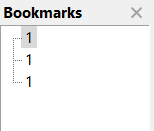
When opening a folder, the 'Bookmarks' shows wrong filenames.
Steps to reproduce:
- put some image files inside a folder and give them different filename e.g. 1.jpg, 2.jpg, 3.jpg
- open the folder with SumatraPDF
- The 'Bookmarks' shows 3 files, but all have '1' as the filename.

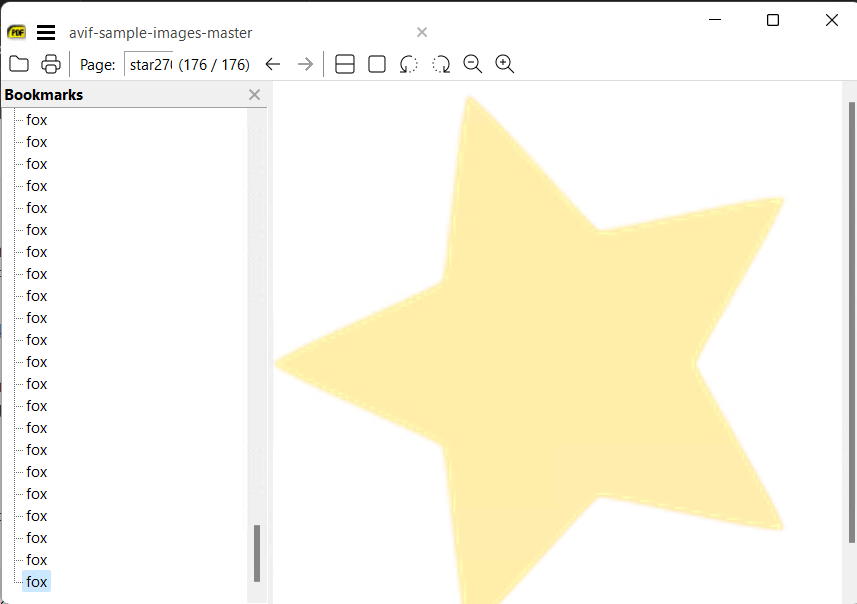
Hmm wile testing Avif corpus I have 176 x Fox but the page name says star

This is not so easy to fix, not very useful and I don't even remember why I've added it.
It's broken, people don't complain so it's probably not used often.
In the short term, I'll remove it.
In the longer term, maybe re-implement it as a separate tab that shows a list of files in the folder. Or maybe on-demand window, kind of like command palette, that can be invoked to select next file from a folder to open.
It is a good feature, it loads the files in the folder well, it only needs to be able to open them, now it only opens the first one. It is useful for folders of periods, series / collections, brands or specific documents.

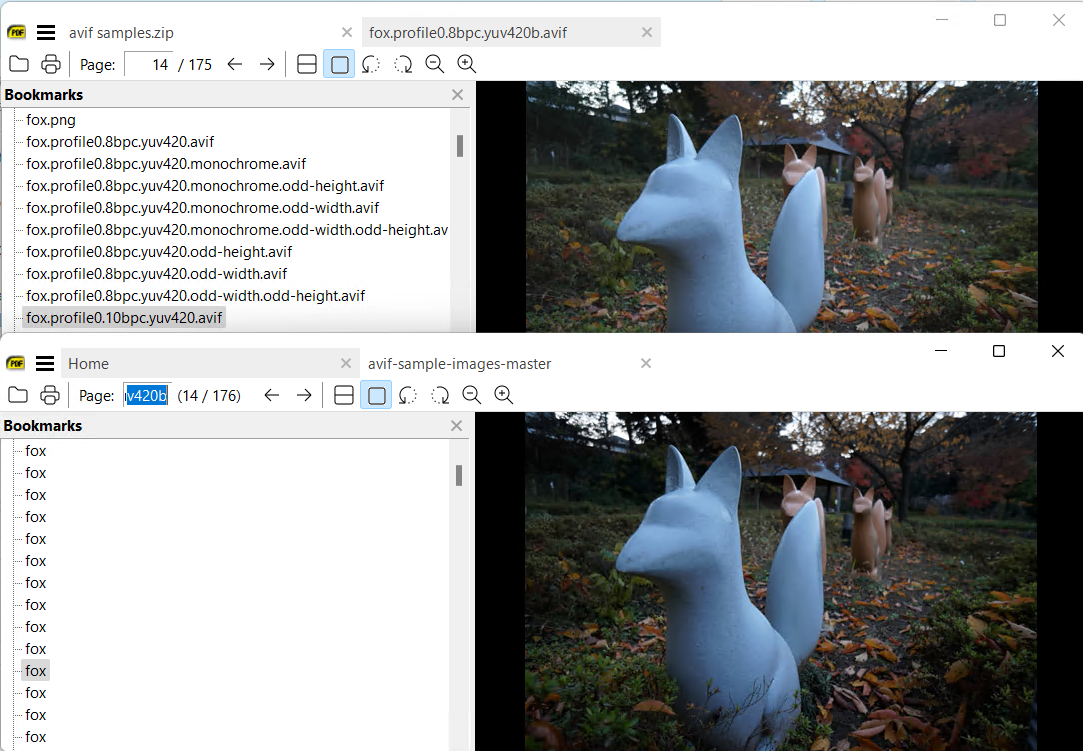
@kjk the broken aspect is odd since a zip folder (like cbz) shows filenames
here I can see one is 175 the other is 176 ! so for some reason the zip shows one as missing but without the folder names it was tough to tell it is fox.profile0.8bpc.yuv420b.avif which is a valid picture !!
https://github.com/link-u/avif-sample-images/archive/refs/heads/master.zip
fox.profile0.8bpc.yuv420b
Also 2 other svgs and text files can be viewed but not expected by SumatraPDF in zip or folder yet are valid as views
When opening a folder, the 'Bookmarks' shows wrong filenames.
Steps to reproduce:
1. put some image files inside a folder and give them different filename e.g. 1.jpg, 2.jpg, 3.jpg

2. open the folder with SumatraPDF

3. The 'Bookmarks' shows 3 files, but all have '1' as the filename.
First load, show path and the names correctly.

Second load, not show path and all names the same.

When open folder (alt+o) the first time the names show correctly, but if close sumatra when reopen all the names are the same, the first.
Bookmarks in 15189 they work a little better, if the folder have only image work good, except if there are .webp images. (the .webp images work if rename the extension)
But if the folder have only PDFs, bookmarks file selection to view one, not work. You can navigate with the buttons forward and back, but not select file from bookmark. Apparently, it loads the pages of all documents as a single document and not only the one that is selected, with the images work correctly because one image is how one page and loop through the array of elements just fine.
Please keep this functionality.