sumatrapdf

sumatrapdf copied to clipboard
 sumatrapdfreader
Please improve support for high contrast mode
SumatraPDF has several issues with Windows' high contrast mode.
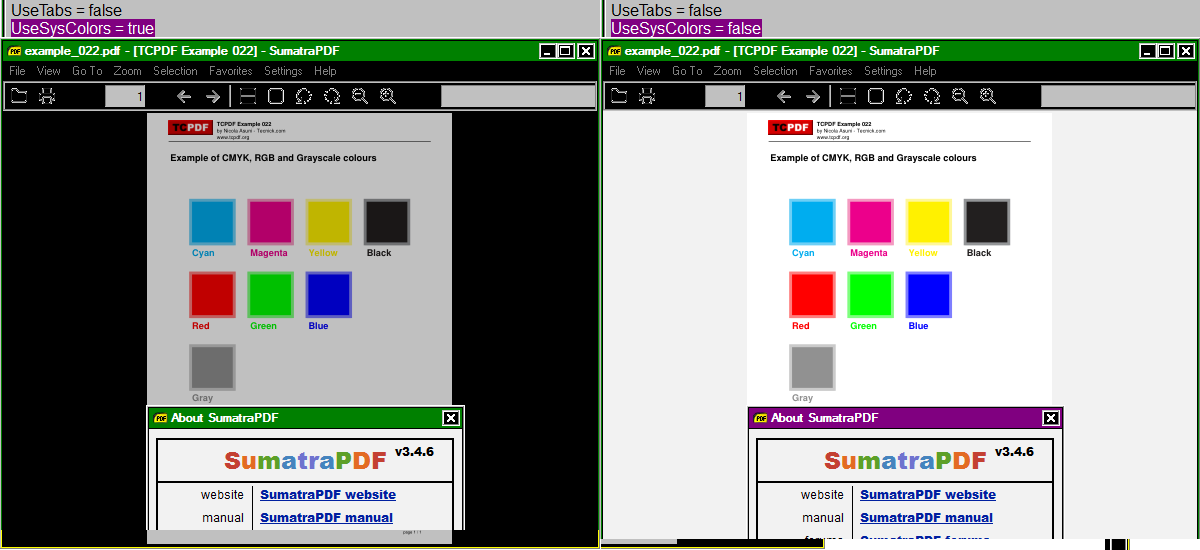
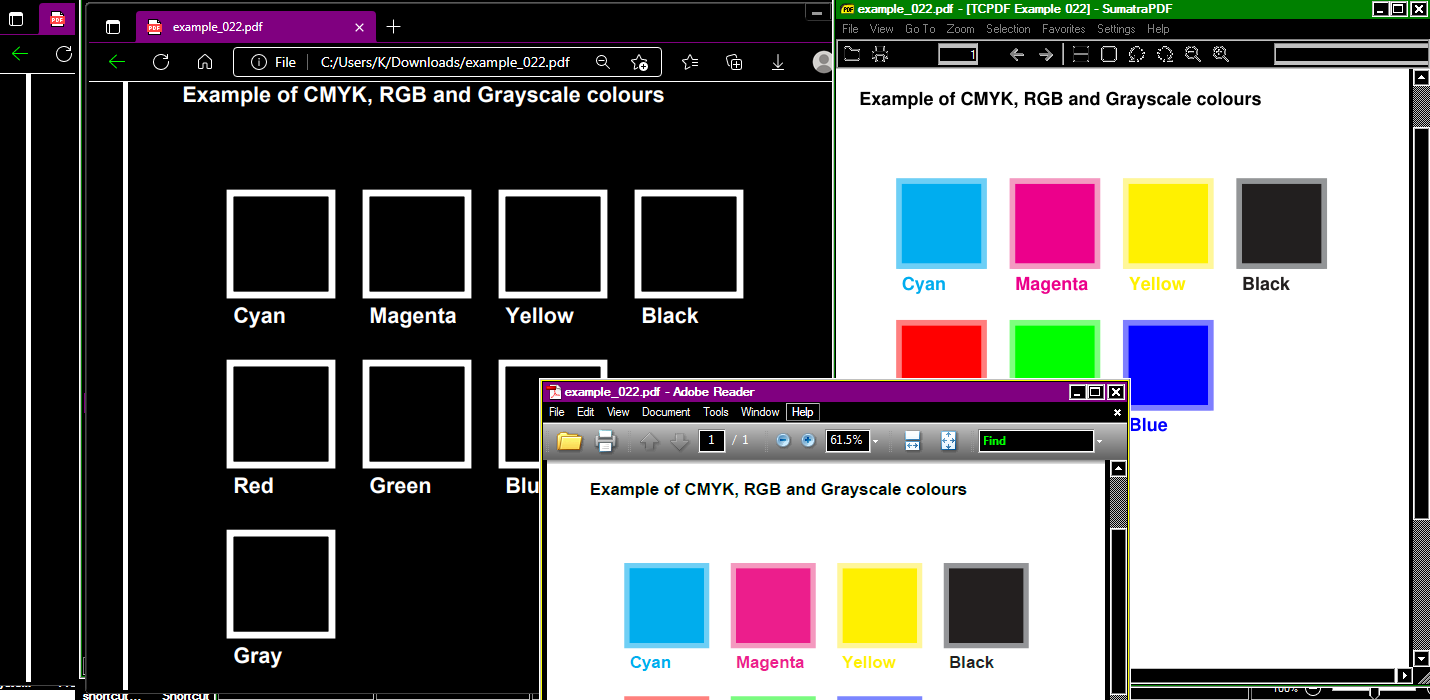
- It does display images with inverted colors for no reason. Image color inversion is not a feature of high contrast mode in any way, and no other software does that, so that's clearly a bug in SumatraPDF.
- It does not apply the color settings from the config file correctly, always displaying the text on the home screen (when no document is shown) in black and links in blue (and BTW, it also lacks a link color setting).
- "UseSysColors = true" doesn't seem to change anything in this regard. Probably only works with Dark Mode which is a joke the way it is implemented in Windows.
The easiest way to see everything for yourself is pressing Alt+Shift+PrtScr which is the keyboard shortcut for toggling high contrast mode.
I hope those issues can be resolved.
Many thanks for an otherwise great piece of software.

Agreed Adobe does it better
UseSysColors = false if true, we use Windows system colors for background/text color. Over-rides other settings