

 sumatrapdfreader
Find / Search features
*Find all instances of a string (spaces should be considered as a character):
- just like in WinDjView (and as fast, at least for djvu files), which lists the findings and allows one to "move" to the respective page;
- with an option to cancel the search (in case it takes too long to finish; in which case an option to choose the pages or range of pages to search would be useful) - http://forums.fofou.org/sumatrapdf/topic?id=3183376
- highlighting all instances of the string, just like in Firefox - http://forums.fofou.org/sumatrapdf/topic?id=3184488
- with an option for case sensitivity (it could activate case sensitivity automatically only if one used a capital letter);
- allowing one to dehighlight found instances of the string (e.g., just by clicking the word);
- allowing one to highlight "permanently" the non-dehighlighted instances of the string;
*suggestions ordered by relevance

It would be nice to get "find all" option similar to one in Acrobat or Notepad++:
-
Find all occurrences would generate list of items with page on which it was found.
-
add Hyperlink if possible
-
add export list to a text file.
if possible.

As a workaround, and possibly some source code would aid in adding this highly desirable feature to SumatraPDF, you may want to review pdfgrep, which appears in several forms:
- Windows executable, including line numbering and matched text highlighting;
- Python script.

Аlso interested in this feature. Like and other people. https://forum.sumatrapdfreader.org/t/find-all-in-open-document/124 https://forum.sumatrapdfreader.org/t/highlight-and-number-search-results/252

It would be very nice, to have a "Advance Search" button with the possibility to select a folder in the file system and search for a string in all PDFs.

@Emanz93 System searching outside a PDF application is handled by windows index & search functions. The encrypted contents of PDFs can be decrypted by said applications with a system filter and the contents exposed to Windows Explorer search. There is a very good one available with Adobe Reader and If you have installed that it is best to keep it. SumatraPDF does not normally scan folders of files (except to allow selecting the next alphabetic entry), however during installation it does provide the option to install its own IFilter.

As issue #1765 is considered as a duplicate, I paste my suggestions here in this main thread for easy navigation.
First, thank you all the contributors to this great project. It's light and fast, yet powerful.
I would like to keep Sumatra as my only PDF reader. However, there is one feature that is missing: highlight and number all the matching instances in search results. I believe that a great number of users would like this feature as well.
Hopefully, it will
- highlight all matching instances in PDF contents
- show the total number of matching instances, as well as which one you are currently at (e.g. 5/117)
- indicate the locations for all matching instances by placing a small horizontal line on the scrollbar on the right
Basically, similar to what Google Chrome does for PDF search results. Similar previous suggestions can be found here, but seem to have been left neglected in history.
At present, the search results only show the ONE matching instance that you are currently at. No numbers, no highlights for other instances, and no indication of the locations of all matching instances.
Any consideration for this? It'd be awesome if this feature could be implemented.
Cheers

Basic search - as found in most browsers:
- when a word/phrase is selected and I press CTR-F search for that word/phrase
- when my search fails put a red border around the search box.

@GavinBrelstaff
- if you select a word and the find box is unpopulated then your wish is granted ctrl +F works quicker is / and either way then enter key twice should find the next one
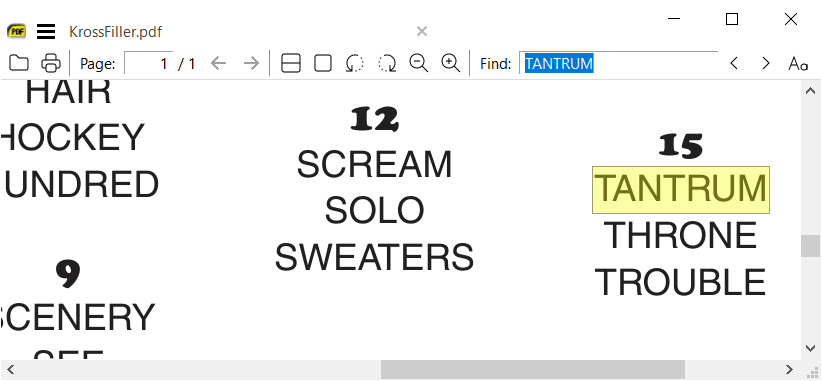
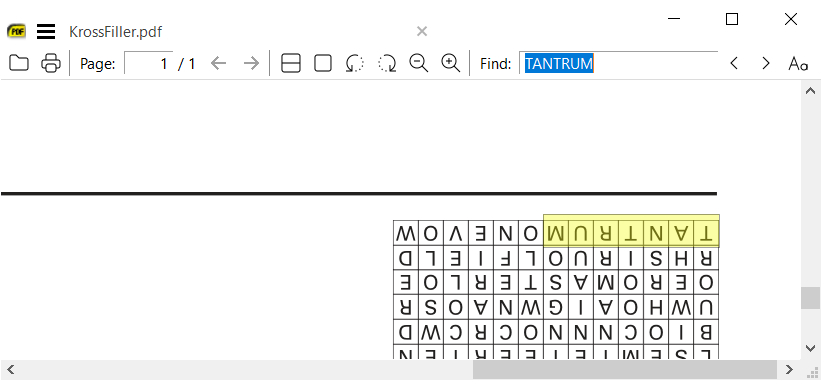
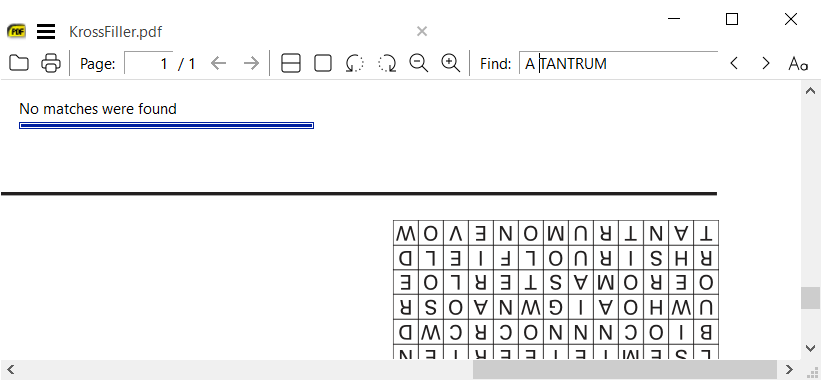
- sumatraPDF displays No matches were found (in the match box :-) in message area (top left)
It would be very nice, to have a "Advance Search" button with the possibility to select a folder in the file system and search for a string in all PDFs.
Please upvote: https://github.com/sumatrapdfreader/sumatrapdf/issues/2376

Basic search - as found in most browsers:
- when a word/phrase is selected and I press CTR-F search for that word/phrase
- when my search fails put a red border around the search box.
I am missing two options:
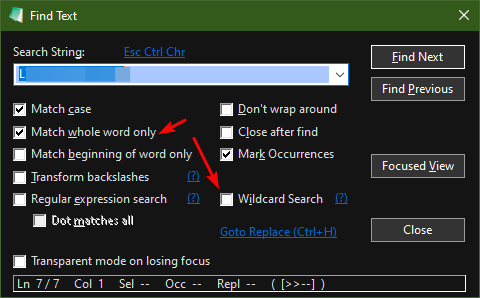
- "Whole worlds only" (high importance for me);
- "Wildcard search" (one can search for "heo" in order to find "hero" and "helo" by using wildcard char "");
This is a good all inclusive search dialog from notepad3:
@WhiteChairFromIkea
It would be very nice, to have a "Advance Search" button with the possibility to select a folder in the file system and search for a string in all PDFs.
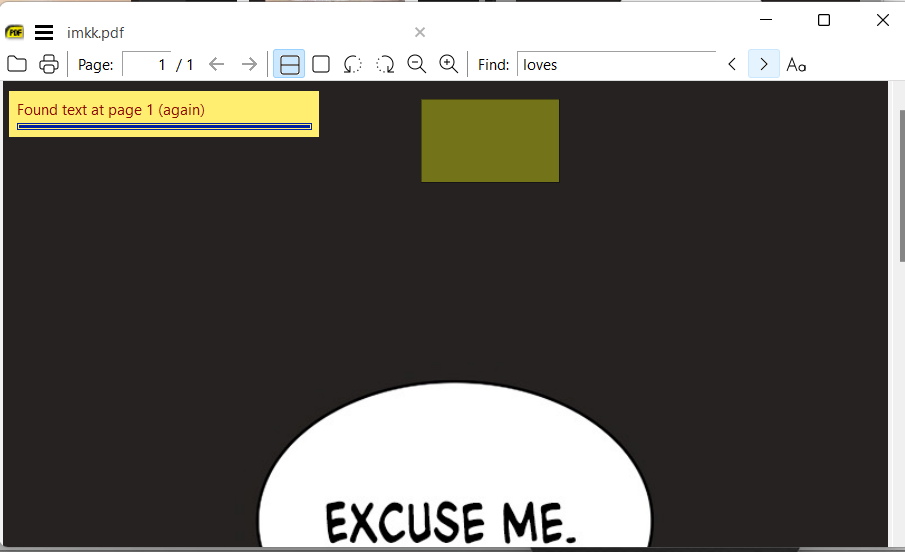
SumatraPDF same as Acrobat can let Windows Search do that, so in this simplistic example (I filter with .pdf and iFilter for loves) logically we see several matches, so the odd ball is the image with excuse me (can not search an image for "excuse" or "me") and in pdf viewer there is no visible text ?!?

well blow me down the text is there but hidden
@WhiteChairFromIkea
I am missing two options:
- "Whole worlds only" (high importance for me);
- "Wildcard search" (one can search for "he_o" in order to find "hero" and "helo" by using wildcard char "_");
- Technically there are no such objects as "words" within the pdf contents, there are often strings of plain text with occasionally a space character each end and double click in SumatraPDF will recognize those
- That is a highly complex concept best done with a regex application such as dnGrep or others proposed elsewhere.
@WhiteChairFromIkea
I am missing two options:
- "Whole worlds only" (high importance for me);
- "Wildcard search" (one can search for "he_o" in order to find "hero" and "helo" by using wildcard char "_");
- Technically there are no such objects as "words" within the pdf contents, there are often strings of plain text with occasionally a space character each end and double click in SumatraPDF will recognize those
- That is a highly complex concept best done with a regex application such as dnGrep or others proposed elsewhere.
Well, Foxit reader (pdf viewer I used before found sumatra) support "Word only" option:
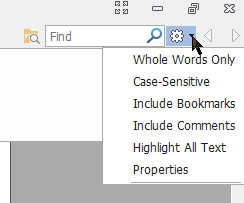 Technical limits should be overcomed for user convenience (kind of sophisticated search algorithm). Should I open a different issue, called "Search: add "Whole words" option" for easier tracking (or would such never be implemented)?
Can I add to this thread that Foxit Reader also has a Find All / Mark All feature like WinDjvu (and Acrobat it seems), showing hit and context, it's under the advanced find beside the normal find. It does it well except they excruciatingly fix the results list to a rather small width and give a scroll bar for horizontal scrolling to see each context fully, when in many cases after a search you'd want to widen the results liberally to see all the context to avoid horizontally scrolling about, so that tiny width restriction loses a great part of the feature's value. I mention this because as has been said, Find All really is a desirable feature, even if it's done simplistically or inefficiently at first. Many thanks to all! David

It's a very useful function for someone like me and add this function please. Do push me to begging you, baby!!!

Would still very much appreciate the find function (1) highlighting all results, (2) listing how many results there were, and (3) indicating which number result the view is focused on.


Hmm the logic is not that easy so I have seen users fork brilliantly using AI but the result is not what I would expect the majority of users accept without human complaints !
My thinking is that a basic but very usable format should be doable... there is already a Find, which recognises when you get to the document end, so Find All at its simplest is just the repetition of that till it hits the end of the document, noting them all as a list panel whose entries can be clicked. You can do Ctrl-A Ctrl-C and it will instantly copy the whole document as text so one can see how the text is interpreted, and it demonstrates that with the finds one can show a context of so many characters or words either side of the hit. Whole/begins/ends words are simply a filter on the Find-with-context that skips any hit whose adjacent character is alphanumeric. I wouldn't know how it should all be set up myself, but it seems the task set is already present in other actions?
@meteorquake look at the AI generated version I have updated the image to show what you seem to desire in terms of display, it DOES search a limited number of entries as you wish but because it is AI it has many issues that took a long time in computer time to resolve and still has many problems as certainly not exactly what 8 billion users want It was designed by one person, for one individual's purpose and you could do the same. But would need to spend perhaps a few weeks adding the other 80% of the work needed.
I think the difficulty would be knowing where to begin - as a user I can outline what's helpful so that anyone long-familiarised with sumatra code can do something, but for someone unfamiliar to implement a thing would presumably require someone to make a sketch outline that someone could then fill in the fine logic for - specifically how to make a panel appear with clickable words that are actioned to jump to a page, how to scan the text of a document - then someone could presumably insert it back in... I presume it's in C which I'm not myself an experienced user of...
Don't bother. Those who are in a position to implement it, will eventually get around to it. Those who aren't, sit tight and be patient.
@meteorquake I have no idea if the SumatraPDF user has any c knowledge but I can see Claude AI does not know how humans think a program should be designed. And that applies to many Computer Aided Designs, as Programmers are often not good designers and Designers are rarely good programmers which is why we have 2 different words.