
contentful-ui-shopify
 contentful-ui-shopify copied to clipboard
 suhmantha1
Integrate Shopify products with Contentful CMS
Contentful Shopify Product UI Extension
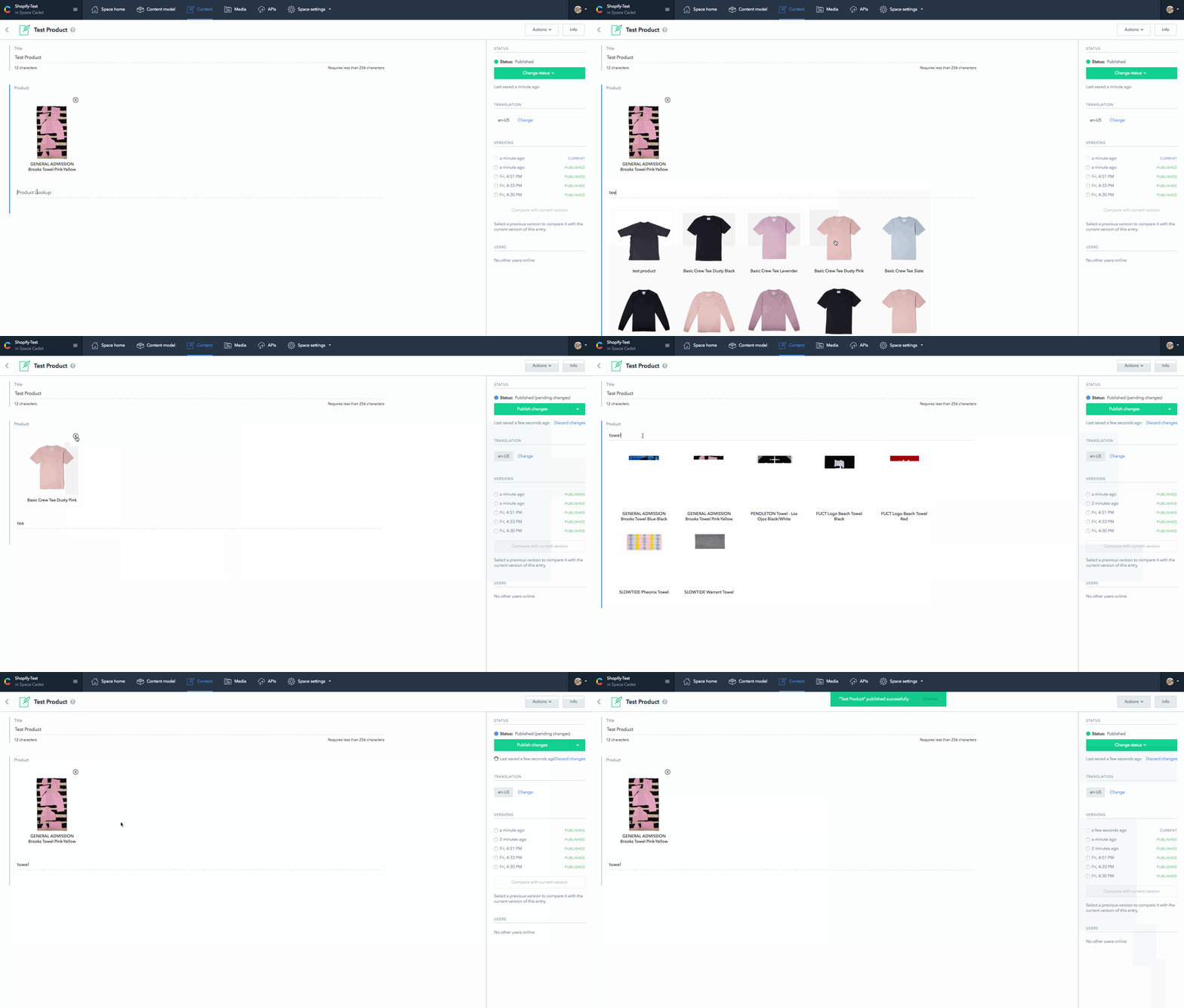
Add a custom UI field to Contentful that allows users to search and select Shopify products.
Installation
git clone [email protected]:suhmantha1/contentful-ui-shopify.git
cd contentful-ui-shopify
npm install
Configure
Create a configuration file with your credentials for Contentful.
cp env.example .env
Open .env in a editor of your liking and add your Contentful space ID, and management token. Learn how to obtain a token.
Load environment variables
source .env
Add Shopify credentials in index.html. Replace REPLACE_shopifyUrl with your Shopify Url, which will be in the form https://demo.myshopify.com/api/graphql.
Then, replace REPLACE_shopifyToken with your Shopify token
Create
npm run create
Create task will register the extension in your space on Contentful.
Update
npm run update
Update task will upload the extension to your space on Contentful.
Ready to Use
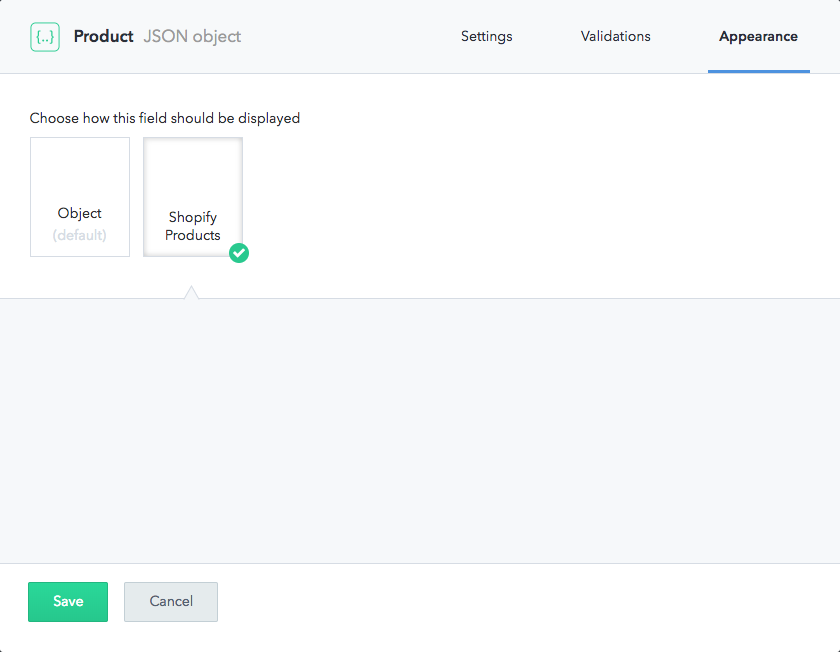
Shopify products are now available in your content model. Add a JSON Object field, and select Shopify Products in the appearance tab.
 suhmantha1