
gas-InstagramApp
 gas-InstagramApp copied to clipboard
 sudtanj
Instagram images API for Google Apps scripts to download images and video
InstagramApp 
Instagram images API for Google Apps scripts to download images and video
Adding the library to your project
GPhotosApp for Google Apps Script is made available as a script library. This is how you add it to your project:
- Select "Resources" > "Libraries..." in the Google Apps Script editor.
- Enter the project key (
M8x8jufxf5GK85Qx-ShMd7z21kzexP7vB) in the "Find a Library" field, and choose "Select". (If you have copied the library, enter instead the project key of your copy.) - Select the highest version number, and choose GPhotosApp as the identifier. (Do not turn on Development Mode unless you know what you are doing. The development version may not work.)
- Press Save. You can now use the GPhotosApp library in your code.
Usage
To use the library, you need the following code to be included in your project.
instagramId="INSTAGRAM_ID"; // input the instagram id
function run(){
  InstagramApp.initInstagramApp(instagramId); // initialize the library
  InstagramApp.fetchContent(); // fetching the images and video from saveIG
  var result=InstagramApp.getImages(); //returning all images and video link in array (example : [https://scontent-sjc3-1.cdninstagram.com/vp/4e9103452e0522734c93847d34ea2a96/5D191CBE/t51.2885-15/e35/54731647_127432751666517_4943613511373745041_n.jpg?_nc_ht=scontent-sjc3-1.cdninstagram.com&dl=1, https://scontent-sjc3-1.cdninstagram.com/vp/be2fc23ba15a4e0f8d232501df585ec5/5D178C90/t51.2885-15/e35/54511462_801345576919248_8340173353158202526_n.jpg?_nc_ht=scontent-sjc3-1.cdninstagram.com&dl=1]
  // your program
}
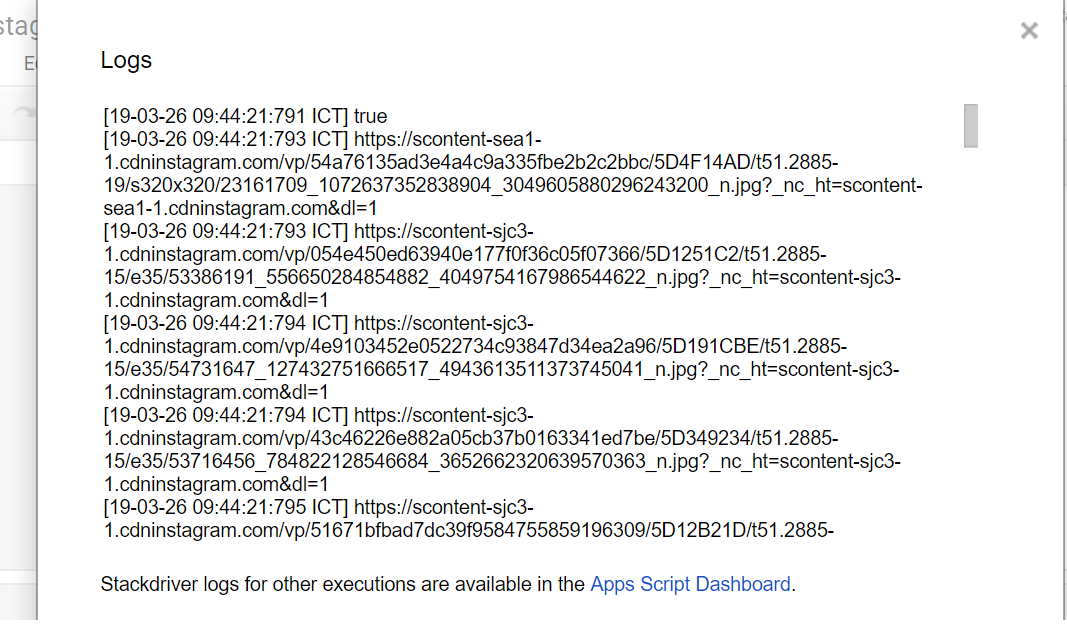
Screenshot
Here is the comparison between request at saveig and from the library

Depedencies
- SaveIG - https://saveig.com/
- Cheerio - https://github.com/ta2gch/cheeriogs
License
GPhotosApp for Google Apps Script is released under the MIT license.
 sudtanj