
LSP
 LSP copied to clipboard
 sublimelsp
Unexpected change in autocomplete order
Describe the bug Since Sublime build 4134, I have noticed that the initial autocomplete suggestions have changed and the closest matching suggestion is no longer displayed at the top. I am not sure if it is specific to lsp-intelephense, but it is where I am seeing the issue most obviously. You can see some more details on Discord, but it seems to be that the initial suggestions shown are incorrect and triggering autocomplete again shows as expected.
To Reproduce Steps to reproduce the behavior:
- Open Sublime Text in safe mode.
- Install Package Control.
- Install LSP package.
- Install LSP-intelephense package.
- Open a new buffer.
- Type the following:
<?php $variable = 'value'; $another = - When typing
$at the end of the last line the following is displayed, which is expected: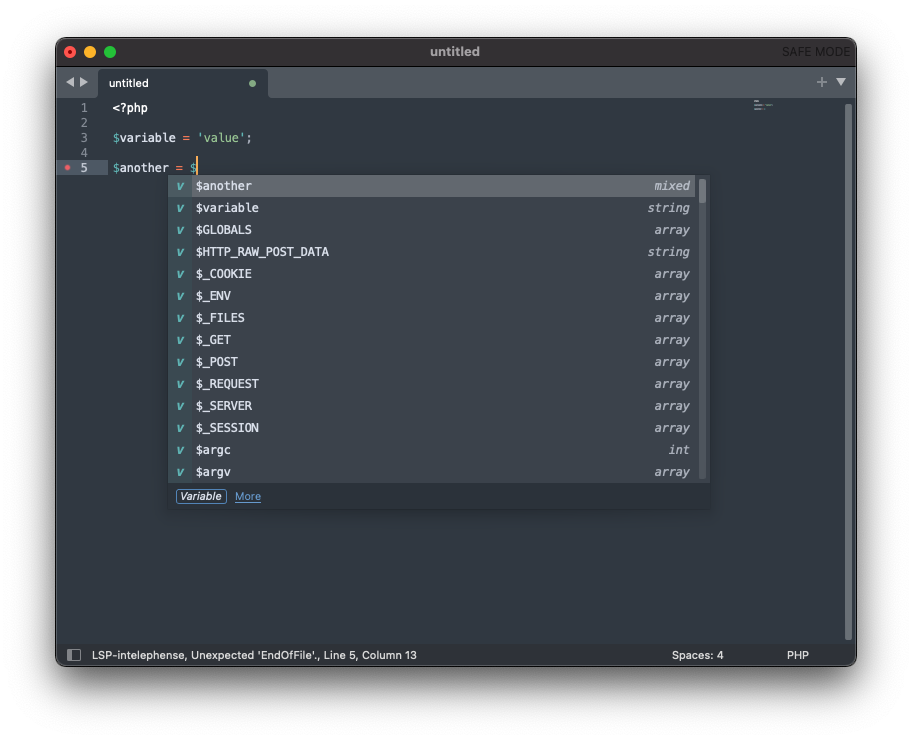
- Then when typing a
vafter that, the following is displayed, which is not expected: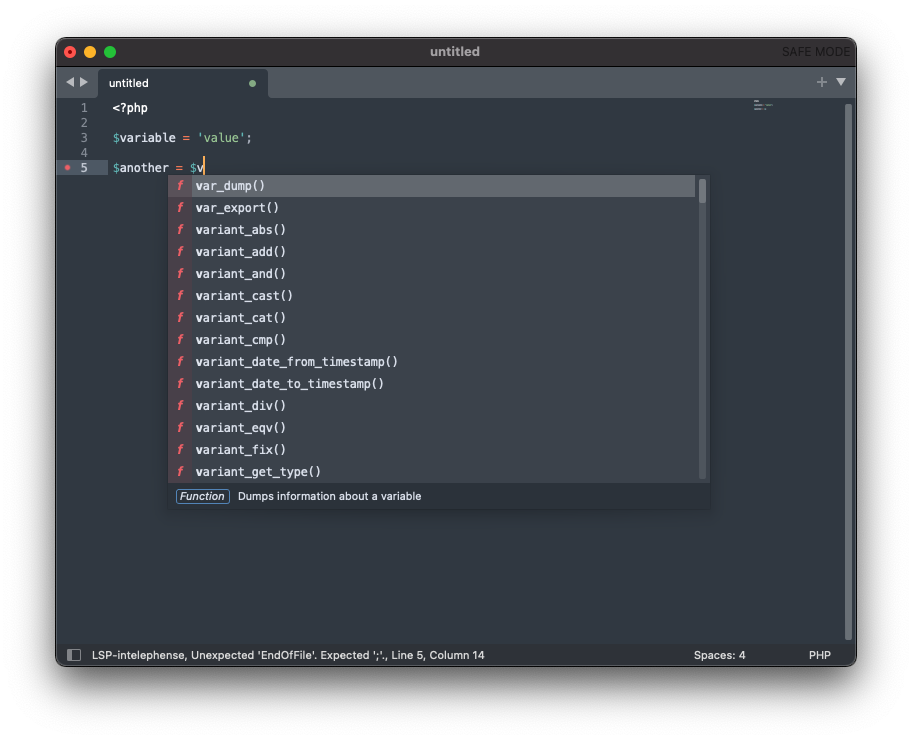
- Finally, if autocomplete is triggered manually, the following is displayed, which shows what I expect and what it was doing seemingly before build 4134:
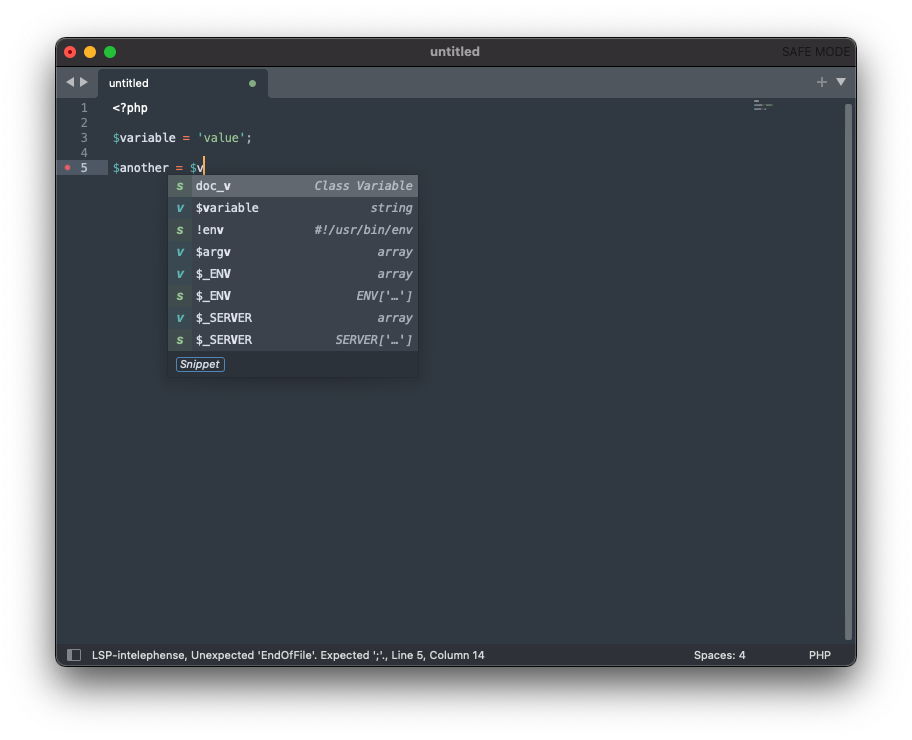
Expected behavior The closest match should be displayed at least towards the top of the suggestions.
Screenshots Included in context above.
Environment (please complete the following information):
- OS: macOS 11.6.1
- Sublime Text version: 4134
- LSP version: 1.16.2
- Language servers used: intelephense (1.0.25)

Perhaps this has nothing to do with, but I'm seeing this unit test failing on build 4134
test_var_prefix_using_label (test_completion.QueryCompletionsTests) ... FAIL

And the CI doesn't detect this regression because it downloads the stable version: https://github.com/SublimeText/UnitTesting/blob/master/scripts/install_sublime_text.sh#L70
by scraping this URL apparently: curl https://www.sublimetext.com/download_thanks
@willrowe I believe that in both steps 7 and 8 the expected completions are all there. They are just not being sorted and matched properly because the $ doesn't seem to be taken into account when matching. You can verify that by scrolling the list and looking for expected completions.

If $ is not taken into account when matching, then the failing test seems to indeed correctly detect that: https://github.com/sublimelsp/LSP/blob/80d4cbe341a2f7b59601c82ef4bb22f84133aa40/tests/test_completion.py#L130
They are just not being sorted and matched properly because the $ doesn't seem to be taken into account when matching.
I believe this may indeed be the issue, I think the $ was being taken into account on previous builds.
As mentioned in https://github.com/sublimehq/sublime_text/issues/5437, this appears to be fixed in build 4138.