

 sublimehq
Phantoms do not set the correct font-family on MacOS
Description of the bug
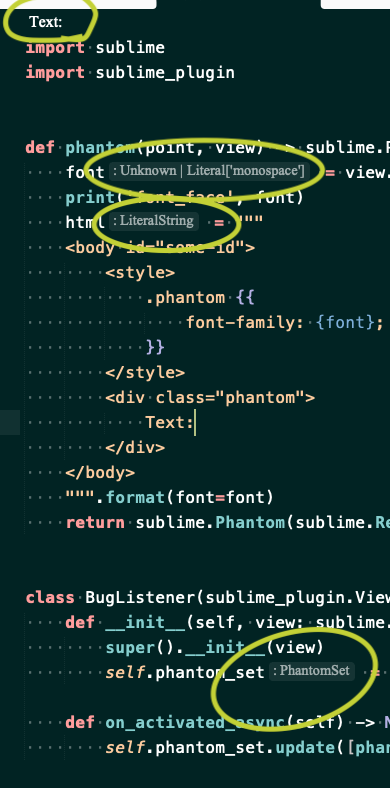
Phantoms have a not the correct font-family applied.
Steps to reproduce
Given the following plugin:
import sublime
import sublime_plugin


def phantom(point, view) -> sublime.Phantom:
    font = view.settings().get('font_face') or "monospace"
    print('font_face', font)
    html = """
    <body id="some-id">
        <style>
            .phantom {{
                font-family: "{font}";
            }}
        </style>
        <div class="phantom">
            Text:
        </div>
    </body>
    """.format(font=font)
    return sublime.Phantom(sublime.Region(point), html, sublime.LAYOUT_INLINE)


class BugListener(sublime_plugin.ViewEventListener):
    def __init__(self, view: sublime.View) -> None:
        super().__init__(view)
        self.phantom_set = sublime.PhantomSet(view, "phantom_key")

    def on_activated_async(self) -> None:
        self.phantom_set.update([phantom(0, self.view)])
Expected behavior
I expect phantom to respect the assigned font-family.
Actual behavior
But the font-family looks like sans serif.
Sublime Text build number
4134
Operating system & version
macOS 12.2.1
(Linux) Desktop environment and/or window manager
No response
Additional information
No response
OpenGL context information
No response

What's the font name in this case? Have you tried adding quotes around the font name?

this code print('font_face', font) will print out:
font_face JetBrains Mono Medium
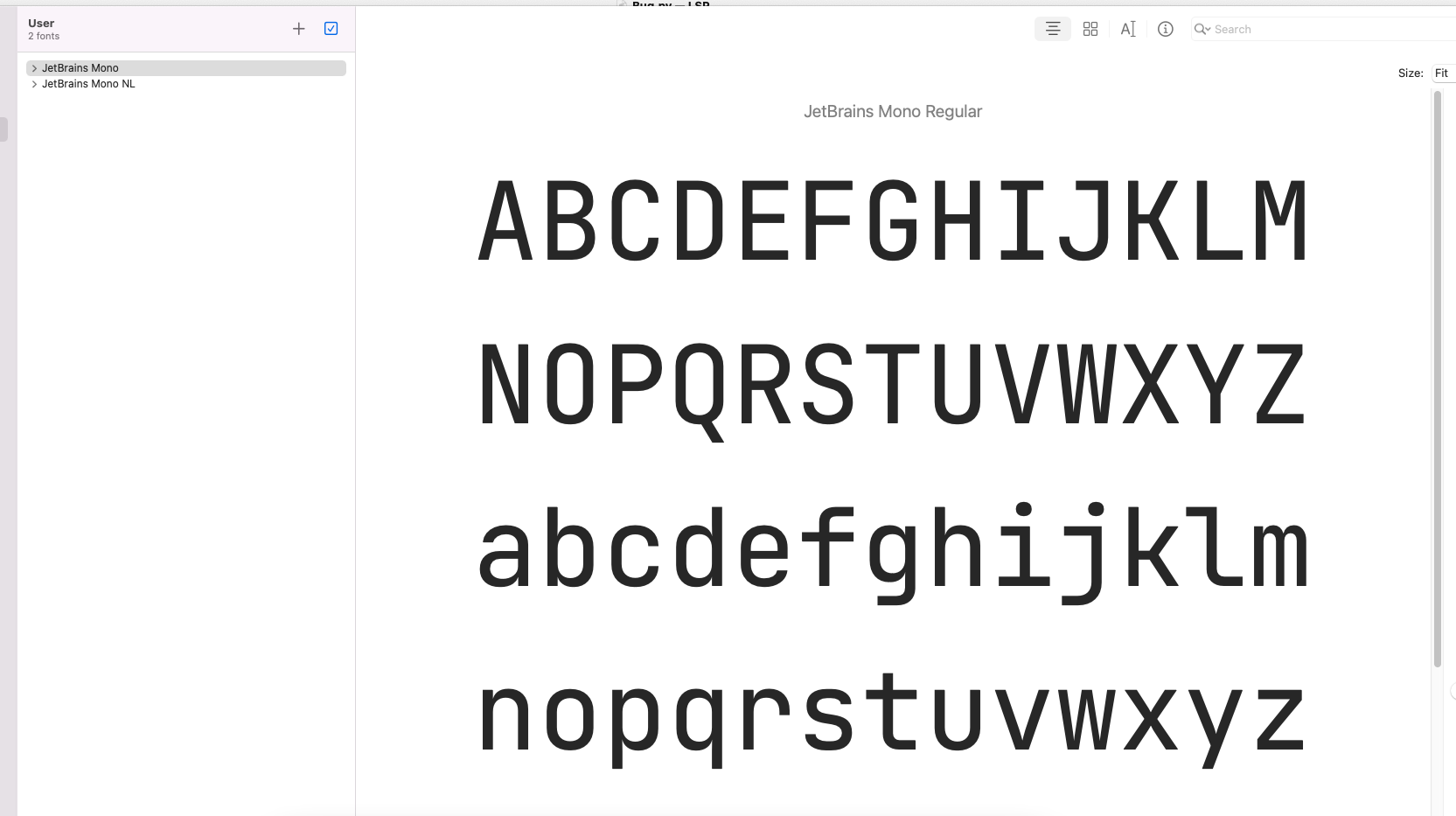
It's probably because you don't actually have JetBrains Mono Medium installed. The main interface is able to fall back to default font but apparently not phantoms (minihtml).
It's probably because you don't actually have JetBrains Mono Medium installed.
That is is.
I had JetBrains Mono Regular not JetBrains Mono Medium.
Thanks Rafal.
I'd still consider this a bug. The fallback mechanism should also work in minihtml.
I will reopen this and let ST devs decide if they want to close it or fix it.