

 sublimehq
Project-relative file patterns (starting with `//`) don't work in 'Find in Files'
Description of the bug
File patterns beginning with // should be treated as relative to the project root. The docs say that this applies to the Find in Files panel too: docs.
If pattern begins with
//, it will be compared as a relative path from the project root [4066]
However, searching a file pattern beginning with // produces an error, and a pattern beginning with -// is ignored or treated as a regular path.
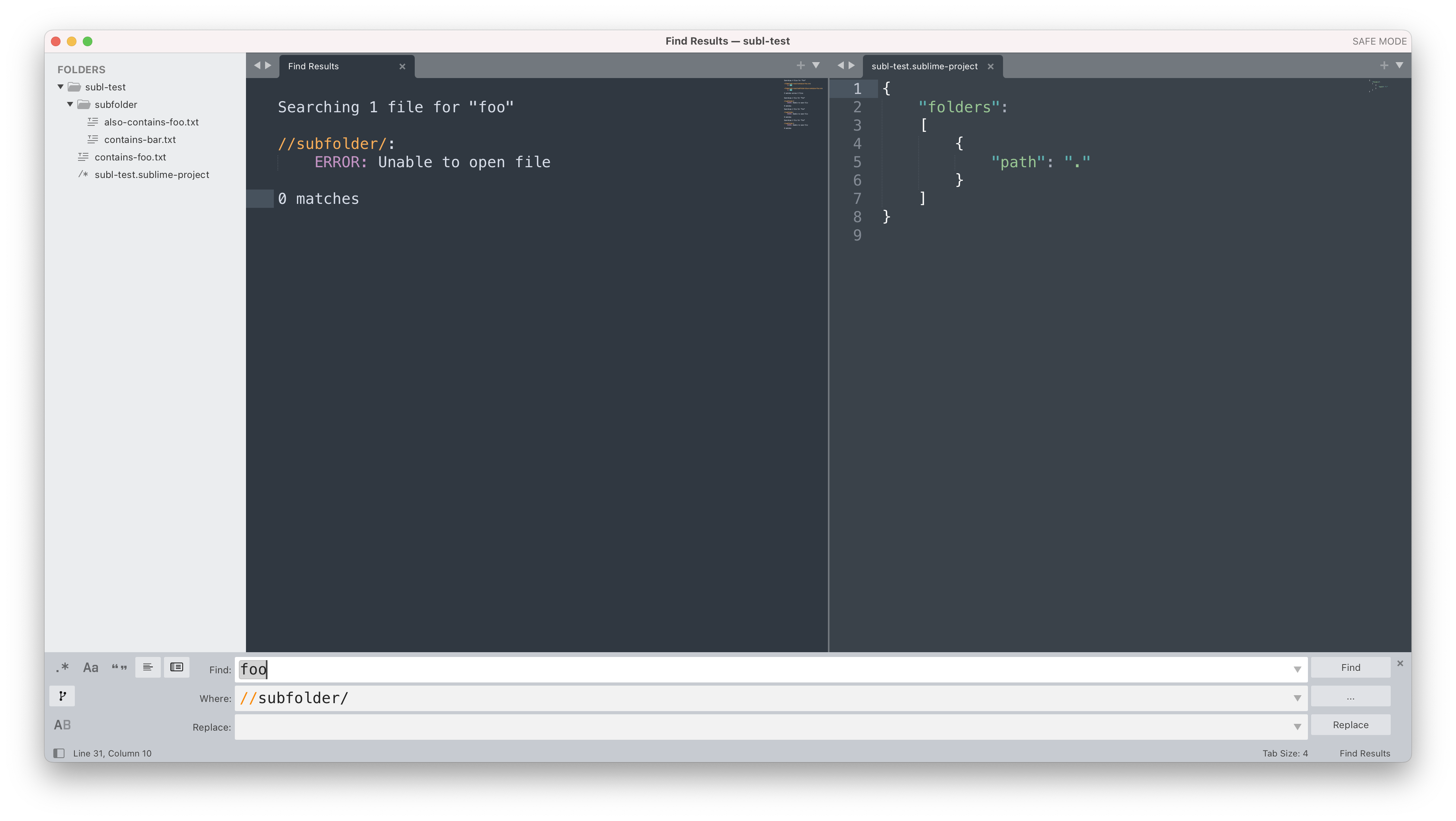
This search should not error, and should find one instance of "foo"—inside subfolder/also-contains-foo.txt:
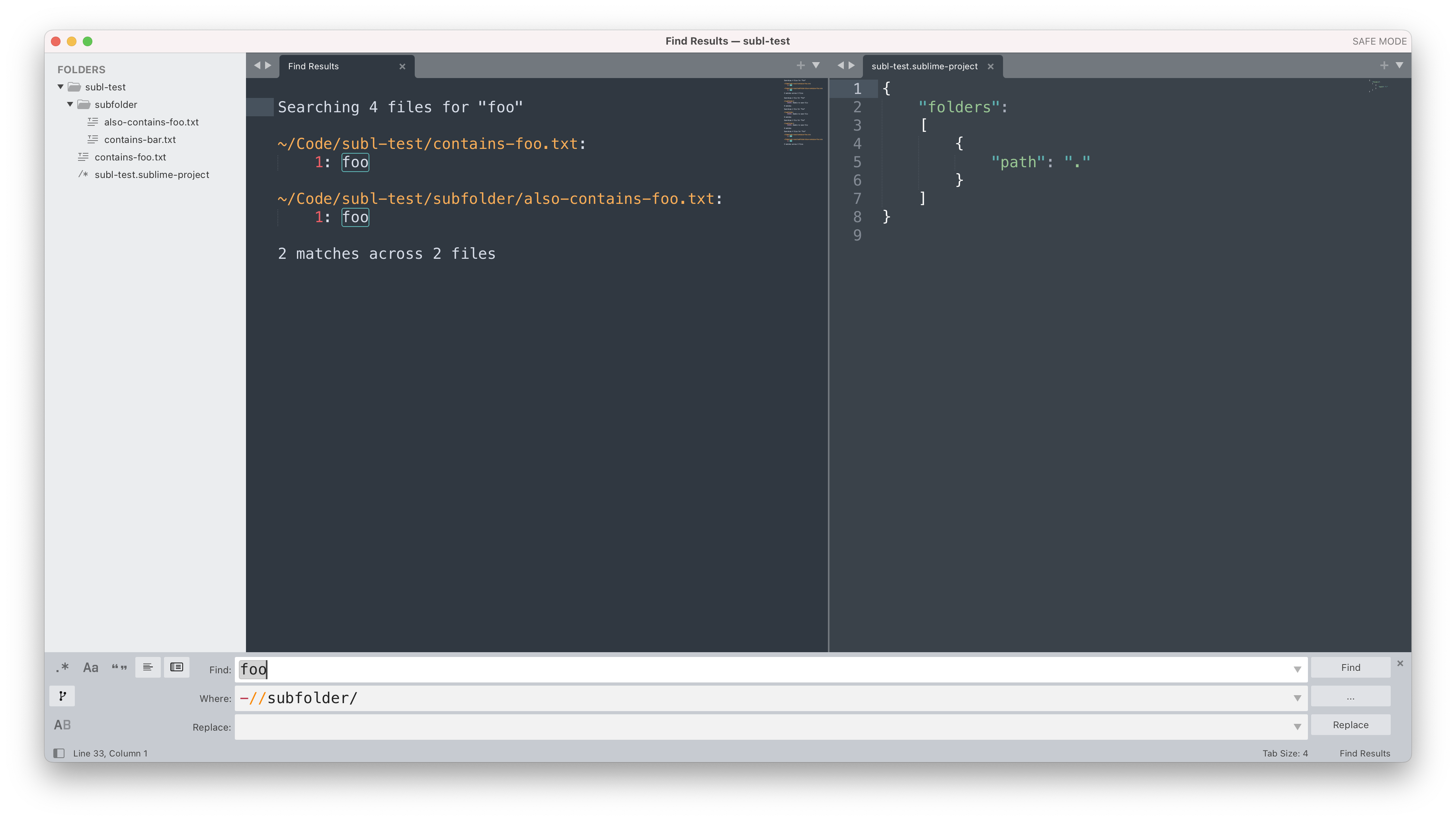
This search should only find one instance of "foo"—inside contains-foo.txt (but not subfolder/also-contains-foo.txt):
Steps to reproduce
- Start ST in safe mode.
- Create some subfolders and files.
- Search globally (CmdShiftF) for a string that is in several of the files.
- Add a file pattern to the "Where" input of the global search panel.
- Use a file pattern that starts with
//or-//as documented. - Observe that the pattern is ignored or errors.
Expected behavior
File patterns with // should be relative to the project root exactly as described here: https://www.sublimetext.com/docs/file_patterns.html#path-rules.
Actual behavior
See above.
Sublime Text build number
4134
Operating system & version
macOS 12.3.1
(Linux) Desktop environment and/or window manager
No response
Additional information
No response
OpenGL context information
No response

I can confirm that happening on Windows 11 as well.
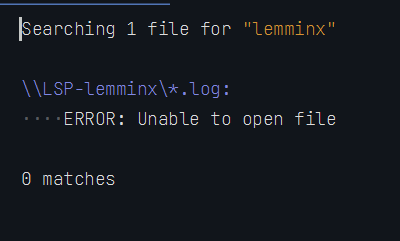
It appears ST converts // to \\ and handles it as network share path.

Find-in-files doesn't support // because that's already the default behavior. If no explicit files/folders or similar are provided the search is performed relative to the project root. The way to do those searches are just subfolder/ and -subfolder/.

Maybe I'm misunderstanding but I don't think that's true.
If you have a folder named B at the root of the project and also one nested somewhere in the project then how do you restrict the search to just the root B?


@BenjaminSchaaf by default the search is performed inside the project root, but not relative to it.
subfolder/ will match subfolder/, nested/subfolder/, nested/deep/subfolder/, etc. Likewise -subfolder/ will exclude all of those.
//subfolder/ would match/exclude subfolder/ only.
From the docs:

Could you please re-open this issue? Or am I still not understanding this correctly?