
sublime_text

sublime_text copied to clipboard
 sublimehq
Horizontal marker is not visible
Description
When searching small markers are appear under scroll bar
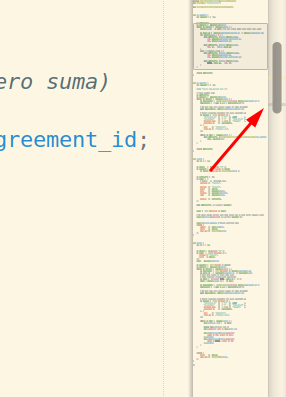
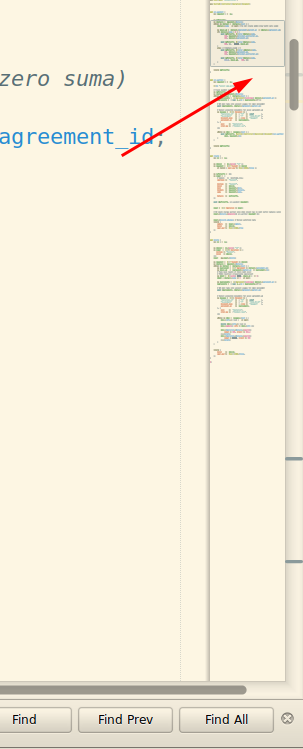
But not always.
If you press find, then next marker is not shown
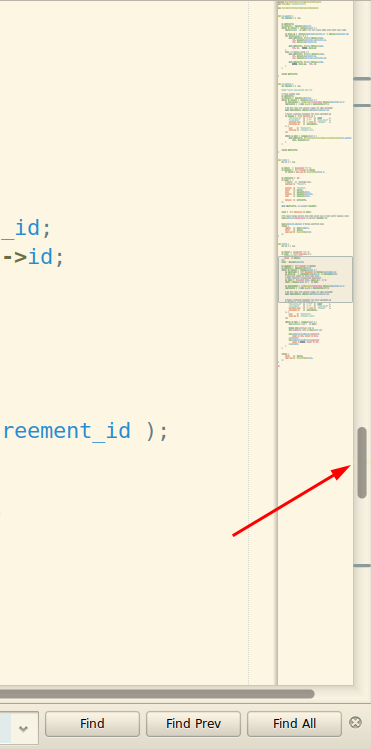
to be more sharp: current marker is not visible
Steps to reproduce
- Try to find something
- Find next match
- Notice that next marker become invisible when we are moving to it
Expected behavior
Marker should not disappear
Actual behavior
- Notice that next marker become invisible when we are moving to it
Environment
- Build: 4116
- LInux mint 19.3
- Cinnamon

- Came to report the same.
- The scroll bar is on top of the find-result-markers.
- Much of the time, this obscures a lot of the results as well as which of the results is currently selected (which is shown in the scroll-bar "track" as well.
- Generally, it's awkward and confusing and undermines to a good extent the usability of this "show results in scroll bar" feature.
- Seems that the result markers should be "painted" on top of the scroll bar.
Environment
- Build: 4000+
- macOS 10.14+ (Mojave)

Visibility of such markers is somewhat related with the theme being used.
Other popular code editors also render markers behind the scroll puck.
So it's crucial for the puck to be semi-transparent for markers behind it to be visible.
The theme in question could tint the puck black with an alpha of maybe 40% without changing its appeareance but enable markers to be more visible.
