

 subethaedit
UI Overhaul: invitations and joining documents
Might be a non-exhaustive list:
- click decline while app is in background, decline being the first click. Will crash on next click after doing nothing.
- click to activate window, then close button. nothing happens, close button again -> crash
- click to activate first, then decline button, then decline button again -> crash
- click to activate the proxy window, press cmd-w to close window -> crash
It all seems related to performClose: not closing the window, but deallocating stuff, leaving it still up, and crash on second interaction. Was already strange after the ARC transition (see cd45b00a4c1269f7dc3787a0d4dfdb97c47ae90a) but now is quite bad and ridiculous. Might be worth waiting on 11.1 go come out, if that fixes things.
Notes
-
The hud style has an out of place close button on big sur too. So maybe just redo the whole thing.

-
Weirdly if you manually switch windows after having pressed decline or the close button once the perform close actually takes place and we are in a more happy non crashing place

actually all of this seems fixed (or just doesn't happen on ARM) in macOS 11.1 - so postponing any additional workarounds here.
moving to 5.2 to recheck thereafter. Hoping on a soonish 11.1 release to also check on intel
I agree about the style issue 😉
Although I don't quite like them so much on Big Sur, I was thinking if it would make sense to move the UI to a NSUsernotification? Or rather UNNotification, since the former is deprecated now.
I didn't test myself yet, but reading the initial description, this solution could possibly also solve this issue?
P.S. Feel free to tag me any time there's a UI issue or question. Happy to help!

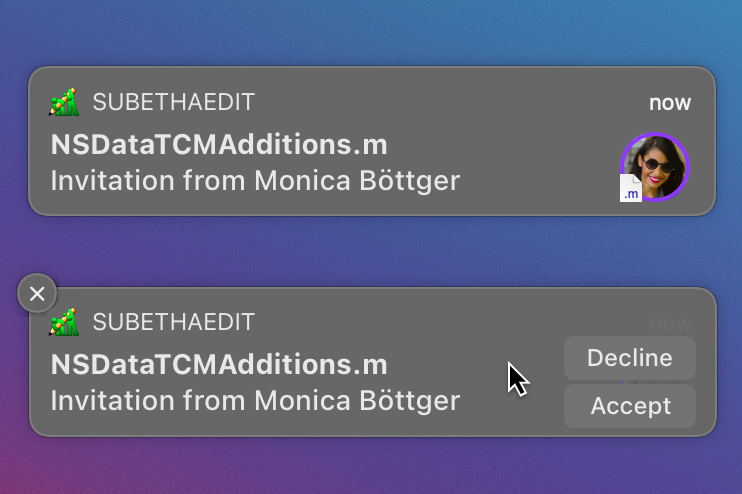
Yeah - one might move this to the notification system instead of the proxy windows inside. However, then it only works when notifications are enabled which seems too harsch too. And I don't know if mimicking the Notification UI but being an App Window is a good idea either. Maybe This should be moved to the document hub + notifications?
Oh right, that would actually make sense. I imagine a top row with the incoming invitation now. Clicking on the notification would bring you to the Document Hub. I'll prepare some mockups!
Some more explorations of the directions we could take.
UNNotification:
+ System provided, pretty easy to implement
- Can be switched of by the users, fallback needed in Document Hub
- The interaction is not ideal (hover to reveal actions)
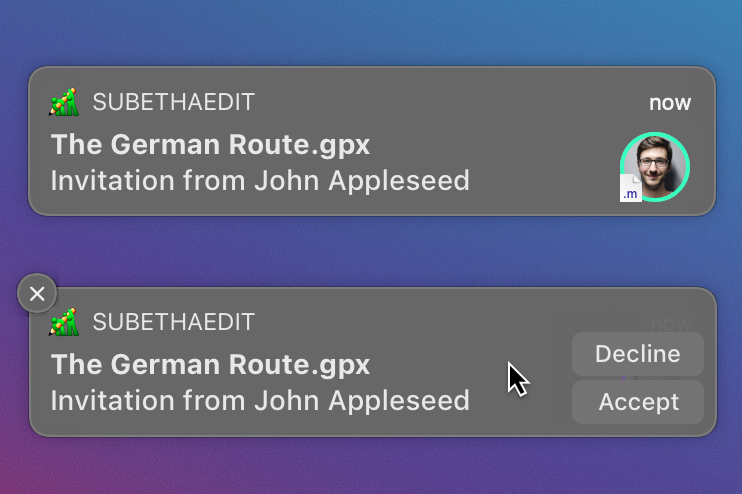
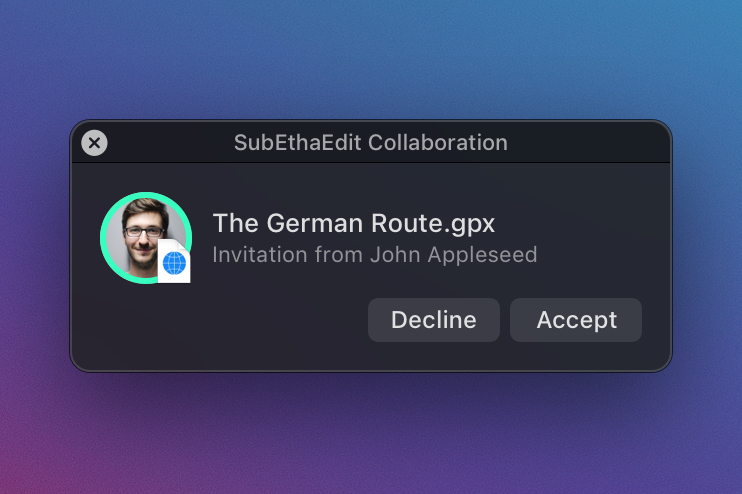
Updating current window:
+ No need for fallback
+ UI flexibility
- Maintenance?
Adding invitations to the Document Hub:
+ Makes a lot of sense, regardless of the notification mechanism
- Not a good idea to make this window front (and for sure not make it key) when an invitation arrives, so it could go unnoticed. Because of this we still need a notification in one of the ways described above.
Here are three proposals, where I prefer the last one. The background could blink/glow, like the original default aqua buttons.
It might also a good idea to rework the section titles in this case, to make it very clear what's going on.
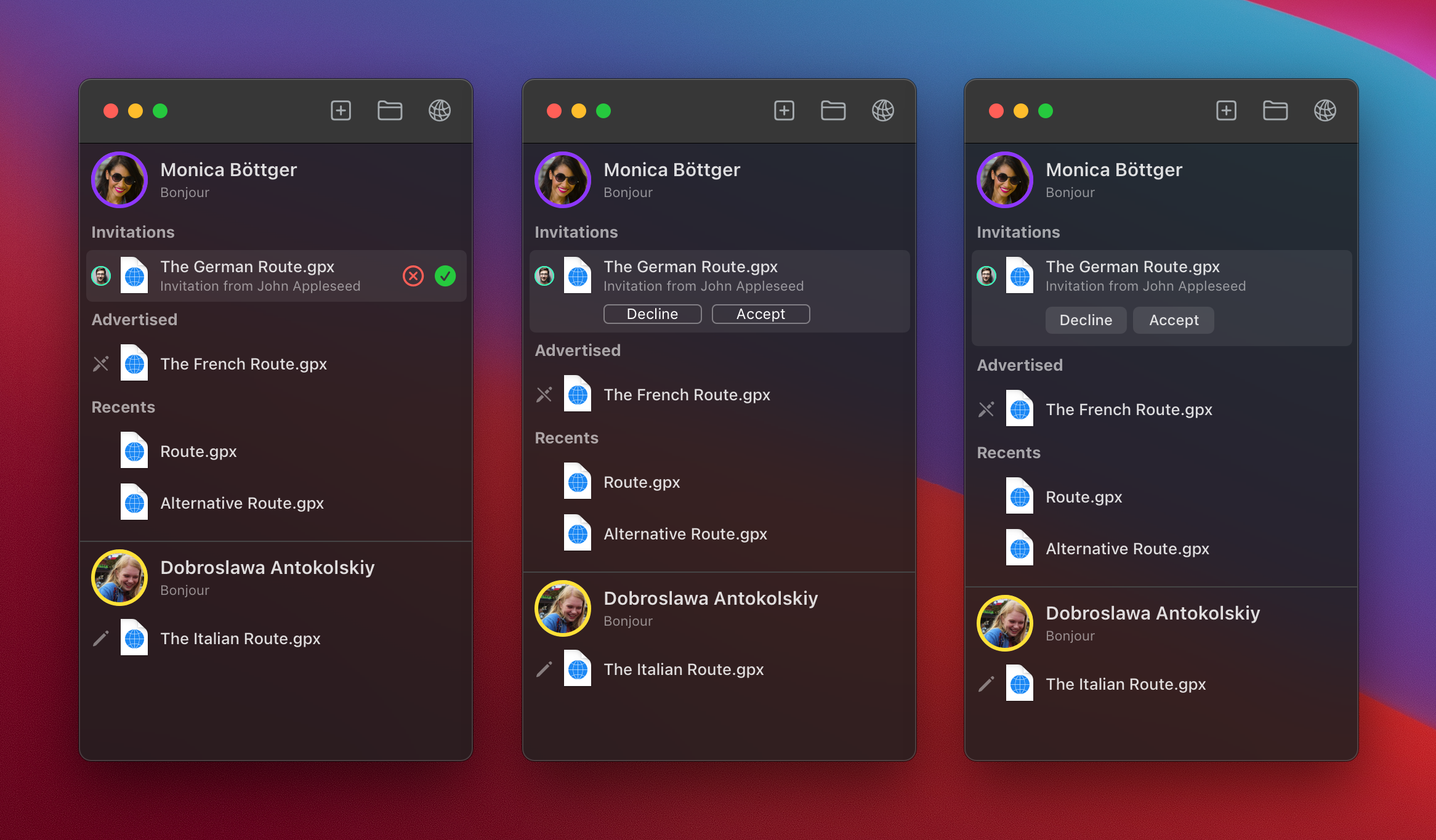
I do like your ideas and would suggest to go down the notification + hub route, and there the last option is also my favorite. However, macOS 11.1 did fix all the crashers, so this is less pressing now.